Автоматичні оновлення
поновлення через 1 рік за $ 33 .00
Усі платформи
Одноразовий платіж, користуйтеся застосунками назавжди
$ 159 .00
продукція:
включено:
Luminar для Desktop, Mobile, Web: ваш назавжди. AI-інструменти поновлюються після 365 днів із Luminar Prime.
365 днів необмеженого використання. Відповідно до політики добросовісного використання.
Найпопулярніше
Max
Одноразовий платіж, користуйтеся застосунками назавжди
$ 199 .00
продукція:
Luminar Prime:
Luminar для Desktop, Mobile, Web: ваш назавжди. Доступ до нових і генеративних AI-інструментів, а також бібліотеки ресурсів: 365 днів.
365 днів необмеженого використання. Відповідно до політики добросовісного використання.
Лише для ПК
Одноразова оплата, користуйтеся застосунком назавжди
$ 129 .00
продукція:
включено:
Luminar: ваш назавжди. AI-інструменти поновлюються після 365 днів із Luminar Prime
365 днів необмеженого використання. Відповідно до політики добросовісного використання.
Працює як самостійна програма для:

macOS

Windows
Працює як плагін для:

Adobe Photoshop®

Adobe Lightroom®

Apple Photos®
Працює як самостійна програма для:

Android

iOS

ChromeOS

фотографів та організацій

з інтуїтивним управлінням на основі штучного інтелекту
Ліцензія «Тільки для настільних ПК»
Придбавши безстрокову ліцензію «Тільки для настільних ПК», ви отримаєте ліцензію, яка надає вам право назавжди володіти Luminar на вашому комп’ютері, включаючи всі попередні оновлення.
Ліцензія для всіх платформ
Включає все, що є в плані «Тільки для настільних ПК», а також:
Ліцензія «Max»
Наш найповніший безстроковий тарифний план, що забезпечує повну творчу свободу. Включає все, що міститься в ліцензії «All Platforms», а також Luminar Prime:
Примітка: Інструменти штучного інтелекту та Бібліотека ресурсів працюють за моделлю автоматичного поновлення, за якою через 365 днів надається доступ до Luminar Prime.
Щоб відновити доступ до AI-інструментів (Restoration, GenErase, GenSwap, GenExpand та AI Assistant), ви можете придбати підписку Luminar Prime. Вона надає необмежений доступ не лише до AI-інструментів і бібліотеки творчих ресурсів, а й до всіх нових інструментів, випущених протягом активної підписки, які залишаться вашими назавжди.
Примітка: Ліцензія Max вже включає Luminar Prime
Так! Інструменти AI, що входять до вартості Luminar Neo, можна використовувати у повному обсязі, доки ваша ліцензія активна. Сюди входять основні інструменти редагування на базі ШІ, такі як Sky Replacement, Relighting, Remove Objects тощо. Генеративні інструменти (такі як GenErase, GenSwap, GenExpand) включені у вашу ліцензію на певний період — 1 рік із моменту купівлі для безстрокових планів.
Політика добросовісного використання визначає правила відповідального та чесного доступу до наших AI-функцій, включно з генеративними інструментами, Restoration та AI Assistant. Вона гарантує, що всі користувачі отримують стабільну продуктивність, а наші AI-сервіси залишаються безпечними та доступними.
До практик, що виходять за межі добросовісного використання, належать автоматизована або масова генерація зображень, перепродаж доступу третім особам як платної послуги або API, спільне використання однієї ліцензії кількома людьми, а також обхід будь-яких технічних обмежень або засобів захисту в програмному забезпеченні.
Щоб ознайомитися з повними правилами, перегляньте нашу Політику добросовісного використання.
Так. Функція редагування на різних пристроях доступна як у ліцензії All Platforms, так і в ліцензії Max. Ви можете розпочати редагування на мобільному телефоні, а потім продовжити з того місця, де зупинилися, на настільному комп’ютері або планшеті. Наразі ця функція працює в одному напрямку (мобільний пристрій → настільний комп’ютер).
З майбутнім випуском Luminar для веб розширена синхронізація дозволить вам:
Детальні системні вимоги ви можете знайти на наших сторінках підтримки:
Luminar Neo доступний англійською, німецькою, іспанською, французькою, італійською, китайською (спрощеною та традиційною), корейською, японською, португальською, голландською, польською, шведською, норвезькою, датською, чеською та українською мовами.
Luminar Mobile доступний на таких мовах: англійська, німецька, французька, іспанська, японська, італійська, нідерландська, українська, польська, корейська, португальська, спрощена китайська, традиційна китайська, хінді, індонезійська та турецька..
Примітка: курси з бібліотеки ресурсів наразі доступні лише англійською мовою.
Для macOS:
Для Windows:
30-денна гарантія повернення грошей! У разі незадоволення продуктом отримайте повне відшкодування протягом 30 днів.


Десктопна версія для Windows/MacOS та повний доступ до всіх генеративних інструментів протягом одного року.
100 креативних додатків
Відеокурс Luminar Neo
Десктопна версія для Windows/MacOS та повний доступ до всіх генеративних інструментів протягом одного року.
Мобільний додаток для iOS/Android/ChromeOS
100 креативних додатків
Відеокурс Luminar Neo
Десктопна версія для Windows/MacOS та повний доступ до всіх генеративних інструментів протягом одного року.
Мобільний додаток для iOS/Android/ChromeOS
100 креативних додатків
Відеокурс Luminar Neo


What are the system requirements for Luminar Neo?
Luminar Neo should work on your computer as long as it meets the following minimum system requirements.
For Mac:
For Windows:
How to download and activate Luminar Neo?
Once you place the order, the installer should automatically download to your computer. Moreover, you'll be sent the activation instructions with the download links from the Skylum Team at the email address you provided during the purchase. For future use, the download links are always available in your Skylum account.
To activate the app, you have to sign in to your Skylum account within the app. No license key or activation code is required. When you start Luminar Neo, you’ll see a window that prompts you to log in to your Skylum account:
1. Enter your email address to find out if you already have an account.
2. Sign in with your email address (the one you used during the purchase) and the password for your Skylum account.
3. Congratulations! You’ve activated Luminar Neo.
*If you have a Skylum account but purchased Luminar Neo using an email address not tied to it, you can merge your accounts in the My Software > App isn’t showing? section of your Skylum account.
Still don’t see Luminar Neo in your account? Our support team will help you with that.
Which cameras are supported?
Luminar Neo RAW processing is based on our own powerful RAW engine. You can check the full list of supported cameras here. Also, we regularly update our library and make our own improvements to provide excellent support for new cameras.
Can I use Luminar Neo as a plug-in?
Luminar Neo is a universal solution that can function both as a standalone editor and a plug-in.
Luminar Neo can be used as a plug-in or extension for:
Will all tools from Luminar Neo are available in the plugin mode?
You can learn more here on how to send an image from the host app to Luminar Neo.
What’s the difference between Luminar X Membership and the Luminar Neo Pro Subscription?
Luminar Neo’s Pro Subscription plans give you access to the Luminar Neo app, all updates or new versions, and the Generative tools (GenSwap, GenErase, GenExpand).
Luminar X Membership is a paid subscription for those who already own or subscribe to Luminar and want to take their creativity to the next level. Luminar X members enjoy monthly delivery of creative assets, including Luminar Presets, LUTs, and Sky textures.
Important: Luminar X Membership doesn't include the Luminar Neo app.
What happens to my Luminar Neo if I cancel the subscription?
Canceling your subscription means you won’t be charged at the beginning of the next billing cycle. You’ll be able to keep using Luminar Neo for the duration of the paid period.
If you owned a lifetime license to Luminar Neo before subscribing, you will be able to use Luminar Neo license after your subscription period ends. You will also not have access to possible future new versions of the Luminar app. However, some upgrades might require an extra charge.
Що таке Luminar Neo?
Luminar Neo is an innovative image editor powered by AI technologies of the future that simplifies complex editing routines and enables creators to bring their boldest ideas to life. And enjoy it.
...And much more.
What languages are supported?
Luminar Neo is available in English, German, Spanish, French, Italian, Chinese Simplified and Traditional, Korean, Japanese, Portuguese, Dutch, Polish, Swedish, Norwegian, Danish, and Ukrainian

What is LuminarAI?
LuminarAI is an all-new application and plug-in and the first fully AI-powered image editing software in the world.
While Skylum is well-known for building software that taps into artificial intelligence for great results, LuminarAI is entirely different.
We built LuminarAI with artificial intelligence at its core. Artificial intelligence saves you time and effort. Before, traditional editing software was outdated. It was time-consuming and hard to learn. It required effort and skills to get satisfying results. With LuminarAI, you can create great-looking photos much faster. It’s perfect for anyone, of any skill level.
While other companies use artificial intelligence as a catchphrase, LuminarAI is packed full of truly smart technology. LuminarAI features many AI tools that allow you to get more done in less time. Innovations like SkyAI, FaceAI, BodyAI, IrisAI, AtmosphereAI and more give your images a memorable style and a competitive edge. Without sacrificing quality, speed or creative options.
How to download and activate LuminarAI?
Your download links will be waiting for you in your Skylum account.
NOTE: Your LuminarAI purchase is linked to the billing email address you provided. Use that email to log in to your Skylum Account or, if needed, create a new Skylum Account tied to that email address.
Visit the login page here.
If you already have an account, sign in with Google, Facebook, Microsoft, Apple, or your email and password.
If you don’t have an account, you can create it here. Make sure to choose the same email used for the LuminarAI purchase.
If you have a Skylum account, but purchased LuminarAI using an email address not tied to it, you can merge your accounts into one in the My Software tab > Link my licenses section of your Skylum account. After that, please go to the inbox of your new email address and verify your email.
In your account, you will see a My Software tab with all of your Skylum software, including LuminarAI.
Find the tab with LuminarAI. Download LuminarAI by clicking the Download button.
With LuminarAI we made the activation process easier and faster for you. There’s no need to remember your license number in order to use LuminarAI. Now you may activate LuminarAI directly from your account.
By default, all our software launches in trial mode when you first open it. When you start LuminarAI, you’ll see a window that prompts you to log in to your Skylum Account.
To activate LuminarAI:
If you already have a Skylum account, sign in with a linked Google, Facebook, Microsoft, or Apple account, or sign in with your email and password.
If you don’t have a Skylum account, click Register and create a Skylum Account. You can sign up with a Facebook, Google, Microsoft, or Apple account, or you can sign up using your email and a password.
If you have a Skylum account, but purchased LuminarAI using an email address not tied to it, you can merge your accounts into one in the My Software tab > Link my licenses section of your Skylum account. After that, please go to the inbox of your new email address and verify your email.
Congratulations! You’ve activated LuminarAI.
Still don’t see LuminarAI in your account? Our support team will help you with that.
What are the system requirements for LuminarAI?
LuminarAI should work on your computer as long as it meets the following minimum system requirements.
For Mac:
Starting from Update 3, LuminarAI runs natively on the M1 chip.
For Windows:
Are third-party plug-ins supported? (including Aurora HDR and Luminar 4)
In our other applications, third-party plug-ins are supported and send back the processed image as a new layer.
One of the changes in LuminarAI is the switch from layers to a Local Adjustments tool and smart segmentation of our AI-powered tools. This is why there will be no third-party plugin support in LuminarAI. If you need to merge bracketed photos, we suggest using Aurora HDR in its standalone mode.
Can I use LuminarAI as a plug-in?
LuminarAI is a universal solution that can function both as a standalone editor and a plug-in.
Using LuminarAI as a plug-in, you’ll be able to bring creative and timesaving workflow to your host application. LuminarAI allows you to revolutionize the way you enhance photos but conveniently fits into your current workflow.
LuminarAI can be used as a plug-in or extension for:
Does LuminarAI handle RAW files?
Of course! LuminarAI RAW processing is based on our own powerful RAW engine. We regularly update our library and make our own improvements to provide perfect support for new cameras. You can check the full list of supported cameras here.
Learn more about Luminar

Revive old photos
NEW
Add dimensional lighting
NEW
Enhance in seconds

Remove distractions

Instantly replace skies

Replace objects seamlessly

Sharpen every detail

Reveal hidden details

Refine every pixel
Enhance in seconds
Reveal hidden details

Boost contast

Fix composition
Refine every pixel

Improve colors

Sculpt light and shadow
Instantly replace skies

Recreate the golden hour

Add realistic fog
Remove haze

Brighten with rays of light

Deepen evening tones

Perfect water textures
Remove distractions

Expand your scene
Replace objects seamlessly
Revive old photos
NEW
Sharpen every detail

Denoise with precision

Upscale without loss
Add dimensional lighting
NEW
Add luminous depth

Color grade with ease

Illuminate with neon

Add cinematic texture

Layer creative effects

Smooth skin naturally

Enhance facial features

Sculpt body proportions

Blur backgrounds beautifully

Add studio lighting

Replace backgrounds easily

Brighten with style

Merge multiple brackets

Stitch wide panoramas

Stack focused shots
100 креативних додатків






















Create atmospheric images with these 10 Overlays in JPEG format that contain shimmering lights and flares in various colors. Make sure to use them with Luminar’s Layers and/or the Portrait Background Removal tool, and experiment with your photos in any genre. You can add an interesting light effect or make the subject stand out in new ways, all in just a few clicks. Time to try it out!












Feel like adding a touch of something extra to your photos? Discover these 10 Experimental Overlays in JPEG format that you can easily use with Luminar’s Layers feature to transform any photo into a shot that catches the eye. Choose from 10 mesmerizing effects of different colors and shapes, and create a unique mood in a few clicks. From pink hues to golden circles, you’ll certainly find an Overlay perfect for your next masterpiece.









_after.jpeg?q=80&w=625&h=448&resize=cover)


_after.jpeg?w=54&h=30&resize=cover)
Enhance photos that you captured during a trip to Japan, or the ones that you want to have an atmospheric feeling reminiscent of the Japanese style. From landscapes, to iconic sights, to photos of food — this pack is incredibly versatile!












Designed to give your camping and hiking photos their best look, these 10 Presets are here to give your outdoor photos a natural, vibrant look. Whether you’re capturing shots of majestic mountains or cozy campfires, bring out the best in your images in one click.












Is it still Earth, or are we on an alien planet? This collection of 10 extraordinary Presets is designed to give your landscape photos an ethereal, otherworldly feel. Transform ordinary landscapes into surrealistic scenes with vivid colors that will immediately draw the viewer’s eye.












Experience the cinematic feel each of these 10 Presets adds to your photos as you journey through the countries of Latin America. Embrace the beauty and add some flair to your shots with this travel-friendly collection designed for landscapes.












Dedicated to the wonderful continent of Africa, this pack combines a variety of Presets, both for portrait and landscape shots. Enhance landmarks, safari shots, architecture photos, and portraits of people that you meet on your travels around Africa.












Create fantastic photos during your travels across the USA. Enhance images of landmarks, national parks, and general cityscapes of famous cities. Achieve various stunning effects with a few clicks of these 10 wonderful Presets.












This alluring collection of 10 Presets is designed to bring out the mysterious beauty of Middle Eastern scenery, architecture, street style, and nature. Warm-toned, deep yellow, or blue and golden — you will certainly find a Preset perfect for your photo.












Discover this wonderful collection of 10 versatile Presets that are perfect for your travel photos from Nordic countries. Capture idyllic landscapes, natural wonders, and cozy architectural shots that breathe with the Scandinavian mood. Time to pack your travel bag!
Luminar Video Course
Creative Photo Editing Techniques in Luminar

Introduction & Course Outline
Albert Dros introduces himself and gives a quick overview of what you will learn in this photography and...

Introduction to Photography
What should you focus on when taking your photos to get the best results?

Basic Editing
Albert introduces the layout of Luminar and the basic instruments you can use to achieve great results instantly.

Advanced Editing
Going in depth, Albert shows you the more advanced tools in Luminar and how to use them to make your photos stand out.

Dramatic Editing
Get creative with your photos! Albert edits a photo with more creative tools to bring forward its dramatic aspects and breathe new life into it.

Суміщений фокус
Luminar has Extensions that let you get even more impressive results. In this video, you will learn how to do focus stacking with Luminar’s Focus Stacking Extension.

Cityscapes
What makes or breaks a cityscape shot? Take a look at how to transform a photo from Dubai from ordinary to impressive.

Forests
Find out what Luminar tools Albert uses to make his impressive signature forest photos. Look out for Atmosphere AI, Sunrays, and other tools!

Набори ефектів
Learn to use Presets to quickly get interesting color solutions in your photos. Albert guides you through using Presets to make even more beautiful forest shots.

Course Summary
Get a quick summary of everything you have learned in this course. Happy creating!
Альберт Дрос
PHOTOGRAPHER, WRITER AND EDUCATOR
Albert Dros is a Dutch landscape photographer who has an extraordinary passion to plan and create unique shots. Volcanoes, solar eclipses and unique aspects of nature draw his attention. He doesn’t just go for the simple shot.
"Go big or go home" is his motto, always trying to add some unique element to his shots.
His work has been recognized on a worldwide scale and he has been published worldwide in the biggest media outlets.
Albert travels a lot as a photo educator but also for personal projects. But even in The Netherlands, he can’t stop photographing. His inspiration never stops.
 >
>
>
>

Набори ефектів
Зображення неба

Накладення

Шаблони корекції кольору

Курси

Членська підписка X Еліт
$ 39 /рік
Renewal price $ 59
Відеотека для навчання
300+ Exclusive Presets or LUTs
300+ Unique Skies or Overlays
30% знижка на пакети ассетів від Team Skylum нове
15% OFF Luminar Marketplace
20 new items per month
Ексклюзивна спільнота
Додаткові пропозиції-сюрпризи
Luminar святкує 10 років допомоги фотографам у втіленні їхнього бачення в життя. Приєднуйтеся до нас у наступному розділі та отримайте 10% знижки на першу покупку.
Приєднуйтеся до нас у наступному розділі та отримайте 10% знижки на першу покупку.
15 m : 00 s
Активуйте спеціальну знижку 10% на будь-який тарифний план. Введіть свою електронну адресу, щоб миттєво отримати промокод.
Промокод діє лише протягом 24 годин. Не проґавте можливість скористатися ексклюзивною знижкою!
Підтвердіть свою попередню покупку продукту Skylum, щоб придбати Luminar зі знижкою для постійних клієнтів.
Підтвердіть свою попередню покупку продукту від Skylum, щоб купити Luminar Neo за знижкою лояльності.
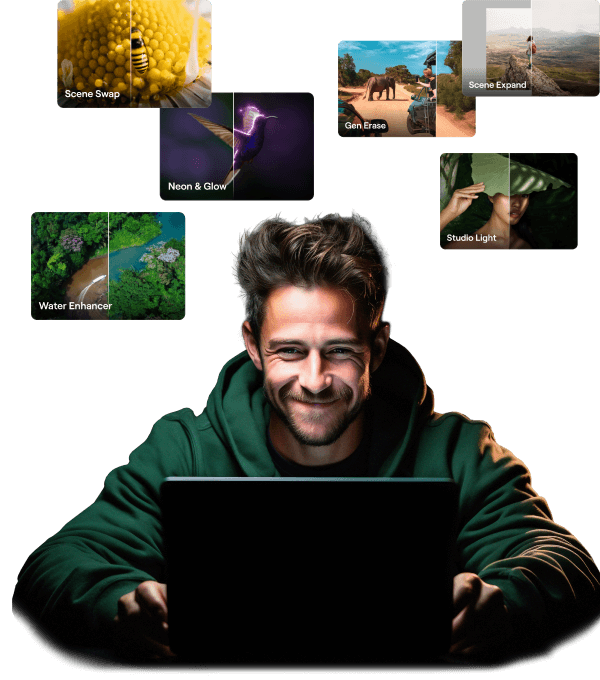
Features expansion package Time-limited upgrade
Особливості генеративного ШІ
Gen Erase, Gen Expand, Gen Swap
Доступ до 1 січня 2025 року
Оновлення можливостей платформи
Студійне світло, Неон і підсвічування, Покращувач води
Необмежений доступ назавжди
Всі оновлення та нові функції
Необмежений доступ назавжди (якщо випущено до 1 січня 2025 року)