Best Multi-platform Editing Software
February 18, 2026

Tired of constantly transferring files between devices? We tested the top services and selected the best multi-platform editors that will make your work as comfortable as possible.
Skylum's Luminar ecosystem brings post-processing into the realm of intelligent automation, where neural networks take care of the technical routine. The main advantage of this software is its cross-platform flexibility: the tools are adaptive and allow you to maintain a consistent workflow on both desktop computers and mobile devices. In this article, we will analyze the core components of the lineup: from the multifunctional Luminar Neo to mobile versions and integrable plugins. We will talk about their capabilities, as well as the nuances that arise from this.
Don’t feel like reading the whole breakdown right now? Here’s a tighter, more practical summary of what actually changed.
Key Takeaways
The Luminar ecosystem creates a connected editing environment across desktop and mobile, combining AI automation with flexible workflow options.
Luminar Neo serves as the desktop core, offering AI-powered tools like Sky AI, Relight AI, GenErase, Face AI, and Enhance AI to speed up complex retouching, object removal, and lighting adjustments on Windows and macOS.
Plugin integration with Adobe Photoshop and Lightroom Classic turns Luminar Neo into a specialized enhancement module, enabling advanced AI edits while preserving familiar catalog and layer structures.
Luminar Mobile extends editing to smartphones and tablets, delivering tools like Sky AI, Skin AI, Body AI, and Portrait Bokeh with performance optimized for iOS and Android devices.
File transfer between devices is handled via Luminar Share and the Ecosystem cloud, enabling movement of edited files while maintaining access to advanced desktop capabilities when needed.
Luminar Neo: A Strong Tool for Quick Editing On Desktop
Released in 2022, this photo editor from Skylum focuses on automating routine processes and maximizing user convenience: no more manual selections, no need to replace or adjust surrounding objects after removing one of them. Here are some of the features you'll encounter when working with it:
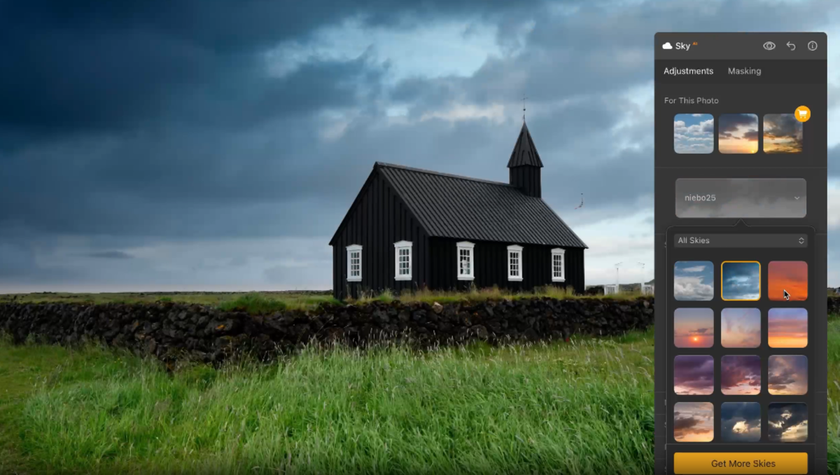
Sky AI. A tool for automatically detecting the horizon line and interacting with it. Adjust the weather or lighting throughout the photo by replacing the light to suit your mood.
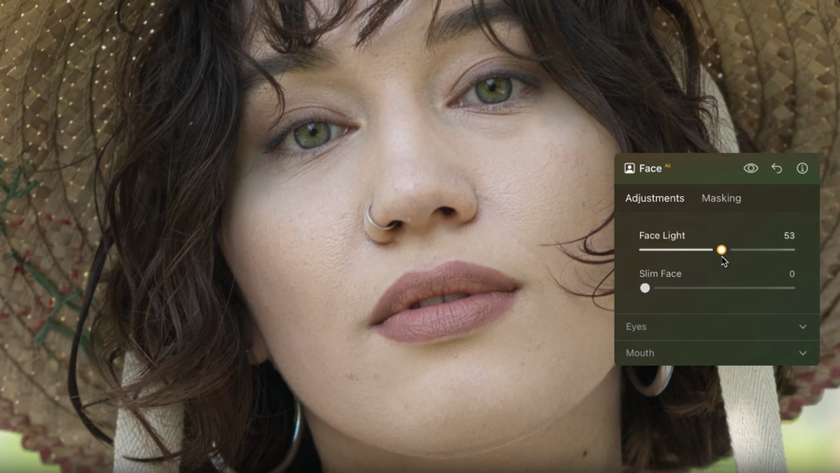
Face AI. Provides automatic portrait retouching: teeth whitening, dark circle removal, eye size adjustment, or removal of unwanted details. When editing, AI carefully processes areas of skin without losing detail.
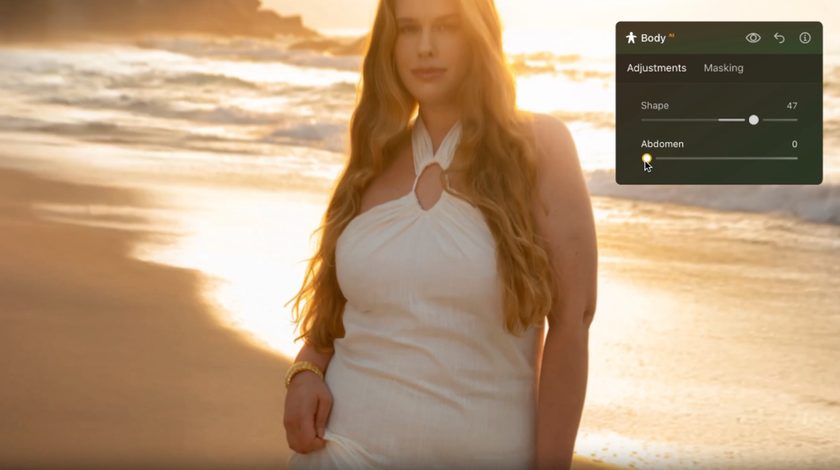
Body AI. A specialized tool for intelligently correcting a person's figure without distorting the surrounding background. Add volume to the body, tighten the figure, or make a funny photo joke by lengthening your fingers into a heart shape.
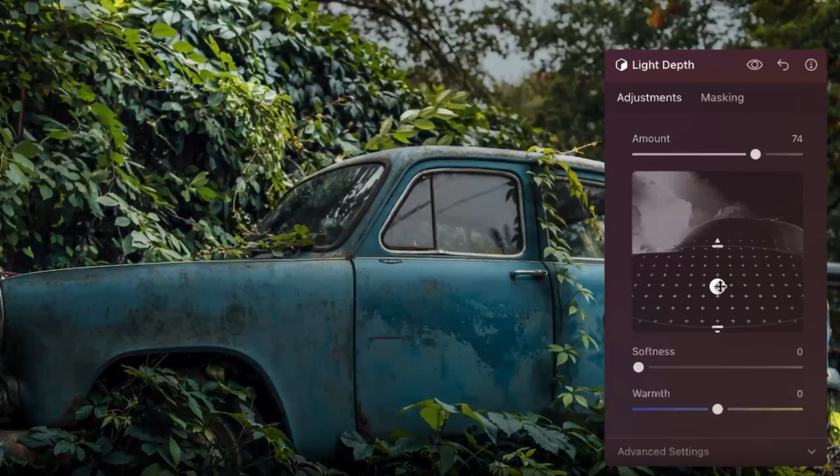
Relight AI and Light Depth. Work with the lighting in the photo to help achieve a depth effect. Using 3D recognition, the algorithm automatically highlights core objects and hides secondary ones, achieving the effect of neat visual storytelling.
GenErase. This technology has saved more than one photo: remove objects and automatically fill in the gaps with realistic details. If a random passerby gets into the frame, artificial intelligence will remove them by restoring part of the background.

Enhance AI. The feature of Luminar lets you adjust the exposure, the contrast, and the color rendering of a picture at the same time.

Multi-platform support in Luminar Neo is designed to be comfortable for you, so the interface will be easy to navigate and easy to predict on all systems: Windows, macOS, or even as a plug-in to Adobe Photoshop and Lightroom. The user experience is almost similar, that is, you do not have to waste time to learn again to use the software when changing to other devices.
Exclusive Tools of Endless Possibilities in One Editor
Explore Now!Extension for Adobe Products
 Integrating Luminar Neo into the Adobe workflow transforms the editor into an intelligent module that extends the standard functionality of Photoshop and Lightroom Classic. In this combination, Skylum software takes on the role of a powerful AI accelerator: you delegate the most labor-intensive retouching and compositing tasks to the application, while retaining the familiar logic of catalog and layer organization.
The corresponding extension is installed when you install the main desktop version. The program will analyze the installed editing applications and suggest the necessary components in the appropriate directories, if they are supported. If automatic linking does not work, activation is performed through the internal plugin management menu in the Luminar application itself, where you just need to click the “Install” button next to the Photoshop or Lightroom icon.
Features of the Mobile Version
 Using photo editors on smartphones and tablets gives photographers unprecedented mobility, turning any location into a fully-fledged digital lab. Although the hardware capabilities of mobile platforms inevitably fall short of those of stationary systems, Luminar effectively compensates for this gap by optimizing the performance of the main algorithms available on the platform.
For example, using Luminar for Android photo editing, you can automatically replace the sky while preserving the realism of the surroundings with Sky AI, comprehensively improve textures without losing quality, and even interact subtly with lighting through Relight AI. Tools for automatic portrait retouching are also abundant: Skin AI, Body AI, and Portrait Bokeh.
Advanced layer interaction, cataloging, and batch editing are not available in the format familiar to Windows/macOS users. Skylum has managed to implement complex processes in the mobile version of the editor, despite system limitations. By subscribing today, users get a powerful AI-based assistant that will help them edit photos wherever they are.
How To Transfer Photos Between Different Versions?
The desktop version connects to your smartphone via the Luminar Share app.  It's a kind of “invisible bridge” that opens up access to practical AI algorithms from mobile devices. If you use Luminar as a photo editor on iPhone, keep one thing in mind: photos are first saved to the app's internal gallery. To make them appear in your iPhone's general photo stream (“Photos”), you need to manually select “Save to Files” or “Share,” and then select “Save to Gallery.”
This feature is a remote transfer tool, not a “mirror” cloud (as in Lightroom). For this reason, the edits themselves are transferred along with the file, but the ability to continue editing from the same place (with the history of actions saved) is only available when transferring a project from the mobile version to the desktop via the Luminar Ecosystem cloud feature.
The Unleashed Potential of Luminar for Smartphones
The mobile version offers a substantially broader interactive experience, placing it among the best cross platform apps for editing. The interactive control wheel is one of such features: they substitute the traditional sliders and offers surgical precision in the process of making the adjustments to light and colour.  It is such a minor detail that it transforms the entire experience of using a smartphone and enables you to make micro-adjustments, previously unfeasible without a mouse or graphics tablet.
Another special aspect is the intelligent Curative Edit mode, designed to instantly clean up the frame from extra details. Instead of complex layer manipulations, the neural network directly accesses the power of your gadget to seamlessly remove objects right at the moment of shooting. For iPad owners, Skylum's product reveals itself even more deeply thanks to Apple Pencil support. Pressure sensitivity during masking turns technical retouching into a lively creative process, providing a level of detail that is unattainable with conventional touch input.
From Raw to Commercial Release
Skylum products create a unified workflow where complex image manipulations are performed equally efficiently on computers and mobile devices. Intelligent algorithms make it possible to quickly move from the original file to the final result by automating the technical aspects of retouching.