Darktable vs RawTherapee: Which Suits Your Workflow?
February 06, 2026

A practical comparison of Darktable and RawTherapee, focusing on workflow, performance, and which free RAW editor fits your editing style best.
Adobe aggressively pushes its subscription system, turning the storage of precious moments into ever-increasing payments. Forced to look for alternatives, users regularly try new applications in the hope of fulfilling their cherished desire: to set up a working environment for themselves once and for all and no longer depend on cloud services or monthly payments.
Open source solutions resonate with these feelings, enabling access to advanced functionality without restrictions on a completely free basis. If you feel that Lightroom's “automation” has begun to limit your vision, it is worth paying attention to the two most powerful tools in this niche: Darktable and RawTherapee.
Advanced yet easy-to-use photo editor
Get Luminar Neo NowComparing Darktable and RawTherapee for Your Photo Editing Needs
The choice between Darktable and RawTherapee depends on your priorities: whether you need a full replacement for Lightroom with cataloging or a powerful tool for precise color and detail correction. You can only make the right choice if you clearly understand what tool you are looking for.
Darktable can be compared to a Swiss Army knife, with many functions and suitable for most situations. It is an entire photo lab in one place, where you can perform non-destructive editing with masks, connect batch processing, or set up remote control so that images are immediately delivered to storage and prepared for processing.
RawTherapee, on the other hand, is like a scalpel that requires the support of other tools but does a phenomenal job of its main task. There is no database or catalog here—you just open a photo and interact with it. The tool's interface is cluttered with technical sliders and looks completely unfriendly, yet it provides record-breaking sharpness while preserving the finest details that other programs may “blur.”
Key Features and Benefits of Darktable
 The Darktable photo editor differs from Lightroom in that it provides a full set of features without the need for additional processing software. In addition to adjusting the basic sliders for exposure, contrast, and saturation, you can manually replace or delete objects, combine an unlimited number of masks, and blend layers.
In the RawTherapee vs Darktable debate, the latter often wins out due to its modularity and powerful local editing system, which makes interacting with individual parts of a frame as easy as changing the entire image at once. It is worth listing the main features of the program that make it stand out from its competitors:
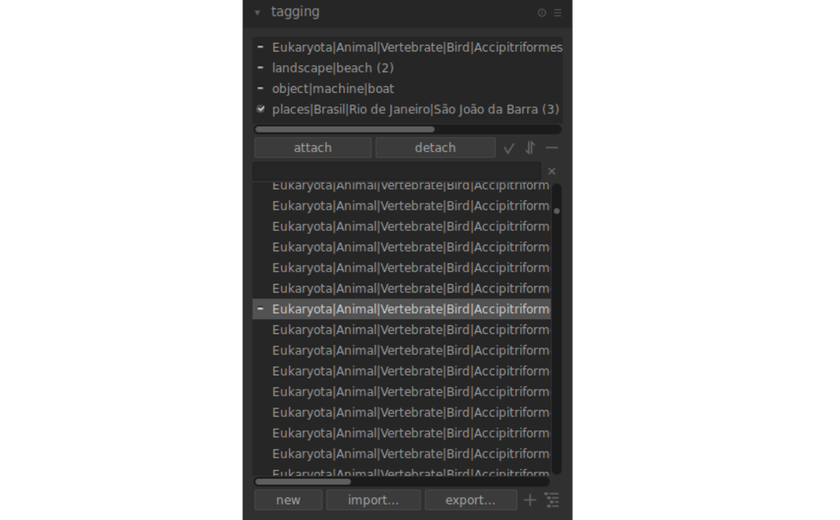
Collections and tags. After installation, users get an advanced database with instant search by tags: dates, lenses, ratings, or keywords. Easily navigate even if your collection has over a thousand photos.
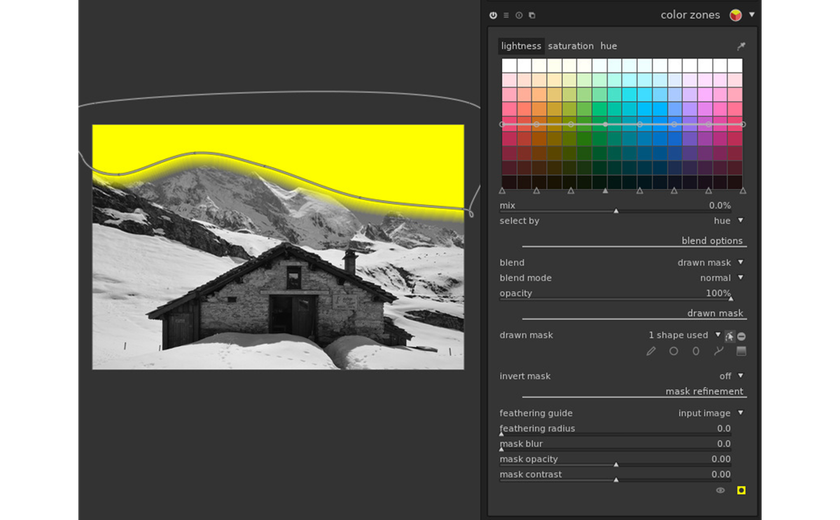
Masks and influence zones. Drawn and parametric masks make it possible to apply any tool (such as exposure or white balance) only to a selected object or brightness range.
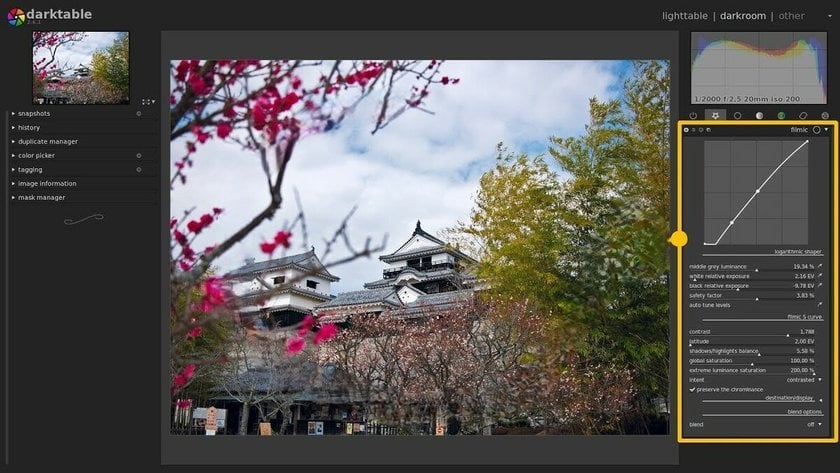
Filmic RGB module. A modern dynamic range processing algorithm that helps preserve maximum detail. Create a “cinematic” look at home without any investment!
Wavelet-based retouching. The basic version includes a tool for removing skin imperfections or any objects in the image without losing texture. This solution works by dividing the image into layers of varying detail, enabling you to edit any part of the canvas.
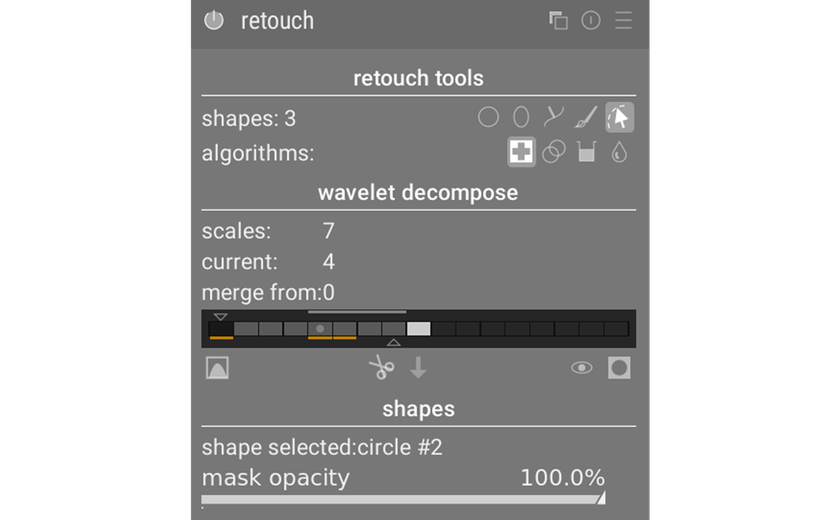
End-to-end 32-bit processing. All calculations are performed with maximum precision, which eliminates color banding even under extreme correction conditions.
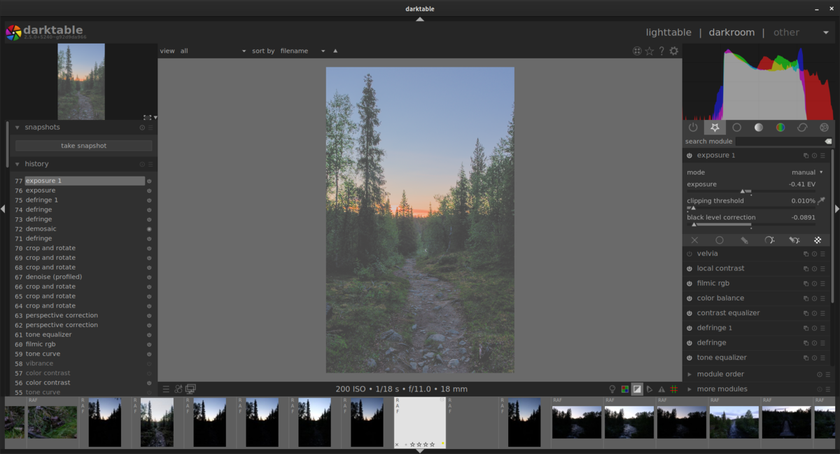
The advantages and capabilities of Darktable reflect its specific nature: it is a tool for experienced editors, so it is extremely difficult to master without the relevant experience. The object removal feature has suffered the most from this concept, as it simply doesn’t have an automatic selection and replacement tool. If you want to process an image using AI while avoiding manual contour selection, Luminar is the way to go.
Advanced yet easy-to-use photo editor
Get Luminar Neo NowKey Features and Benefits of RawTherapee
 Unlike Darktable, which aims to replace the entire photo lab, RawTherapee focuses exclusively on the “development” process, giving the user unprecedented control over every pixel of the canvas. There is no complex cataloging system or masks in the usual sense, but there is the ability to squeeze the maximum technical quality out of any image. The main features of the program include the following:
An extended selection of demosaicing algorithms. Users can choose from dozens of methods for converting raw data from the matrix (AMaZE, VNG4, LMMSE, etc.), which can be used to combat moiré and artifacts from a specific sensor.
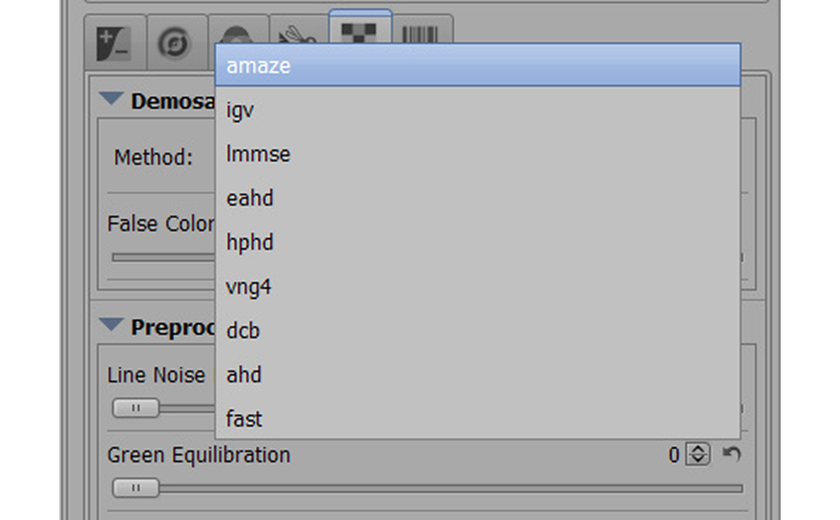
Advanced Wavelets tool. A unique system that affects contrast, sharpness, noise, and spots on different frequency layers of the image. None of the editors you are familiar with would let you explore this topic in such depth.
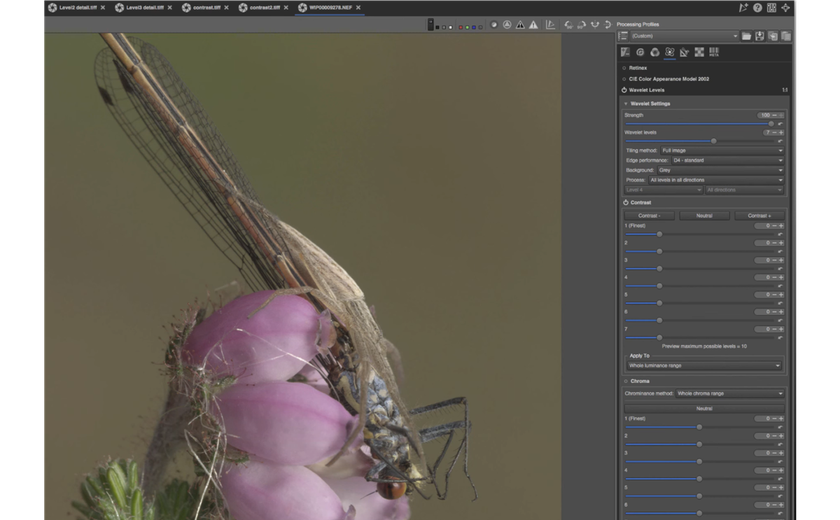
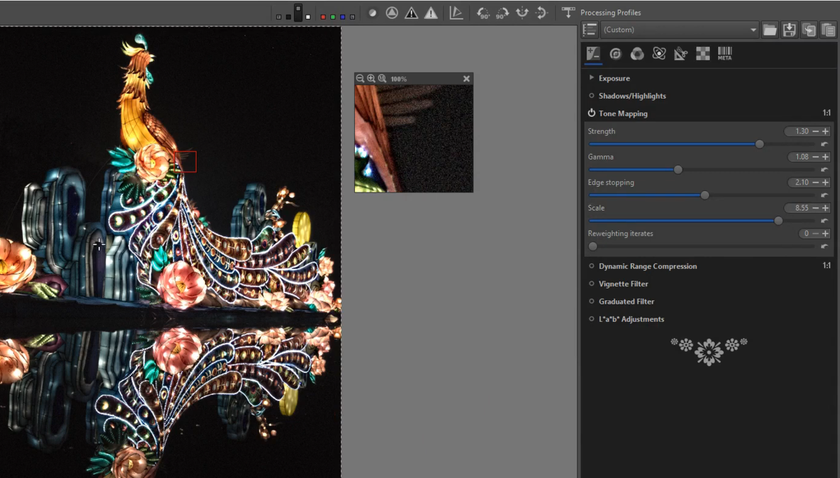
HDR Tone Mapping. An effective tool for working with photos where there is a large difference between light and shadow on the canvas. By changing the modifier value, you can even out the exposure without erasing the details of the image.
Multithreading and speed. The program has historically been well optimized and is often faster than Darktable at processing on weak processors, effectively utilizing all CPU cores.
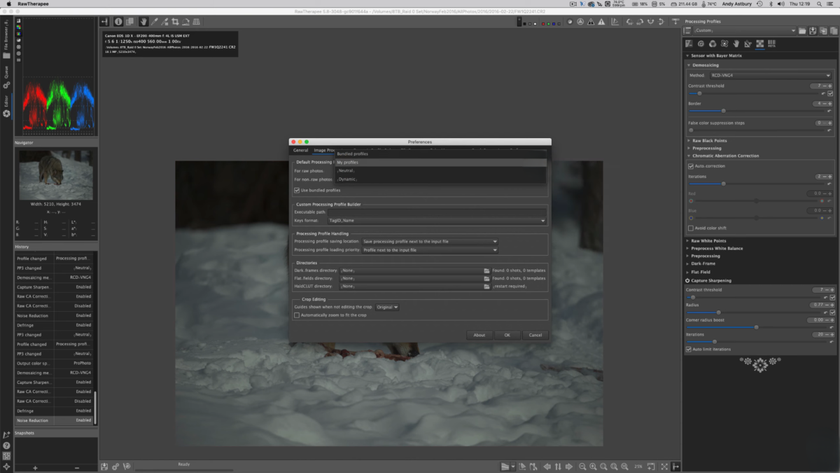
Regardless of its advantages, RawTherapee remains a choice only for enthusiasts and technical perfectionists. Using it as your primary photo editor is impractical, as most tasks require image processing at a much lower level. Given this feature, Darktable and Luminar NEO editors seem to be more practical solutions, at least for average specialists.
Evaluating Performance and Usability of Darktable and RawTherapee
 The performance of these systems is determined by which component of your computer carries the main load. Darktable relies almost entirely on the graphics accelerator, so its speed directly depends on the power of the video card. If OpenCL support is enabled, the interface responds instantly to complex masks and layers, but on office laptops with integrated graphics from the processor, the program starts to noticeably “stutter” with every movement of the slider.
RawTherapee is another type of RAW photo editor software that distributes the load across the cores of the central processor, rather than relying on the graphics chip. This potentially makes it more responsive on devices with weak graphics cards, but this speed comes at the expense of usability. For complete processing, you will have to have a few apps open at all times and switch between them.
Compatibility and Camera Support in Both Editors
Both editors use the open libraries Exiv2 and LibRaw, so the list of supported cameras is almost identical. The only difference is in the approach to implementing new profiles: Darktable often receives updates for the latest mirrorless cameras faster, while RawTherapee supports stable operation with specific sensors, such as Fujifilm X-Trans, for longer.
In both cases, compatibility issues may arise with the “newest” cameras released in recent months. While Lightroom receives updates directly from the manufacturer, the free software developer community needs some time to create color profiles and lens correction tables manually. If your camera is not listed in the catalogs, try using Luminar as an alternative.
Transitioning from Lightroom: Choosing Between Darktable and RawTherapee
 For many years, there has been debate on forums about which product is best suited to replace Adobe. There is no clear winner in the competition between Darktable vs Rawtherapee, although the majority of votes lean towards the former.
The logic of modular editing and a powerful masking system make Darktable as close as possible to what Lightroom offers, while providing much more freedom. To work in the new environment, you won't have to change your habits or learn everything from scratch. The only thing you need to do is get used to the new keyboard layout and the fact that by the end of the year, you'll have a few hundred dollars more in your wallet.
Rawtherapee should be considered more of an exception or a highly specialized tool for those who are willing to sacrifice convenience for the sake of achieving the perfect image. The tool lacks a full-fledged database and familiar retouching tools, but offers surgical precision in working with color and details. Whether the disadvantages of such control are worth it is up to each individual to decide.
For all other users who find professional software too complex and open editors too cluttered, the new version of Luminar Neo is the optimal choice. This editor offers a modern approach to image processing, replacing technical routine with intelligent AI-based features. When your goal is to quickly achieve impressive results without spending weeks studying demosaicing theory or frequency decomposition, Skylum's product strikes the perfect balance between the simplicity of mobile filters and the power of desktop software.
Final Verdict: Selecting the Best Free Raw Editor for Your Workflow
A leisurely approach to choosing an editor and a willingness to embrace change will ensure a smooth workflow and make you love photography even more! So, if you're looking for a full-featured free studio that can replace paid ecosystems at all stages from import to print, Darktable is the obvious favorite. RawTherapee should be considered a worthy replacement only in cases where microscopic precision in detail adjustment is paramount.