Image Sharpening: 10 Best Tools for Enhancing Your Pictures
January 02, 2024
Every detail counts! Don’t worry if your images are blurry and their best features are lost in the mist. Discover the newest and smartest software to sharpen your images.
Sharpening a digital image means removing blur, enhancing details, and dehazing. It’s a basic procedure all photographers have to know. Online image sharpener is usually required to fix out-of-focus images and compensate for camera shake and motion blur. But it can also be needed for pictures taken on a foggy or cloudy day or for photos that contain depth of field errors or lack clarity.
Powerful algorithms have been developed for each type of issue. Sharpening is a research topic for computer science departments and software companies, as it’s used by the military, legal departments, and public administrations. But photographers need more than a powerful image sharpener. They need a smart tool that’s able to eliminate blur and enhance details without affecting image quality, enhancing noise, or creating unnatural-looking images. They also need local sharpening and control to fine-tune the results.
Best Image Sharpening Software: How to Choose the Right Tool
Choosing the best image sharpening software depends on the type of blur you’re dealing with and how much control you need. Some tools focus on simple edge sharpening, while others use AI to analyze motion, depth, and focus errors and reconstruct lost detail.
If you often work with handheld shots, low-light images, or fast-moving subjects, look for AI-based solutions that can distinguish between real detail and noise. The best AI image sharpener doesn’t just increase contrast — it understands why an image is blurry and applies targeted corrections.
For photographers, especially those working with portrait or landscape photography, it’s also important that sharpening tools preserve natural textures, colors, and tonal transitions. Over-aggressive sharpening can easily ruin skies, foliage, or skin.
When comparing the best AI sharpening software, pay attention to:
Type of sharpening: classic contrast-based sharpening vs AI deblurring
Blur correction: support for motion blur, camera shake, and missed focus
Control: strength levels, selective adjustments, and masking
Image quality: minimal noise amplification and natural-looking results
Workflow: RAW support, speed, and ease of use
Once you understand what kind of sharpening you need, it becomes much easier to choose the right tool. Below, we’ve collected some of the best AI image sharpening software options, ranging from AI-powered editors to more specialized deblurring tools.
Best Image Sharpening Software (Top Tools)
1. Luminar Neo
Price: depends on the plan
Compatibility: Windows and macOS
Pros: AI-based sharpening and deblurring, automatic and controlled results
Cons: Not available for Linux
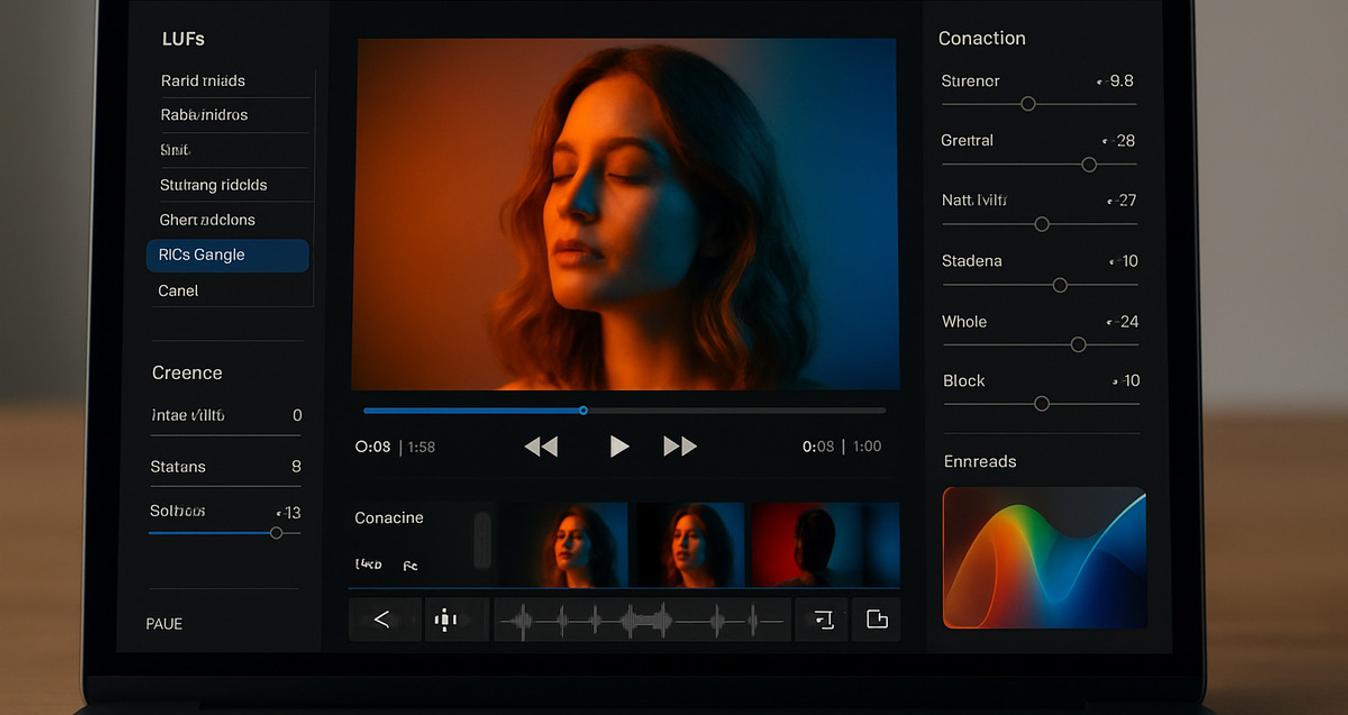
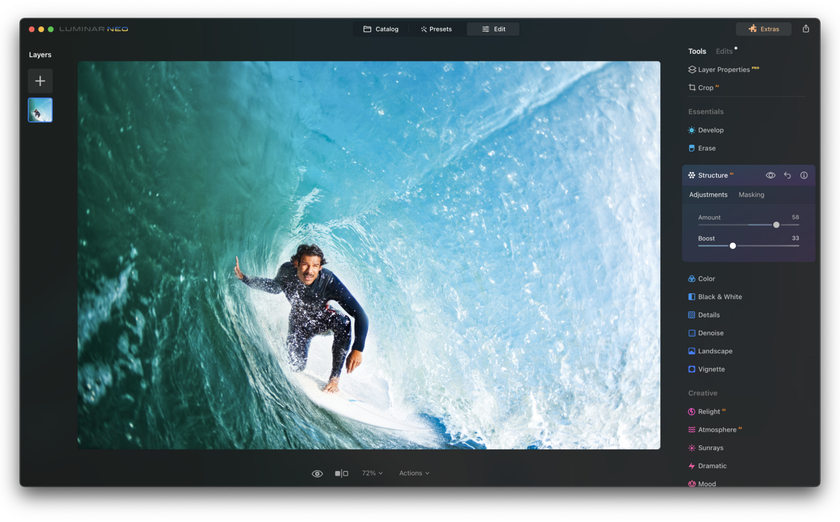 Luminar Neo is one of the best AI image sharpeners that handles image sharpening through Supersharp AI, its dedicated AI-based deblurring tool. Instead of traditional edge-based sharpening, Supersharp AI is designed to correct blur caused by camera shake, subject movement, or missed focus while preserving a natural look.
Supersharp AI analyzes depth, perspective, and scene content to reconstruct lost detail rather than simply increasing contrast. It includes different correction modes, such as Universal for general blur and Motion Blur for images affected by camera movement or fast-moving subjects. Adjustable strength levels (Low, Medium, High) allow precise control and help avoid over-sharpening.
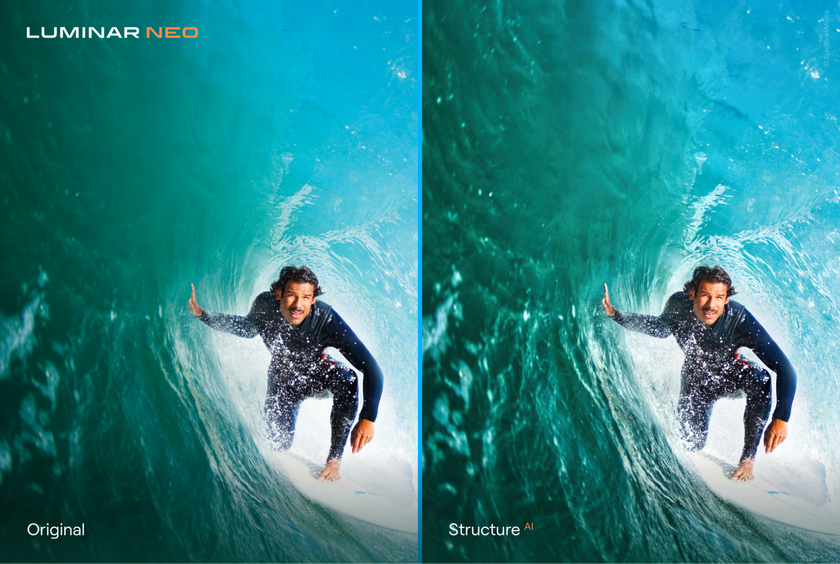
Alongside Supersharp AI, Luminar Neo offers tools like Clarity, Structure, Microstructure, and Dehalo, which enhance perceived sharpness by increasing local contrast and refining textures. These tools are best used for detail enhancement, while Supersharp AI handles actual blur correction.
Luminar Neo supports RAW files, works with layers and masks, and can be used as a standalone editor or as a plugin for Adobe Photoshop and Lightroom. Its AI-driven approach makes sharpening faster and more accessible compared to traditional manual workflows.
2. Unshake
Price: Free
Compatibility: Windows, Mac, and Linux
Pros: Easy to use
Cons: Takes a while to process large images
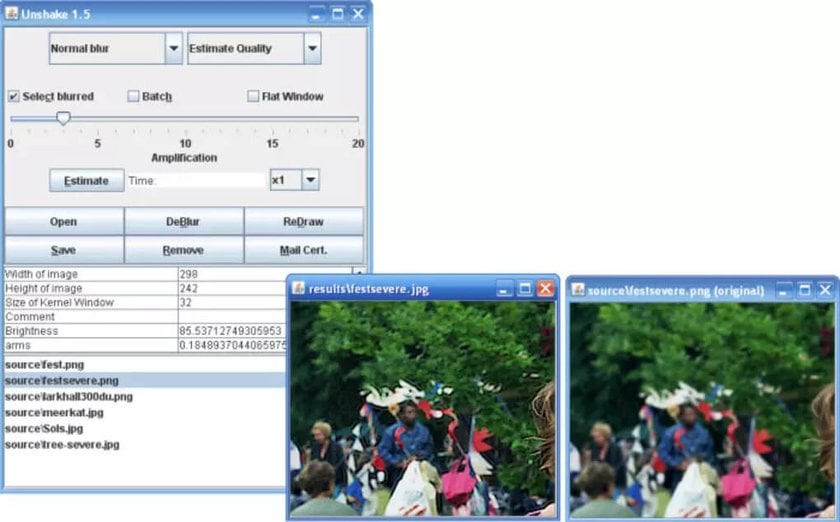
Unshake is a small and efficient image sharpener. It has a single aim: to improve blurry photos. It’s not a sophisticated photo editor, but sometimes all you need is a simple tool for a quick fix. Unshake does its job well enough for web-quality and low-resolution images, provides batch processing, and is free.
3. SmartDeblur
Price: $98
Compatibility: Windows and Mac
Pros: Easy to use
Cons: Batch processing is available only with the command-line interface
SmartDeblur is also a dedicated photo sharpener. It can fix blurry and defocused images, and it’s a real lifesaver for images with camera shake. SmartDeblur uses automatic shake pattern analysis to find out the nature of motion blur and then reverse it. It also solves Gaussian blur.
While it provides automatic tools, SmartDeblur allows you to fine-tune the sharpening process. It also supports RAW files, which makes it appealing for professional photographers.


4. Movavi Photo Editor
Price: $44.95
Compatibility: Windows and Mac
Pros: Local adjustments for enhancing details
Cons: Few specialized tools for sharpening
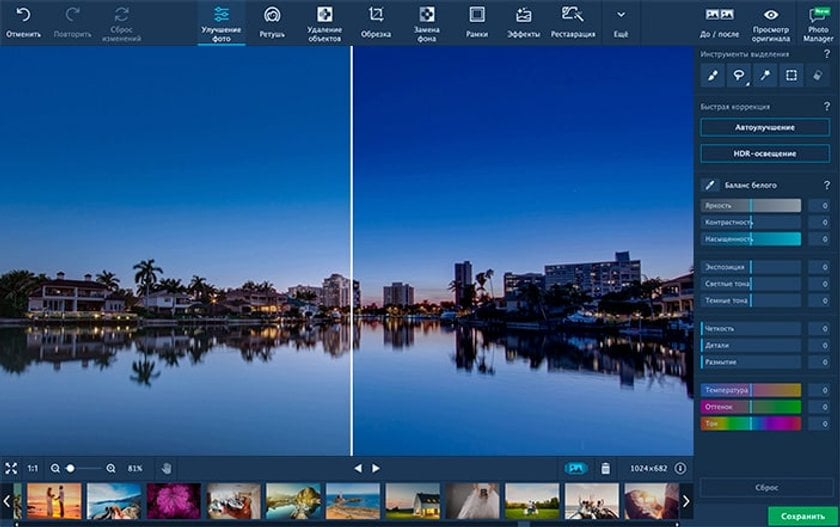
Movavi Photo Editor isn’t just a photo sharpener but a complex photo editor with AI functionalities. It provides a smart detail enhancer that can improve specific areas of an image. You can use it to improve low-quality areas or change the color of an object.
Among Movavi Photo Editor’s other features are AI adjustments for easily fixing color and contrast and removing fingers and unwanted objects, tools for restoring old pictures, a touch-up and make-up application, and frames. Movavi Photo Editor is fun and easy to use. It’s dedicated to amateur photographers and the general public.
5. Focus Magic
Price: $65
Compatibility: Windows and Mac
Pros: Powerful image sharpener
Cons: Specialized software; has a single photo editing function
Restore the Natural Sharpness of Your Photos
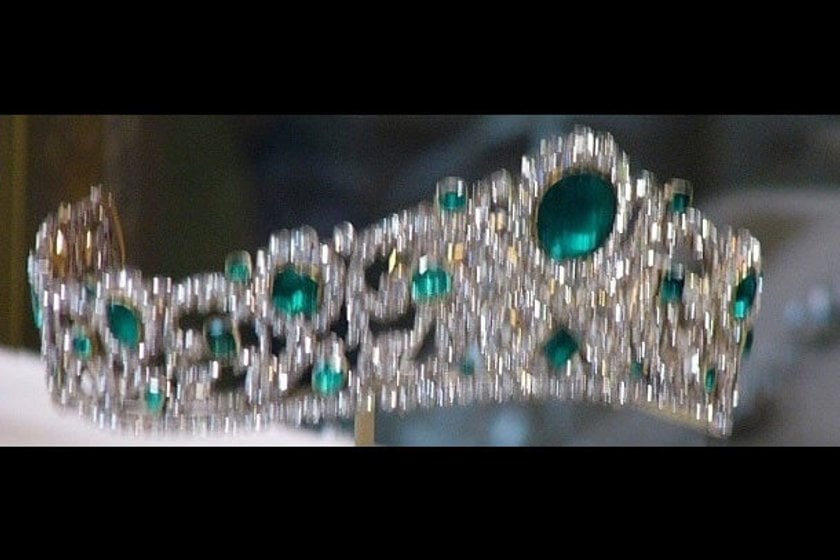
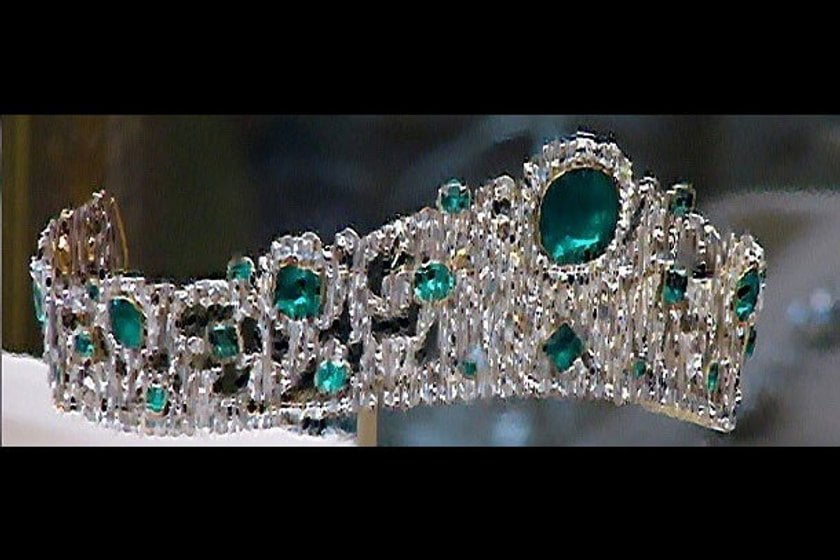
Use Supersharp AIFocus Magic is dedicated image sharpening software that uses advanced forensic strength deconvolution technology to deal with blur. It’s recommended for fixing out-of-focus, blurry, and old photos. It can deal with motion blur and camera shake issues. Probably its most important quality is the ability to switch the depth of field and move the focus on the subject, whether it’s in the background or the foreground.
Focus Magic is a powerful image sharpener that’s used by law enforcement agencies, the military, intelligence agencies, NASA, and large organizations.
6. Topaz Labs Sharpen AI
Price: $79.99
Compatibility: Windows and Mac
Pros: AI-based features can make the difference between noise and details
Cons: Expensive for a specialized image sharpener
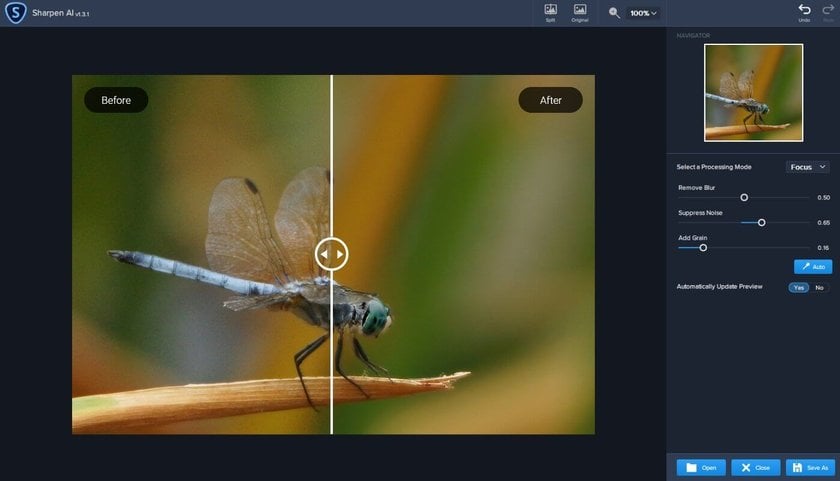
Sharpen AI is the sharpening solution offered by Topaz Labs. It can be used as standalone software or as a plugin for Adobe Photoshop, Lightroom, and Topaz Studio. Sharpen AI uses artificial intelligence algorithms to make the difference between noise and details and deliver natural-looking results. It has individual modules to solve three types of problems: Stabilize, Focus, and Sharpen. Stabilize reverses motion blur and deals with camera shake issues. Focus can correct up to ten pixels of focus blur and can make selective adjustments. Sharpen corrects small amounts of general blur. You can use only one module or combine them if a photo has more than one type of blur.
Sharpen AI is dedicated to professional photography and produces amazing results for portraits, landscapes, and animal photos.
Advanced yet easy-to-use photo editor
Get Luminar Neo Now7. Robust Motion Deblurring
Price: Free for non-commercial use
Compatibility: Windows
Pros: Powerful image sharpener based on academic research
Cons: Rudimentary interface; supports only JPEG, PNG, and Bitmap files
Robust Motion Deblurring is a project developed by the Department of Computer Science and Engineering at the Chinese University of Hong Kong. The team behind Robust Motion Deblurring has developed an efficient and quick method for restoring pictures with significant motion blur. Their research covers depth-aware, rotational motion, and transparency-based deblurring. Scientific papers document all you need to know about this project.
Robust Motion Deblurring doesn’t have a fancy interface and editing tools, but it’s a robust algorithm with amazing results. It allows you to sharpen a local region of an image, and it’s able to recover fine details and structure.


8. GIMP
Price: Free
Compatibility: Windows, Mac, and Linux
Pros: Free photo editor with an image sharpener similar to Photoshop
Cons: Sharpening is time-consuming
GIMP is an open-source photo editor that offers features similar to Adobe Photoshop. Like Photoshop, it has powerful image manipulation tools, graphic design elements, and all you need for creating artwork. If you know how to sharpen an image in Photoshop, you won’t have any problems learning to do it in GIMP.
In terms of image sharpening, GIMP provides the classic Sharpen (Unsharp Mask) filter with three parameters (radius, amount, and threshold) and a High Pass filter. The sharpening procedure is similar to Photoshop, using layers and masks and adjusting color, contrast, and tone.

9. Sharpener Pro by DxO
Price: €99.99 for the entire Nik Collection
Compatibility: Windows and Mac
Pros: Dedicated image sharpener adapted to printer settings
Cons: It can’t be bought separately from the Nik Collection
DxO develops a collection of seven plugins dedicated to professional photography: Color Efex Pro, Silver Efex Pro, Analog Efex Pro, HDR Efex Pro, Viveza, DFine, and Sharpener Pro. This collection is called the Nik Collection, and it’s compatible with Adobe Photoshop and Lightroom and with the standalone photo editor provided by DxO, called DxO Photolab.
Sharpener Pro offers two stages of sharpening. The RAW Pre-Sharpener extracts the details from a photo and Output Sharpening adjusts the photo for print or screen. It adjusts focus, contrast, and structure and uses U Point Technology to sharpen a specific area of an image. U Point Technology allows you to define a control point and then apply changes just to pixels similar to it in a specific area. Sharpener Pro also provides customized sharpening solutions for printer settings, including paper type, printer resolution, and printer type.


10. Blurity
Price: Free
Compatibility: Windows
Pros: Easy-to-use image sharpener
Cons: Available only for Windows; rudimentary interface
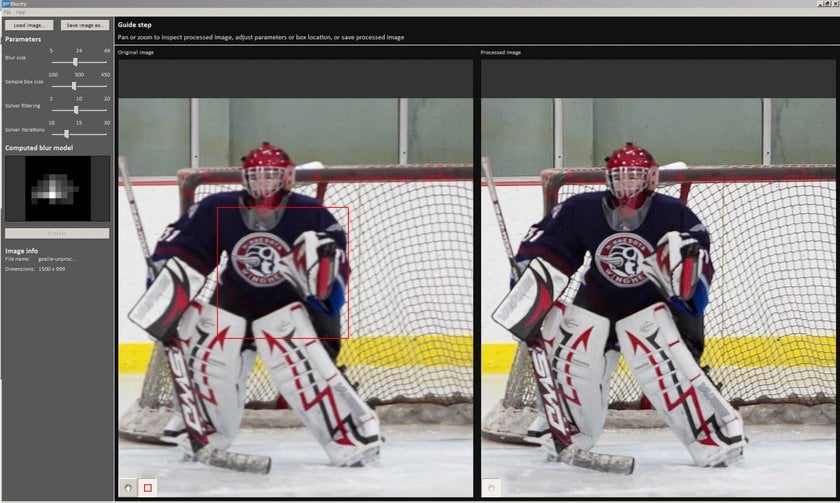
Blurity is a simple application that allows you to sharpen an image in seconds. It removes several types of blur, including motion and focus blur. Like Focus Magic, Blurity uses deconvolution technology and can make text legible and recover images with a high amount of blur.