Lightroom Mobile Alternative: Discover Smarter Editing Tools
February 09, 2026

A clear overview of the best Lightroom Mobile alternatives, comparing pricing, AI features, and ease of use to help you choose a smarter mobile photo editor for your workflow.
Lightroom Mobile has long been considered the undisputed standard, but today its dominant position is increasingly being questioned. Various technical nuances, a high barrier to entry for new users, and an unfair subscription-based monetization system are increasingly prompting users to consider alternative solutions.
In this article, we will take a detailed look at the editing programs available on the market that can be a worthy replacement for Lightroom Mobile or even surpass it.
Luminar Mobile: An Alternative to Lightroom for Smarter Photo Editing
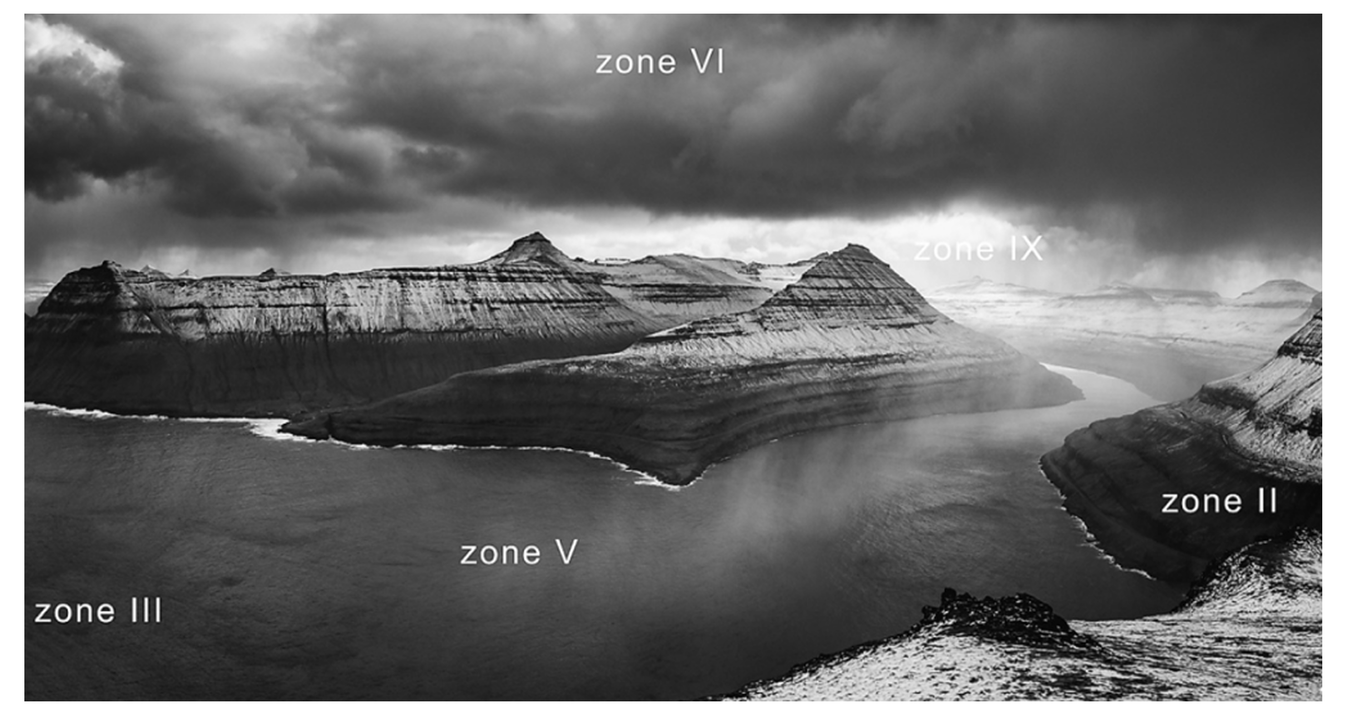
-4780.jpg?q=85&w=840) For tasks involving complex lighting and atmosphere correction, Luminar Mobile is an effective solution. Unlike manual masking, this system utilizes semantic scene analysis, where algorithms automatically recognize three-dimensional objects and their distances. This system enables you to remove objects with contextual filling of space, control re-lighting in real time, or even replace the sky, taking into account the reflection and color temperature of the frame.
For tasks involving complex lighting and atmosphere correction, Luminar Mobile is an effective solution. Unlike manual masking, this system utilizes semantic scene analysis, where algorithms automatically recognize three-dimensional objects and their distances. This system enables you to remove objects with contextual filling of space, control re-lighting in real time, or even replace the sky, taking into account the reflection and color temperature of the frame.
Top Free and Paid Apps Similar to Lightroom on Mobile
Lightroom Mobile has long held the status of industry standard, constantly expanding the capabilities of its neural network filters and adaptive masking tools. With each update, Adobe further integrates generative AI and cloud synchronization features, making the mobile version as effective as the desktop version.
The problem is that due to constant development and the introduction of new features, the subscription price inevitably increases. Users who only use some of the features are at a disadvantage, as they have to pay 1.5 or 2 times more for the same tool. In this context, any photo editing software alternative to Adobe becomes more popular, offering better conditions for a modest amount.
If you are used to the ergonomics of Lightroom but don't want to purchase an expensive subscription, consider the following solutions:
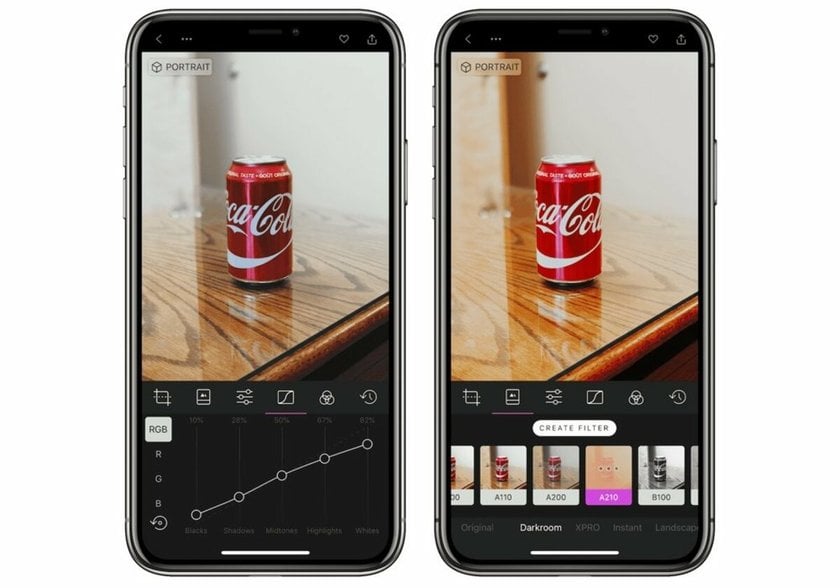
Darkroom. This conditionally free app copies the style and logic of color wheels and curves, while removing Adobe's main barrier: it works directly with your smartphone gallery, instantly opening up access to editing without having to upload to the cloud first.
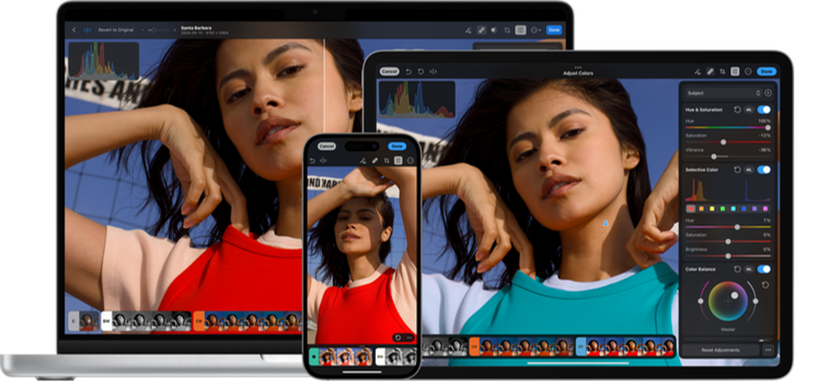
Photomator. Positioned as an improved version of the standard editor, but distributed on a paid basis. While retaining the familiar slider layout, the editor relies on Apple's neural engine, which performs automatic color correction and detail restoration much faster and cleaner than standard algorithms.
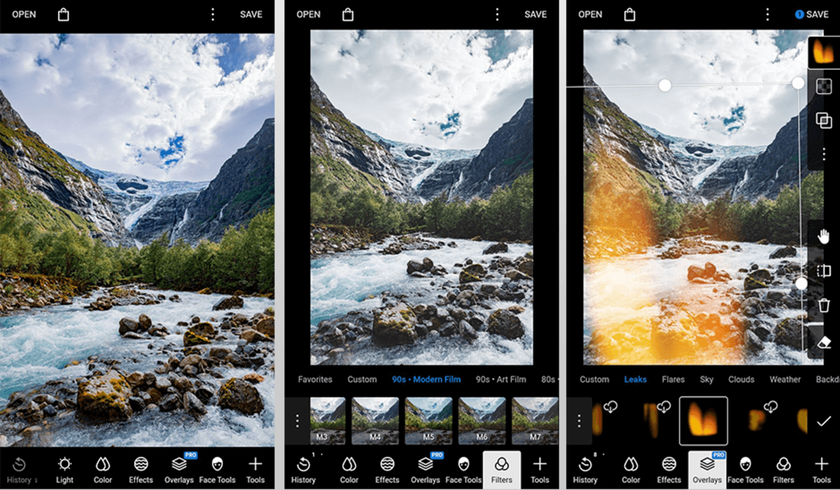
Polarr. The free version of the editor gives you access to all the core features: color correction, saturation and brightness adjustment, filters, and layers. To get access to advanced AI masks and high-quality export, you'll need to pay for a subscription.
Snapseed. The only truly free professional-grade tool created by Google. Its “intelligence” is evident in the ‘Spot’ (smart object removal) and “Selective” tools, where algorithms determine color and texture boundaries on their own.
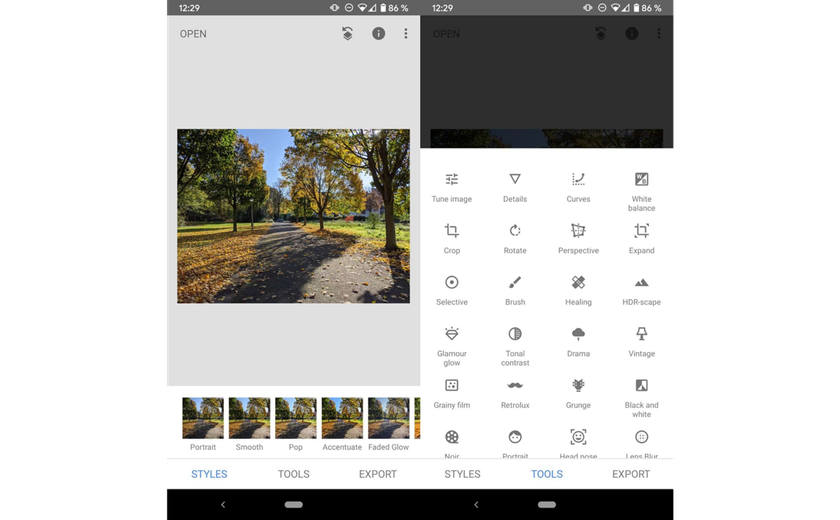
Is Lightroom free on mobile? No, because all Adobe products are distributed on a paid basis through a subscription system, without the option of purchasing a one-time license. However, you can compensate for the features offered by the editor without making a deposit.
The single, completely free tool is Snapseed, which offers artificial intelligence features considered to be the best for refining details without digital noise. The shareware alternatives to Lightroom from the list can handle basic processing, but full access to their AI tools is only available after payment. These editors are more affordable and fair than Adobe's solutions: subscriptions often cost around $10 per month, and for those who don't like regular payments, there is the option to purchase a one-time lifetime license.
Main Features to Look for in a Lightroom Mobile Alternative
 When looking for a replacement for Lightroom, it is worth paying attention to a non-destructive workflow when working with RAW data. A high-quality alternative should be able to competently interpret “raw” information from the sensor using neural network algorithms to achieve a wide dynamic range that exceeds the standard capabilities of the Adobe engine.
If the chosen solution supports intelligent texture processing, you've hit the jackpot. This feature is responsible for separating high-frequency and low-frequency details directly during exposure editing. The process has one goal: to improve the clarity of architecture, landscapes, or other details without highlighting color noise.
The last aspect to pay attention to is the application interface. Unlike the static panels in Lightroom, modern solutions offer dynamic tools that adapt to the content of the frame. If the AI sees a portrait, it immediately displays sliders for skin tone and texture. Of course, this is optional, but in unfamiliar surroundings, such assistance is very useful.
Comparing Popular Editing Apps: Luminar, Snapseed, VSCO, and More
The choice between tools such as Snapseed, Luminar, and VSCO is often driven by the search for an effective Lightroom Mobile free alternative that offers a comparable level of control without a mandatory subscription. Each of these apps fulfills its own purpose: from deep technical editing to instant film-style effects.
Luminar shifts the focus from classic editing to generative technologies, turning mobile processing into a process of visual attention management. Unlike standard editors, its algorithms focus on space reconstruction: the app can automatically remove complex defects such as wires or dust on the sensor, and fully adapt the image's color palette to new elements.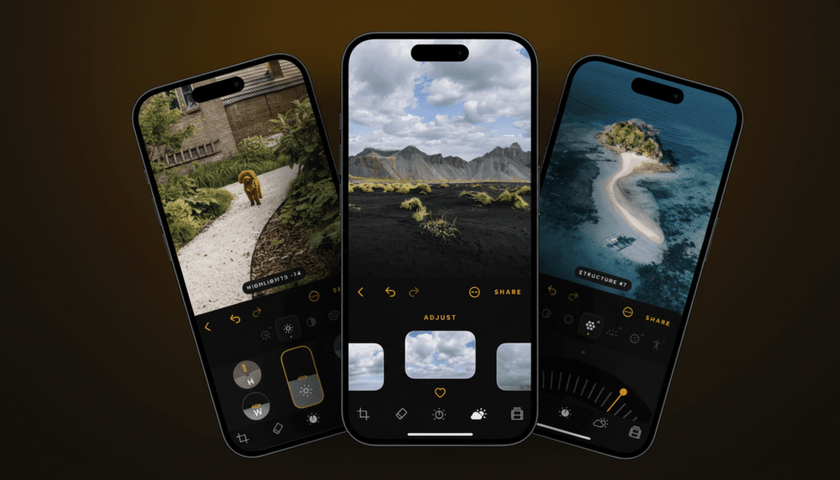
VSCO maintains its position thanks to its unique aesthetics and simplicity. Unlike the powerful technical engines of its competitors, this app focuses on high-quality color reproduction and film profiles. Although the basic set of filters here is very limited, the app attracts users with its minimalist interface and the absence of visual noise during editing.
Polarr offers a more modern approach based on “smart” frame segmentation. The app automatically recognizes individual elements: sky, people, or clothing, making it possible to edit them independently of each other. Although many AI masks here are paid, the availability of a huge library of free user styles makes it an excellent choice among this trio.
Snapseed attracts users with its lack of commercial barriers, offering powerful processing mathematics without watermarks. Its uniqueness lies in the Double Exposure tool and the ability to exercise total control over the RAW structure without compression. This app is the go-to choice when you need to get the most out of your smartphone's dynamic range.
How Non-Professional Users Can Benefit from Alternative Editing Tools
For inexperienced photographers, the main advantage of alternative solutions is that they lower the barrier to entry. Instead of studying color theory and curve principles, people get access to ready-made editing “scenarios”: AI understands that the photo shows a person against the backdrop of a sunset and automatically balances the exposure. This makes it possible to achieve commercial-grade retouching results without hiring a specialist or spending hours learning how to use the software.
Transparent pricing is another reason to look at alternatives. Searching for the answer to the question, “Is Lightroom app free?” often leads newbies to an unpleasant discovery: Adobe's advanced tools come bundled with the basic ones. This forces users to pay for an expensive subscription to AI masks and cloud storage, even if they only need standard color settings. Competitors offer a more honest approach, separating basic functionality and neural network options, or enabling users to purchase the tools they need permanently with a single payment.
Understanding the Limitations of Lightroom Mobile and Its Competitors
 Regardless of the integration of AI into Adobe products, the main limitation of Lightroom Mobile remains its closed architecture, which requires photos to be imported into the cloud. This creates a barrier to quick editing: alternatives such as Darkroom or Photomator let you work directly with your smartphone's gallery, making them more convenient to use.
In the context of comparing Luminar vs Lightroom, the difference is no longer just a matter of subjective convenience. The approach to process automation itself is different: while Adobe uses neural networks for spot corrections, Skylum's product builds the entire creative process around them. The unique volumetric relighting and generative retouching tools available to Luminar subscribers eliminate routine work, enabling users to focus on more meaningful details.
Sometimes the dominant position of competitors is due to the narrow specialization of the features they offer. For example, ON1 Photo RAW has advanced texture restoration algorithms, while Lensa performs beauty retouching like a model in just a few seconds. Using such applications achieves a certain visual style and technological capabilities that go far beyond the standard updates from Adobe.
Choosing the Right Photo Editing Software for Beginners and Pros
The decision between Adobe tools and its competitors lies in the strike of balance between system stability and technological flexibility. Lightroom Mobile provides a solid structure to edit comfortably for professionals dealing with big archives. Nevertheless, in the case of beginner photographers and influencers, other options are better: they provide a set of various tools at a reasonable cost that does not make users confined to one ecosystem.