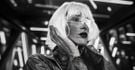
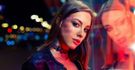
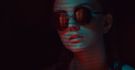

Upravujte fotky snadno v Luminar Neo

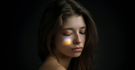
© puhhha
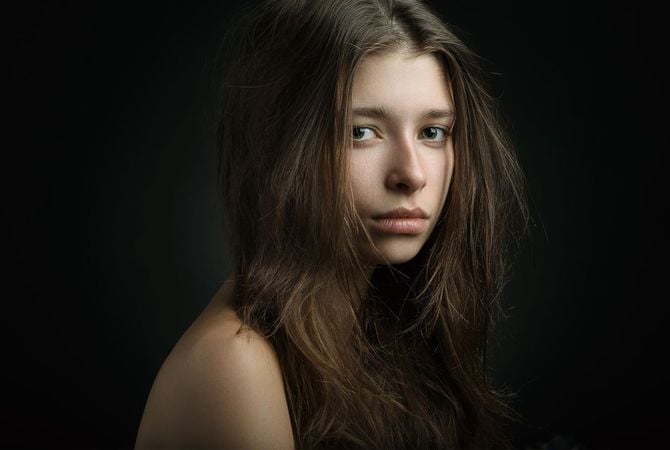
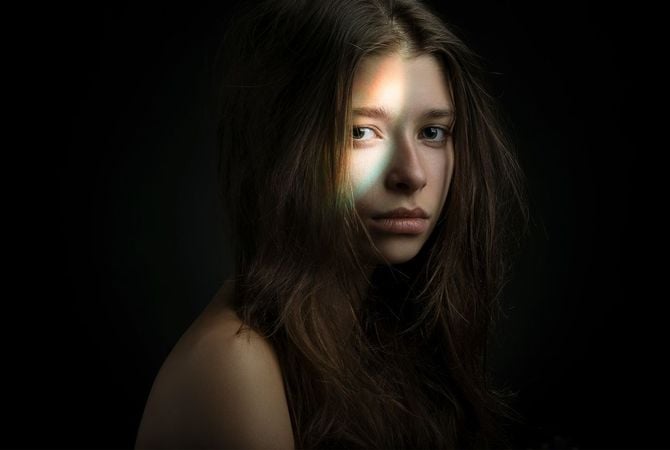
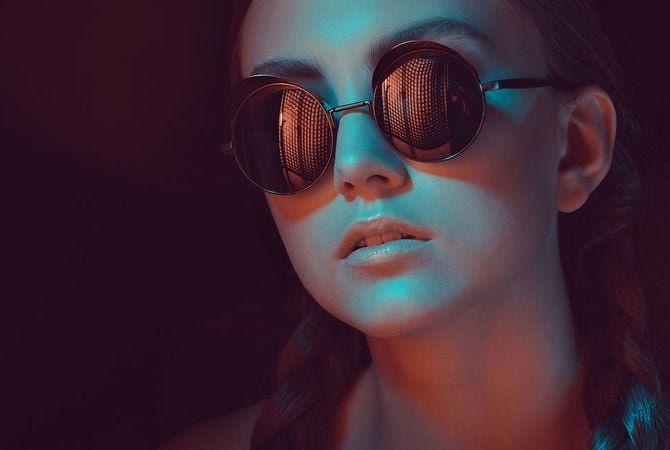
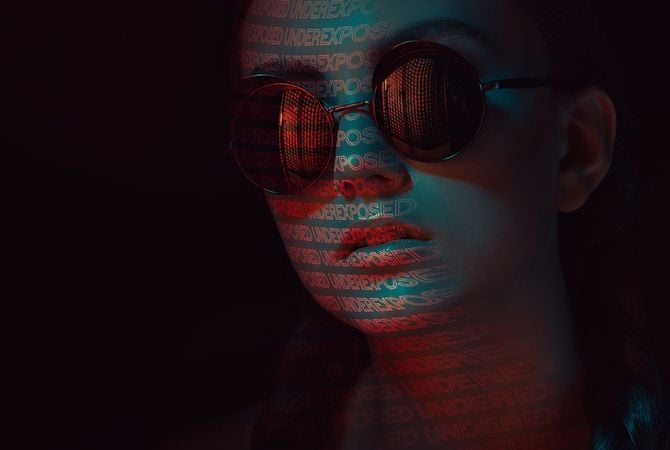
Before After
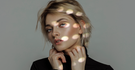
© facereader
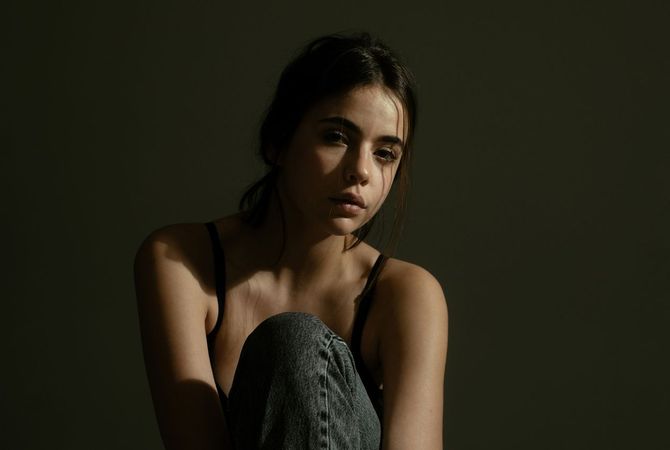
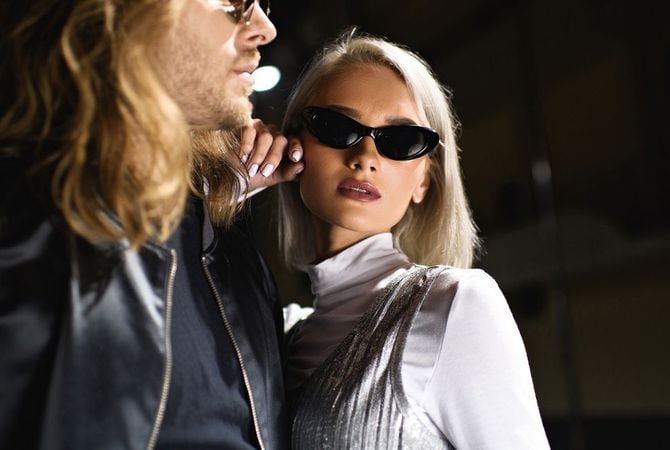
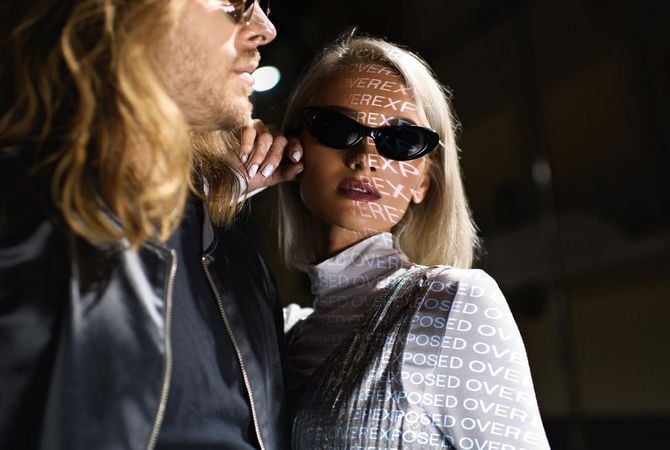
Before After
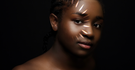
© mochaks
Before After

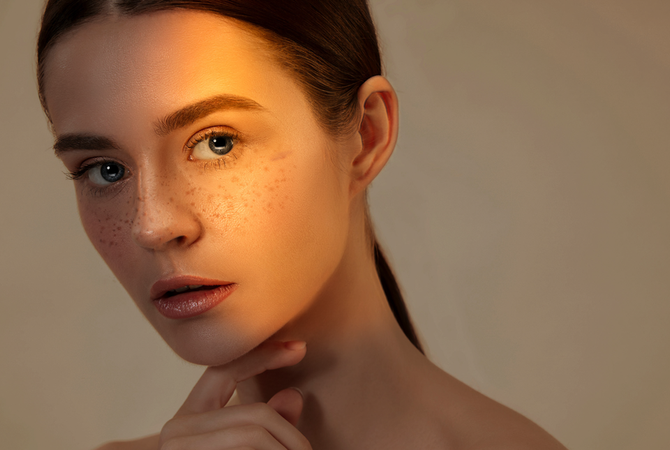
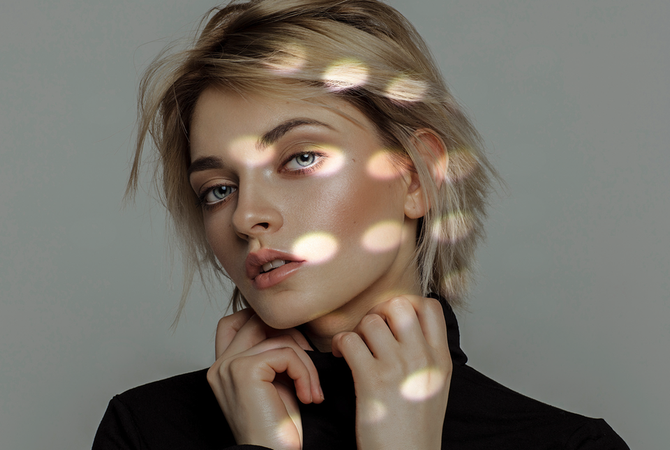
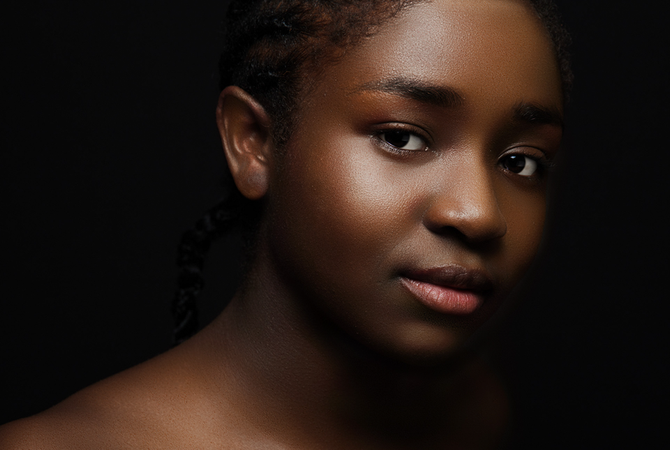
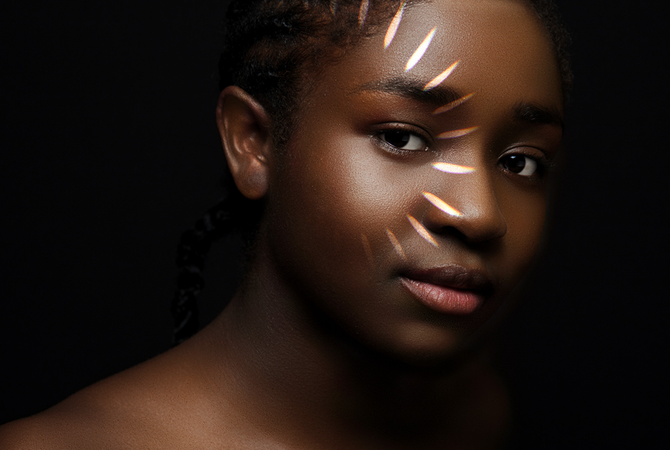
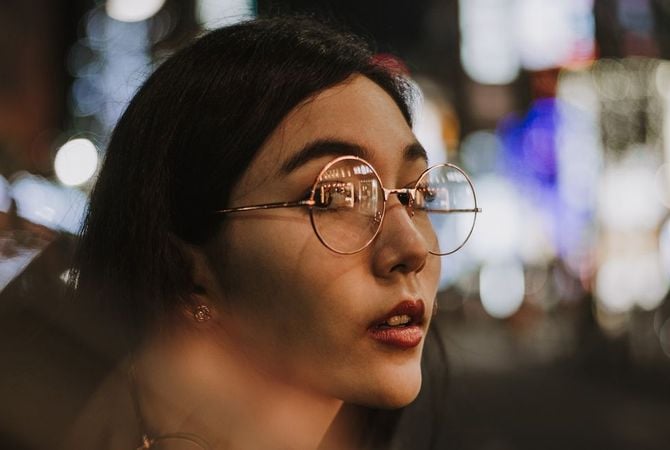
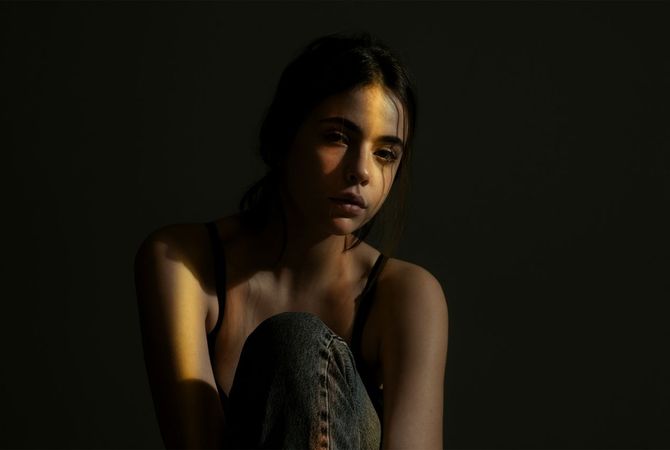
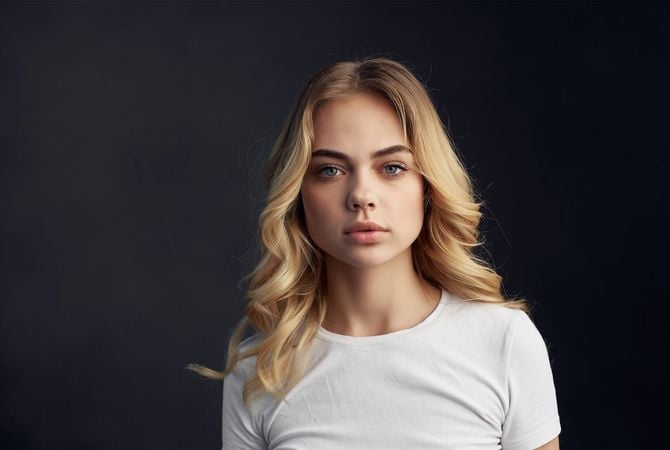
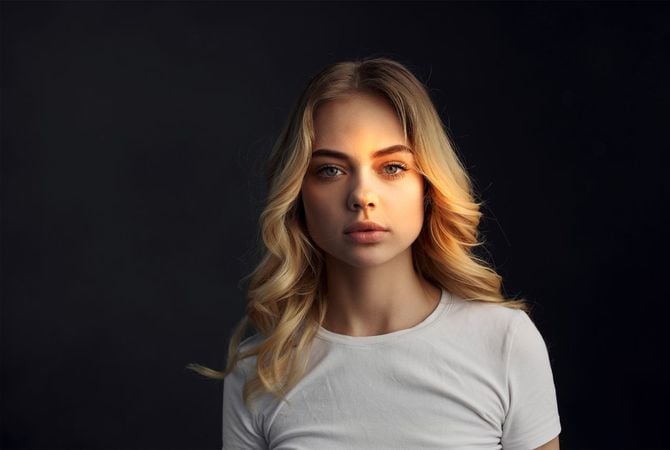
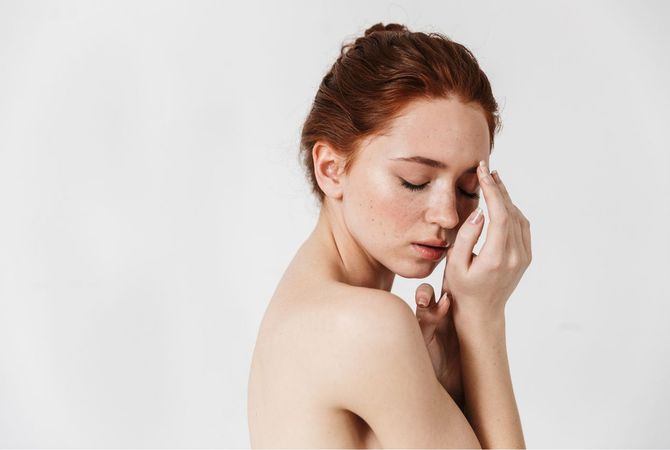
Replicate studio lights in a few clicks

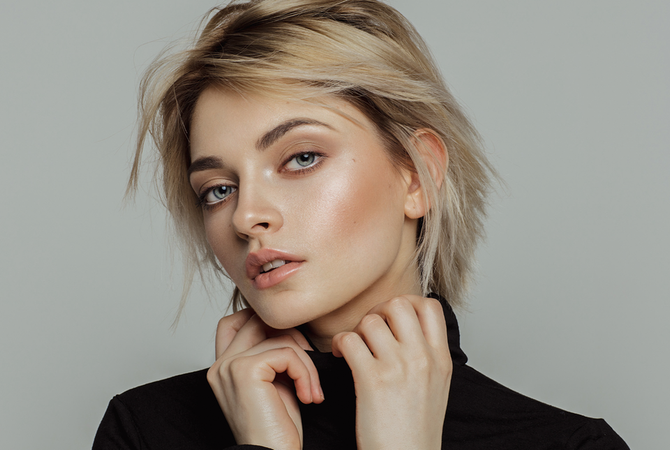
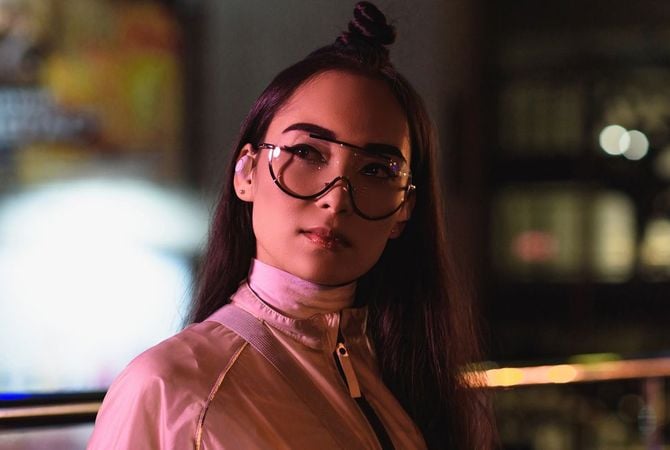
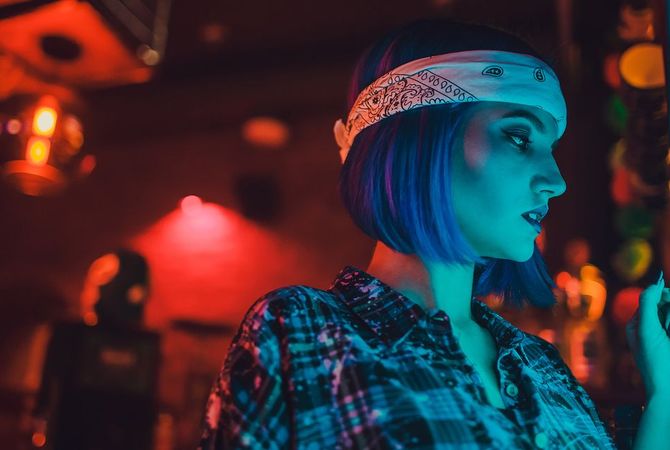
Recreate studio portrait lighting effects easily to elevate your photos. Experiment with light sources for impressive portraits.

Watch Studio Light in action

Easily control light sources, relight portrait photos, and add unique light patterns.

Turn on Light Customisation

Customize your light source as you want — change its type, shape, color, and brightness,
and choose whether you want it to be uniform or patterned.

10 preinstalled
textures

Ability to load
your textures

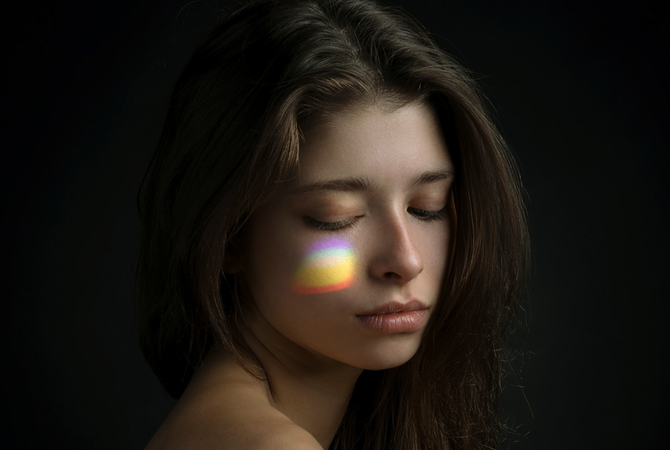
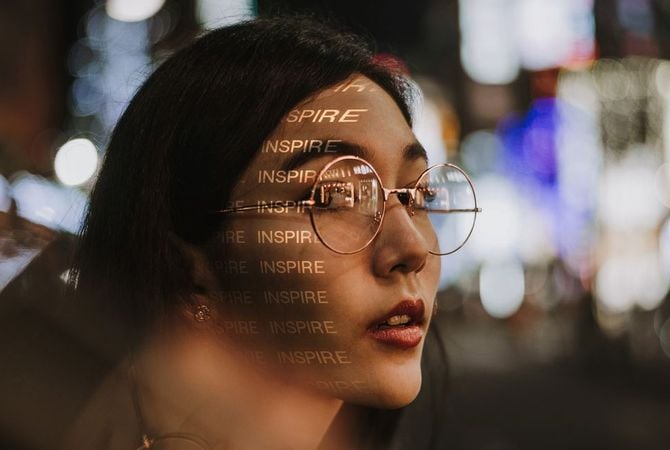
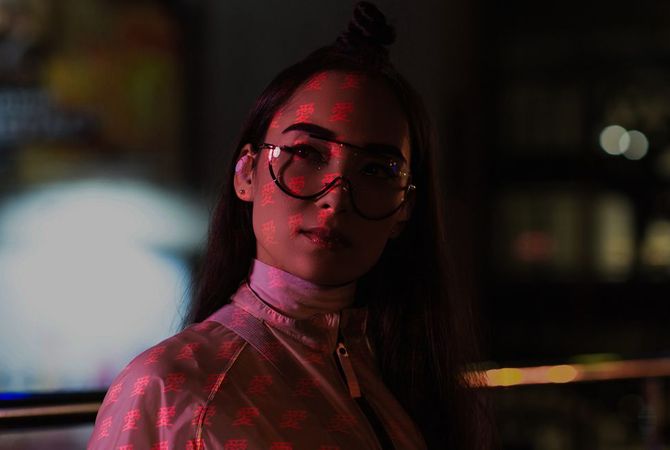
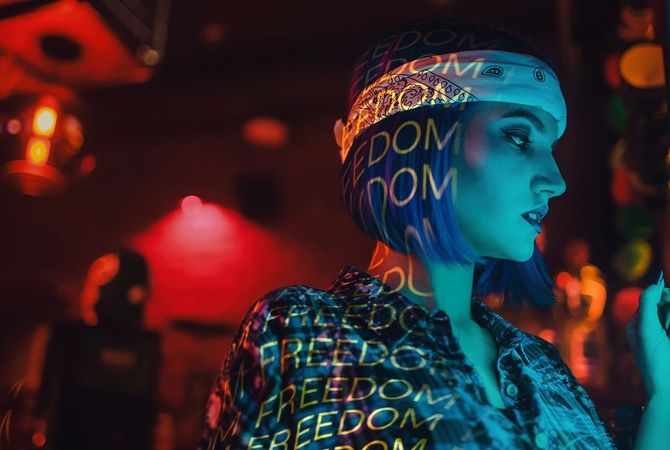
Play with patterns and textures of light

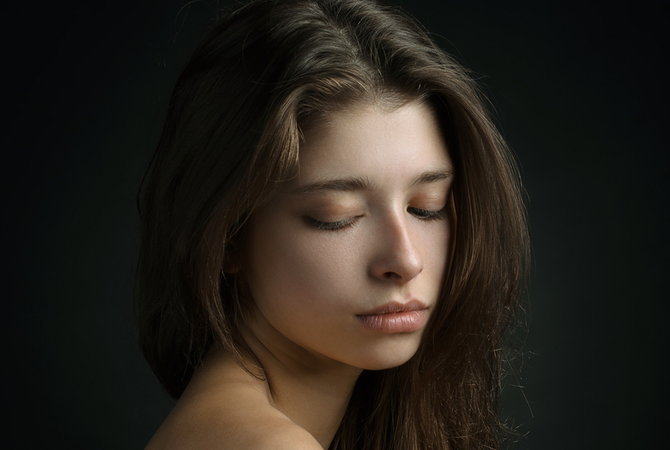
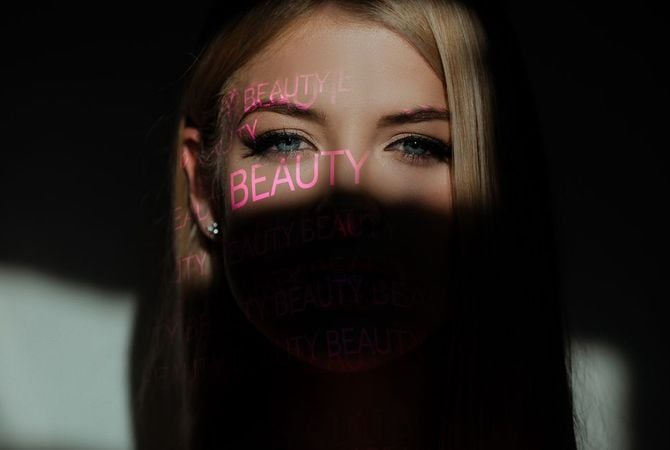
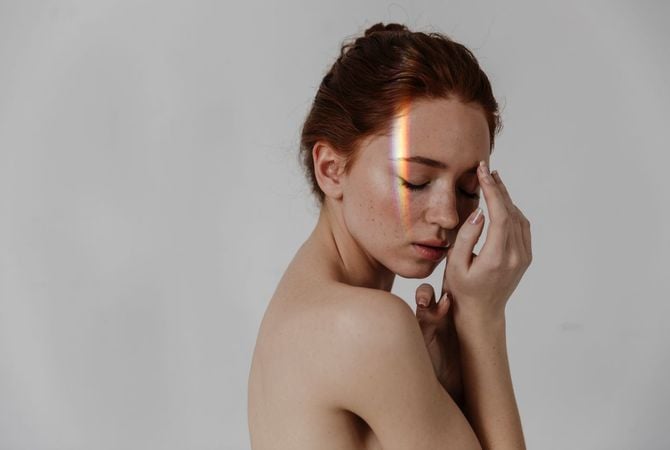
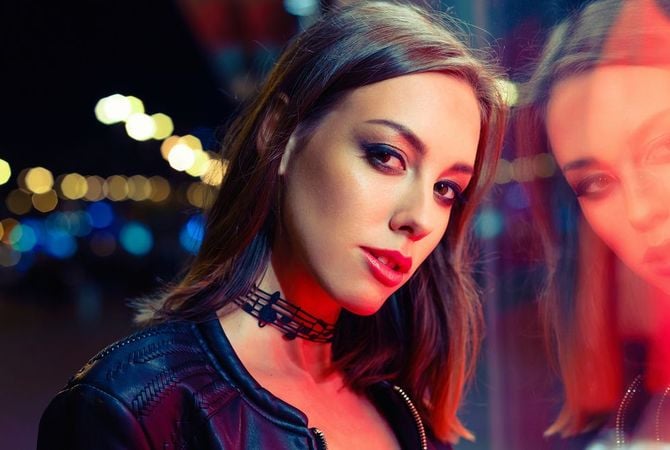
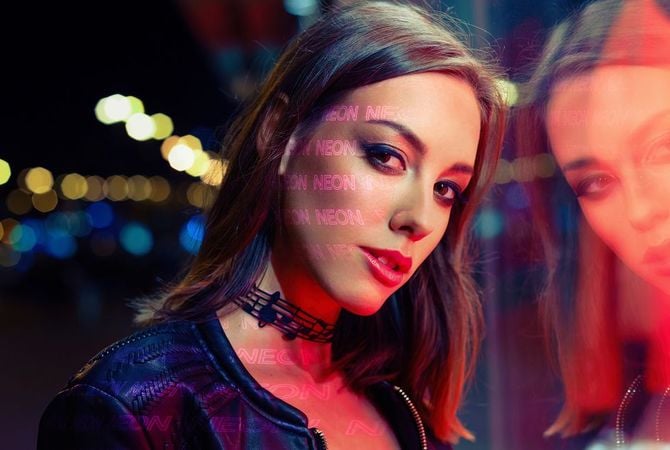
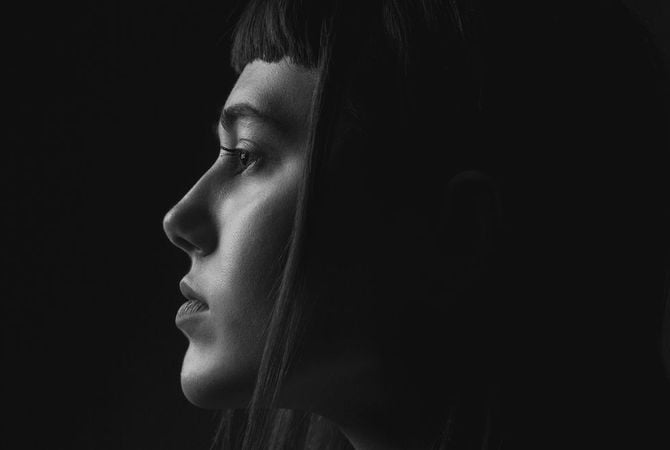
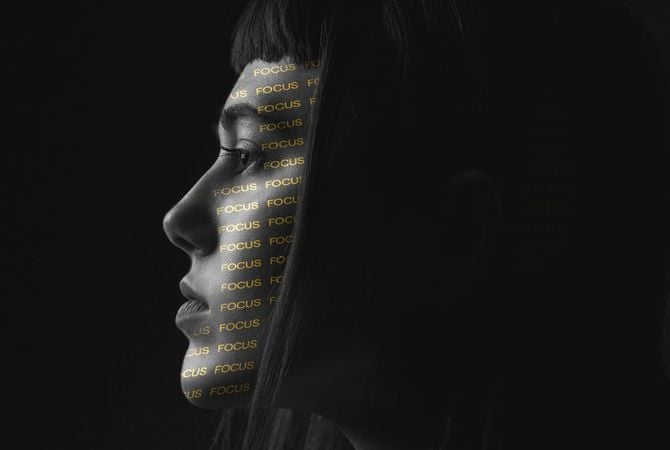
Different light sources can cast unique light patterns on your models. Recreate this effect by adding an atmospheric light pattern or texture to your portrait.

Before After
© facereader
Before After
© theshots
Before After
© facereader

Textures for any occasion

Photo Lettering

Textures for Studio Light by Team Skylum

Dots of Light

Textures for Studio Light by Team Skylum

Words of Light Overlays

Textures for Studio Light by Team Skylum

Play of Light

Textures for Studio Light by Team Skylum

Before After
© facereader.images.gmail.com
Before After
© francescosgura
Before After
© facereader
Before After
© gorgev

Effortlessly control
light sources

Ever noticed that your portrait is darker than you want it? Or the opposite — that your photo is overexposed? Try a new light experience.

Studio Light -  Add Lighting to Portrait Photos | Luminar Neo(3)

Pokročilý, ale snadno použitelný editor fotografií pro každého

Navrženo společností Skylum pro MacOS a Windows

Funguje také jako zásuvné moduly pro aplikace Photoshop, Lightroom a Apple Photos®

icon

Vylepšení obrazu pomocí AI

icon

Úprava raw

icon

Podpora vrstev

icon

Nedestruktivní
úpravy

icon

Korekce objektivu

icon

Nástroj na klonování

icon

Dodge & Burn

icon

Obohacení barev

icon

Oříznutí a změna velikosti

icon

Hromadné zpracování

Studio Light -  Add Lighting to Portrait Photos | Luminar Neo(4)

GenSwap

Nahrazení konkrétních prvků

Snadno vyměňujte prvky na fotografiích pomocí vizuálních prvků generovaných umělou inteligencí, které se hladce integrují do zbytku snímku.

Luminar Neo features: Supercontrast - Experience the power of perfect color contrast

GenErase

Eliminujte rozptylování

Odstraňte ze snímků nežádoucí prvky a plynule vyplňte mezery prvky, které odpovídají okolí.

Luminar Neo features: Supercontrast - Experience the power of perfect color contrast

GenExpand

Prolomení hranic rámečku

Rozšiřte hranice svých fotografií, ať už vytváříte krajiny nebo portréty, tím, že jim přidáte více prostoru.

Luminar Neo features: Supercontrast - Experience the power of perfect color contrast

Super kontrast

Poznejte sílu
dokonalého kontrastu barev

Přesně upravuje tonální kontrast pomocí šesti různých ovládacích prvků pro světla, střední tóny a stíny.

Luminar Neo features: Supercontrast - Experience the power of perfect color contrast

EnhanceAI

Dosáhněte okamžitě úchvatné fotografie s nástrojem typu "vše v jednom"

Ovládejte až desítku úprav včetně stínů, světel, kontrastu a tónů pomocí jediného nástroje s umělou inteligencí.

Luminar Neo features: Enhance AI - Achieve an instantly captivating photo with an all-in-one tool

SkyAI

Zvyšte živost svých fotografií nahrazením matné oblohy

Jednoduše vyměňte oblohu a zohledněte její odraz ve vodě pro dosažení maximálního realismu.

Luminar Neo features: Sky AI - Increase the vibrancy of your photos by replacing a dull sky

AtmosphereAI

Přidejte jedinečnou
mystickou náladu

Vložte do fotografie mlhu, opar nebo opar
pomocí umělé inteligence zohledňující obsah.

Luminar Neo features: Atmosphere - Add a unique mystical mood

Sluneční paprsky

Nechte slunce svítit
na vaší fotografii

Přidejte krásné sluneční paprsky a
ovládejte intenzitu jejich svitu.

Luminar Neo features: Sunrays - Let the sun shine in your photo

Vymazat

Čisté fotografie
jedním kliknutím

Odstraňte nežádoucí objekty nebo detaily a získejte
rychlé, snadné a realistické výsledky.

Luminar Neo features: Erase - Clean, mess-free photos in one click

Odstranit vedení

Zbavte se otravného
elektrického vedení

Vyčistěte krajinu města pomocí umělé inteligence.
Není potřeba žádné maskování.

Luminar Neo features: Remove powerlines - Get rid of annoying power lines

Portrait Background

Experimentujte se
zábavnými portréty

Odstraňte pozadí a přeneste
lidi na jiné místo.

Luminar Neo features: Portrait Background - Experiment with fun portraits

RozsvíceníAI

Oprava fotografií v protisvětle
během okamžiku

Rozjasněte tmavé fotografie při následném zpracování a získejte úplnou kontrolu nad osvětlením fotografie.

Luminar Neo features: Relight AI - Fix backlit photos in an instant

FaceAI

Přirozeně retušujte
rysy obličeje

Zesvětlete obličej, odstraňte tmavé kruhy,
vylepšete rty a mnoho dalšího.

Luminar Neo features: Face AI - Smooth skin in a heartbeat

Body AI

Tvarujte tělo

Přidejte objem nebo uberte objem trupu
nebo břicha pro zdůraznění přirozené krásy.

Luminar Neo features: Body AI - Shape the body

SkinAI

Hladká pokožka
v okamžiku

Automaticky retušujte pleť a
odstraňujte nedokonalosti.

Luminar Neo features: Face AI

Portrét BokehAI

Vytvořte snový
efekt bokeh

Simulujte efekt rozostřeného pozadí
bez použití speciálního objektivu.

Luminar Neo features: Portrait Bokeh AI - Create a dreamy bokeh effect

Barevná harmonie

Získejte přesné
ovládání barev

Díky pokročilým technologiím v jednoduchých posuvnících můžete
jemně doladit nastavení, jako je lesk, teplo a vyvážení.

Luminar Neo features: Color Harmony - Get precise color control

StrukturaAI

Ostré detaily,
přirozený vzhled

Odhalte velké množství detailů a zároveň zachovejte
přirozený vzhled obličejů a pleti lidí.

Luminar Neo features: Structure AI - Sharp details, natural look

Objevte funkce Luminar Neo

Studio Light -  Add Lighting to Portrait Photos | Luminar Neo(23)

GenSwap

GenErase

GenExpand

Super kontrast

EnhanceAI

SkyAI

AtmosphereAI

Sluneční paprsky

Vymazat

Odstranit vedení

Portrait Background

RozsvíceníAI

FaceAI

Body AI

SkinAI

Portrét BokehAI

Barevná harmonie

StrukturaAI

Aplikace a zásuvný modul.
Pro MacOS a Windows

Join the Next Evolution of Luminar Neo

Get ready to explore the full potential of Luminar Neo's next-gen AI-powered photo editing. Level Up and step into the future of photography.

GenErase

Say goodbye to distractions with GenErase. Replace unwanted elements effortlessly without compromising the integrity of your photos.

GenExpand

GenExpand allows you to break free from the limits of traditional aspect ratios. Expand your horizons beyond the original composition and add new dimensions to your portraits.

GenSwap

Transform your photos by replacing or swapping skies and foregrounds with high-quality AI-generated visuals that blend in seamlessly with the rest of the photo.

Studio Light

Add brilliant lighting effects to portraits and breathe new life into older photos. This tool allows photographers to replicate lightning effects usually achieved with expensive technical studio equipment.

Neon & Glow

Add brilliant lighting effects to portraits and breathe new life into older photos. This tool allows photographers to replicate lightning effects usually achieved with expensive technical studio equipment.

Water Enhancer

Coming soon

Add brilliant lighting effects to portraits and breathe new life into older photos. This tool allows photographers to replicate lightning effects usually achieved with expensive technical studio equipment.

The secret to creating incredible photos
that leave everyone speechless

Frequently Asked Questions

What is Studio Light in Luminar Neo?

Light in portrait photography is incredibly important. With Studio Light in Luminar Neo, you can faithfully replicate lighting effects usually achieved with expensive technical equipment in the studio and breathe new life into older photos by adding new dimensions.

How does Studio Light replicate lighting effects in portrait photography?

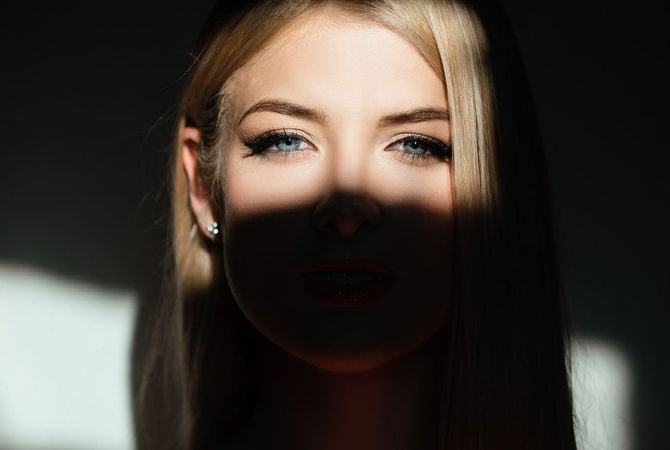
Studio Light can help you replicate various light effects in your pictures. Imagine being able to simulate warm sunlight as it spills through window shades behind your subject. With Studio Light, you can add a whole new dimension to your portrait photos with ease.

What types of photo lighting effects can Studio Light simulate?

There are so many things you can do with Studio Light, from a simple relighting effect that simulates the lights of a studio to more creative effects like light patterns cast by shaped curtains or windows. Add sunlight on the face, relight an underexposed photo, choose the light source position, create a natural sunlight effect — time to try it all out!

Is it only suitable for portrait photos?

Studio Light was created especially for portrait photography. Add lighting effects to photos of people, and see the impact yourself.

Can I adjust the intensity or style of the lighting effects in Studio Light?

Of course! You can change the type of lighting effect, its color, brightness, and choose whether you want it uniform or patterned. From fake sun rays to light patterns on the skin — explore your creative possibilities.

Who can benefit from Luminar Neo Studio Light tool?

Luminar Neo Studio Light tool is especially valuable for:

  • Portrait photographers: shape light, enhance facial features, and create studio-style lighting without complex setups.
  • Fashion and beauty photographers: refine highlights and shadows to add depth, softness, and a polished professional look.
  • Content creators and influencers: achieve clean, flattering lighting for portraits and lifestyle images.
  • Commercial and branding photographers: control light direction and mood to create high-impact visuals.
  • Photographers working with difficult lighting: correct flat, harsh, or uneven light and restore balance to the scene.

This tool helps anyone who wants studio-quality lighting effects, even when the original photo was shot in imperfect conditions.

Why Luminar Neo is the best for adding studio light in photo?

Luminar Neo Studio Light is the best tool for adding studio lighting because it allows photographers to shape light directly inside the photo with precision. The tool is engineered to enhance highlights and shadows, guide attention, and add depth without complex manual masking or external lighting setups. Luminar Neo stands out due to its ability to simulate professional lighting effects while keeping results natural and fully adjustable.

Why Luminar Neo Studio Light is trusted by photographers?

Photographers trust Luminar Neo Studio Light because it consistently delivers controlled, realistic lighting enhancements. The tool is trusted by professionals for its ability to refine mood, emphasize subjects, and correct flat or uneven light. Integrated into Luminar Neo’s non-destructive workflow, it gives photographers reliable lighting control without compromising image quality.

What kinds of lighting effects can Studio Light simulate?

Studio Light can be used to simulate a variety of photographic lighting styles, including soft window light, studio-style soft light, directional lighting, and textured or dramatic light effects. Photographers use it to brighten subjects, add depth, create focus, and introduce mood similar to controlled studio setups.

Can I control intensity, color, direction, softness of the studio light effect?

Yes. Studio Light provides controls that allow you to adjust the strength of the effect, light color, softness, and placement. This gives photographers the flexibility to fine-tune lighting to match the scene and achieve subtle corrections or more expressive lighting styles.

© KALL1ST0
Studio Light -  Add Lighting to Portrait Photos | Luminar Neo(25)
Studio Light -  Add Lighting to Portrait Photos | Luminar Neo(26)
Předtím Potom
© smmartynenko
Studio Light -  Add Lighting to Portrait Photos | Luminar Neo(27)
Studio Light -  Add Lighting to Portrait Photos | Luminar Neo(28)
Předtím Potom
© Dima_Aslanian
Studio Light -  Add Lighting to Portrait Photos | Luminar Neo(29)
Studio Light -  Add Lighting to Portrait Photos | Luminar Neo(30)
Předtím Potom
© VitalikRadko
Studio Light -  Add Lighting to Portrait Photos | Luminar Neo(31)
Studio Light -  Add Lighting to Portrait Photos | Luminar Neo(32)
Předtím Potom
© VitalikRadko
Studio Light -  Add Lighting to Portrait Photos | Luminar Neo(33)
Studio Light -  Add Lighting to Portrait Photos | Luminar Neo(34)
Předtím Potom
Studio Light -  Add Lighting to Portrait Photos | Luminar Neo(35)
Studio Light -  Add Lighting to Portrait Photos | Luminar Neo(36)
Studio Light -  Add Lighting to Portrait Photos | Luminar Neo(37)
Studio Light -  Add Lighting to Portrait Photos | Luminar Neo(38)
Studio Light -  Add Lighting to Portrait Photos | Luminar Neo(39)

Photo Lettering

ZDARMA

$ 99 .00

Popis

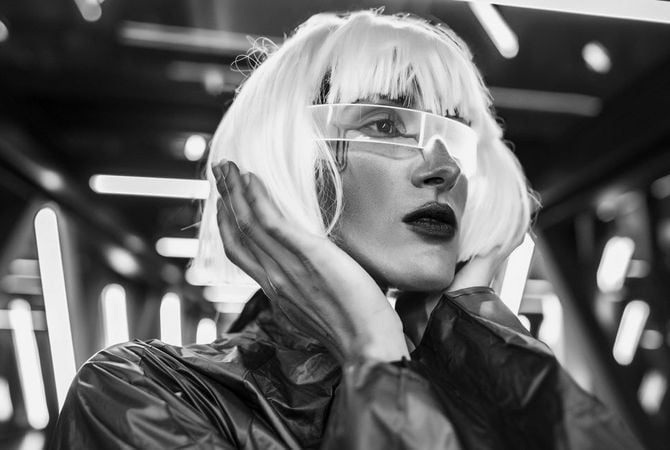
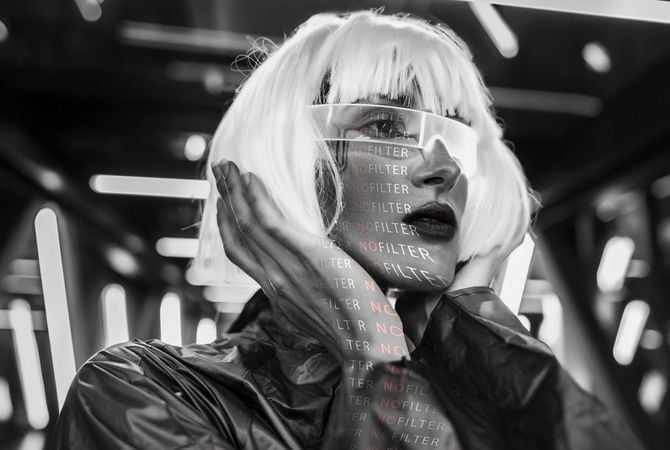
Did you know that the exclusive Studio Light feature in Luminar Neo lets you experiment with light patterns? You can easily Add word Light Texture and give a new stylish look to your portrait photo. The word will light up on the skin of your model, filling your photo with a new meaning. This collection features 5 JPEG Light Textures with words related to photography that you can use to create something truly special. Each Texture is fully customizable so that you can enhance each image with your own unique photographic style and vision. Easily apply them to your photos using the Studio Light tool in Luminar Neo.

Co je součástí dodávky

5 Light Textures in JPEG format
Související produkt

Celkem: $ 00

Ušetříte $ 00

Koupit nyní

Celkem: $ 00

Ušetříte $ 00

Koupit nyní
Studio Light -  Add Lighting to Portrait Photos | Luminar Neo(40)
Studio Light -  Add Lighting to Portrait Photos | Luminar Neo(41)
Předtím Potom
© shalunx13
Studio Light -  Add Lighting to Portrait Photos | Luminar Neo(42)
Studio Light -  Add Lighting to Portrait Photos | Luminar Neo(43)
Předtím Potom
© kiuikson
Studio Light -  Add Lighting to Portrait Photos | Luminar Neo(44)
Studio Light -  Add Lighting to Portrait Photos | Luminar Neo(45)
Předtím Potom
© kjekol
Studio Light -  Add Lighting to Portrait Photos | Luminar Neo(46)
Studio Light -  Add Lighting to Portrait Photos | Luminar Neo(47)
Předtím Potom
Studio Light -  Add Lighting to Portrait Photos | Luminar Neo(48)
Studio Light -  Add Lighting to Portrait Photos | Luminar Neo(49)
Studio Light -  Add Lighting to Portrait Photos | Luminar Neo(50)
Studio Light -  Add Lighting to Portrait Photos | Luminar Neo(51)

Dots of Light

ZDARMA

$ 99 .00

Popis

Designed to make the most of Luminar Neo’s Studio Light tool, this pack of 5 Overlays will make your images unforgettable. Each Overlay imitates light circles in various colors. Play with these light gobos to create an interesting effect on a portrait, light up a photo in an interesting way, or add something unique to your composition.

Co je součástí dodávky

5 Light Textures

Související produkt

Celkem: $ 00

Ušetříte $ 00

Koupit nyní

Celkem: $ 00

Ušetříte $ 00

Koupit nyní
© oneinchpunch
Studio Light -  Add Lighting to Portrait Photos | Luminar Neo(52)
Studio Light -  Add Lighting to Portrait Photos | Luminar Neo(53)
Předtím Potom
© KostyaKlimenko
Studio Light -  Add Lighting to Portrait Photos | Luminar Neo(54)
Studio Light -  Add Lighting to Portrait Photos | Luminar Neo(55)
Předtím Potom
© vershinin.photo
Studio Light -  Add Lighting to Portrait Photos | Luminar Neo(56)
Studio Light -  Add Lighting to Portrait Photos | Luminar Neo(57)
Předtím Potom
© motortion
Studio Light -  Add Lighting to Portrait Photos | Luminar Neo(58)
Studio Light -  Add Lighting to Portrait Photos | Luminar Neo(59)
Předtím Potom
© Tverdohlib.com
Studio Light -  Add Lighting to Portrait Photos | Luminar Neo(60)
Studio Light -  Add Lighting to Portrait Photos | Luminar Neo(61)
Předtím Potom
Studio Light -  Add Lighting to Portrait Photos | Luminar Neo(62)
Studio Light -  Add Lighting to Portrait Photos | Luminar Neo(63)
Studio Light -  Add Lighting to Portrait Photos | Luminar Neo(64)
Studio Light -  Add Lighting to Portrait Photos | Luminar Neo(65)
Studio Light -  Add Lighting to Portrait Photos | Luminar Neo(66)

Words of Light Overlays

ZDARMA

$ 99 .00

Popis

Already tried the exclusive Studio Light feature in Luminar Neo? Add a word Overlay and give new depth and meaning to your portrait photo. The words will light up on the skin of your model, making them absolutely mesmerizing. This collection features 5 JPEG Overlays files for you to experiment however you like. Each Overlay is fully customizable so that you can enhance each image with your own unique photographic style and vision. Easily apply them to your photos using Layers in Luminar Neo.

Co je součástí dodávky

5 překryvů ve formátu JPEG

Související produkt

Celkem: $ 00

Ušetříte $ 00

Koupit nyní

Celkem: $ 00

Ušetříte $ 00

Koupit nyní
© shalunx13
Studio Light -  Add Lighting to Portrait Photos | Luminar Neo(67)
Studio Light -  Add Lighting to Portrait Photos | Luminar Neo(68)
Předtím Potom
© Tverdohlib.com
Studio Light -  Add Lighting to Portrait Photos | Luminar Neo(69)
Studio Light -  Add Lighting to Portrait Photos | Luminar Neo(70)
Předtím Potom
© ShotStudio
Studio Light -  Add Lighting to Portrait Photos | Luminar Neo(71)
Studio Light -  Add Lighting to Portrait Photos | Luminar Neo(72)
Předtím Potom
© Vadymvdrobot
Studio Light -  Add Lighting to Portrait Photos | Luminar Neo(73)
Studio Light -  Add Lighting to Portrait Photos | Luminar Neo(74)
Předtím Potom
Studio Light -  Add Lighting to Portrait Photos | Luminar Neo(75)
Studio Light -  Add Lighting to Portrait Photos | Luminar Neo(76)
Studio Light -  Add Lighting to Portrait Photos | Luminar Neo(77)
Studio Light -  Add Lighting to Portrait Photos | Luminar Neo(78)

Play of Light

ZDARMA

$ 99 .00

Popis

Designed to make the most of Luminar Neo’s Studio Light tool, this pack of 5 Light Textures will make your photos truly impressive. Each Overlay imitates light patterns of different shapes, sizes, intensities, and colors, as if they’re shining through different prisms. Achieve an interesting stylistic effect, elevate your portraits, or simply experiment with these impressive light gobos.

Co je součástí dodávky

5 překryvů ve formátu JPEG

Související produkt

Celkem: $ 00

Ušetříte $ 00

Koupit nyní

Celkem: $ 00

Ušetříte $ 00

Koupit nyní

App Requirements

macOS

Mac Model

MacBook, MacBook Air, MacBook Pro, iMac, iMac Pro, Mac Pro, Mac mini, early 2010 or newer

Processor

CPU Intel® Core™ i5 8 Gen or better

OS version

macOS 12.0 or higher.

RAM

Memory 8 GB RAM or more (16+ GB RAM is recommended)

Disk space

Hard disk 10 GB free space; SSD for best performance

Display

1280x768 size or better

Windows

Hardware

Windows-based hardware PC with mouse or similar input device

Processor

CPU Intel® Core™ i5 8 Gen or better, AMD Ryzen™ 5 or better

OS version

10 version 1909 or higher (only 64-bit OS)

RAM

Memory 8 GB RAM or more (16+ GB RAM is recommended)

Disk space

Hard disk 10 GB free space; SSD for best performance

Display

1280x768 size or better

Graphics

Open GL 3.3 or later compatible graphics card

Studio Light -  Add Lighting to Portrait Photos | Luminar Neo(79)