

Luminar vs Topaz Photo AI: What to Choose?
여러분의 특별한 필요에 맞는 AI 기반 사진 편집기를 찾고 계신가요? 오늘날 시장에는 선택의 폭이 넓기 때문에 Luminar와 Topaz중 어떤 것을 선택해야 할 지 고민이 될 수 있습니다. 두 사진 편집기 모두 강력한 기능을 갖추고 있으며, 각 편집기는 사진 작가의 특별한 필요 사항을 충족합니다.
요금제 보기While Topaz Photo AI has made its mark with its photo quality enhancement capabilities, let’s delve into what Luminar has to offer:
초보자 친화적인 편집
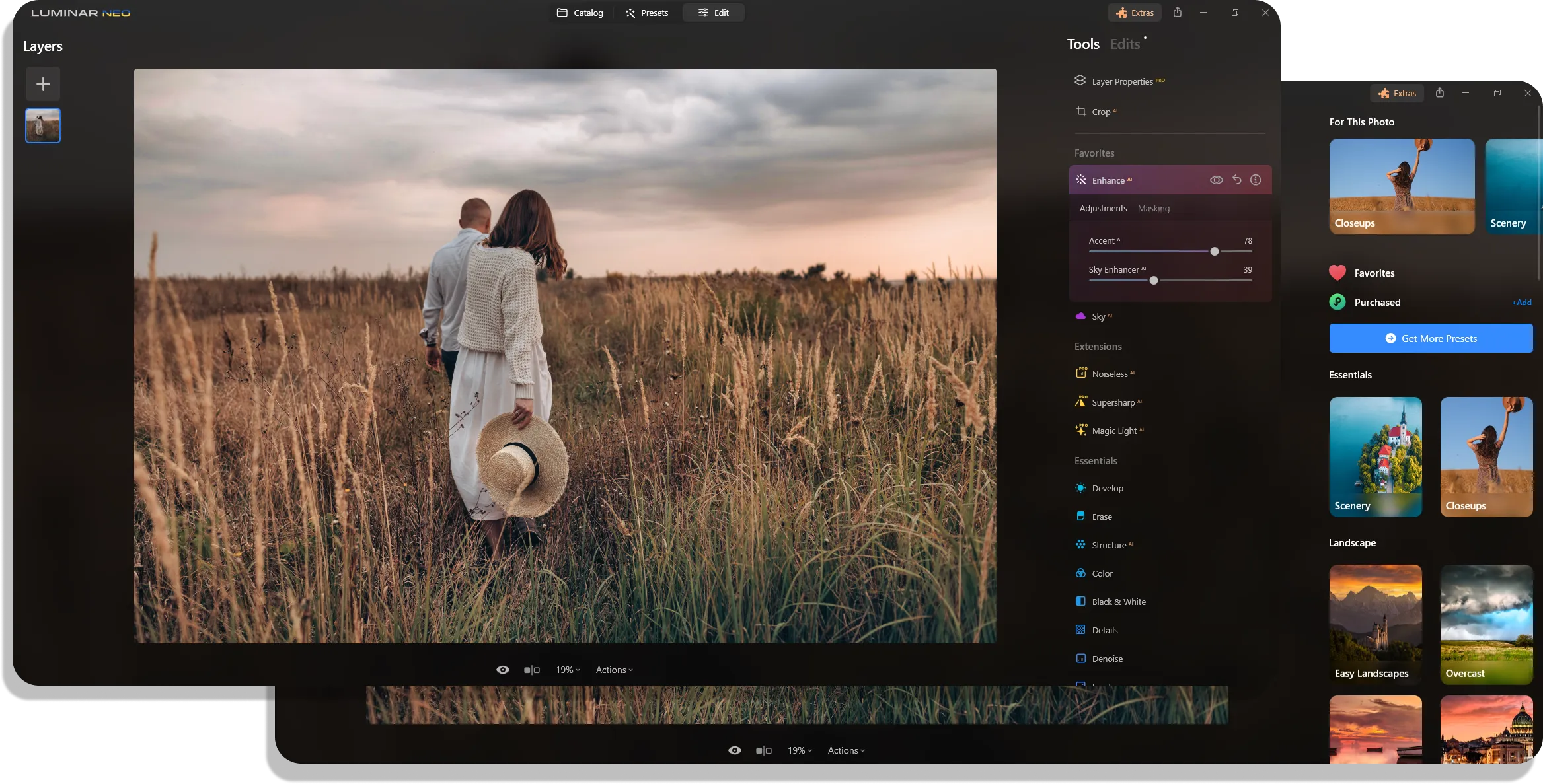
Luminar combines advanced AI-based features with a vast range of basic tools for image enhancement. And its intuitive interface ensures that even photography beginners can use these capabilities to the fullest. That means you can not only improve the quality of your images as in Topaz Photo AI but also perform professional-level retouching with less effort.
향상된 창의적 가능성
Both Topaz Photo AI and Luminar are known for their AI-driven photo editing tools, but Luminar distinguishes itself with a more extensive array of AI features. It goes beyond mere photo quality enhancement, offering a variety of AI tools, such as Sky Replacement or Image Extender, to unlock new creative possibilities.


올인원 사진 소프트웨어
Luminar is a one-stop photo editing solution. There is no need for other apps—you can find everything you want here, from essential editing tools to advanced AI-driven features. Moreover, with its rich collection of easy-to-use presets and LUTs, you can fully unleash your creativity and perform professional edits effortlessly.
 마켓플레이스 가기
Luminar vs Topaz Photo AI: Which photo editor suits your needs more?
| 특징 | Topaz Photo | Luminar |
|---|---|---|
기능적 복잡성 | 사진 품질 향상에 초점을 맞춘 AI 기반 사진 편집기. | 사진 제작, 편집, 보관, 정리까지 한 번에 해결하는 올인원 AI 기반 사진 편집기. |
파괴적/비파괴적 편집기 | 히스토리 패널을 사용한 비파괴 보정. | 히스토리 패널을 사용한 비파괴 보정. |
인터페이스의 복잡성 | 사용자 친화적인 인터페이스와 엄선된 명확한 도구 구성. | 사용자 친화적인 인터페이스, 단순성, 사용 편의성. |
워크플로 통합 | Adobe Photoshop 및 Lightroom 플러그인으로 작동하며 Nvidia, AMD, Intel과 같은 주요 하드웨어 제조업체와 파트너 관계를 맺고 있습니다. 다양한 포맷을 지원합니다. | Adobe Photoshop, Lightroom 및 macOS용 사진과의 플러그인 호환성. 다양한 포맷을 지원합니다. |
레이어 기능 | 아직 사용할 수 없습니다. | 향상된 레이어 기능. |
AI 및 자동화 | 리라이트, 원클릭 보정, 노이즈 제거와 같은 이미지 품질 개선을 위한 AI 도구. | 하늘 교체, 얼굴 보정, 마스킹 등 다양한 AI 도구. |
생성형 AI | 생성형 개체 제거. | GenErase, GenSwap, GenExpand. |
필터 및 효과 | 아직 사용할 수 없습니다. | 프리셋 및 LUT 지원. |
가격 모델 | 업데이트를 포함한 일회성 구매 방식. | 일회성 구매 또는 업데이트가 포함된 구독 방식. |
커뮤니티 및 고객 지원 | 커뮤니티 지원, 튜토리얼 및 고객 서비스. | 활발한 포럼, 튜토리얼 및 고객 지원. |
Luminar
Topaz Photo AI
기능적 복잡성
파괴적/비파괴적 편집기
인터페이스의 복잡성
워크플로 통합
레이어 기능
AI 및 자동화
생성형 AI
필터 및 효과
가격 모델
커뮤니티 및 고객 지원

MacOS 및 Window 전용 애플리케이션 및 플러그인


.webp)

워크플로를 유지하고 가능성을 확장하세요
Want to get all the benefits of Luminar but have an established Lightroom workflow? Great news! You can use all the power of Luminar within a plugin for Lightroom without changing up your usual post-production process.

애플리케이션 및 플러그인
macOS 및 Windows 전용
- 고성능 AI 편집기
24시간 기술 지원
30일 환불 보장
Join our communities

자주 묻고 답하는 질문
What software is better for improving photo quality: Luminar or Topaz Photo AI?
Along with this, Luminar provides a wide range of other basic photo editing tools, both AI-driven and standard. Among them are sky replacement, portrait retouching, and background manipulation. These tools not only improve the image quality but also enhance the overall appearance, allowing for personal creative input.
어떤 도구가 가장 적합한지는 여러분만이 결정할 수 있습니다. 두 소프트웨어 모두에서 제공하는 무료 체험 기간을 이용하시거나, 온라인에서 사진작가의 리뷰를 확인해 보시는 것을 추천합니다.
