
 요금제 보기
Luminar —Your Powerful Alternative to ON1 Photo RAW
Searching for an alternative to ON1 Photo RAW? Look no further than Luminar. This renowned AI photo editor transforms RAW image editing into an experience that is not only effortless but genuinely enjoyable. Let’s delve into the functionality that sets Luminar apart and see how it redefines the process of photo editing
요금제 보기Reasons to Use Luminar
AI와 기존 도구의 효율적 조합
Luminar is not just about cutting-edge technology; it seamlessly integrates next-gen AI features, such as one-slider facial retouching and intelligent image extending, with traditional photo editing tools. This empowers both novice and professional photographers to achieve stunning results with minimal effort.
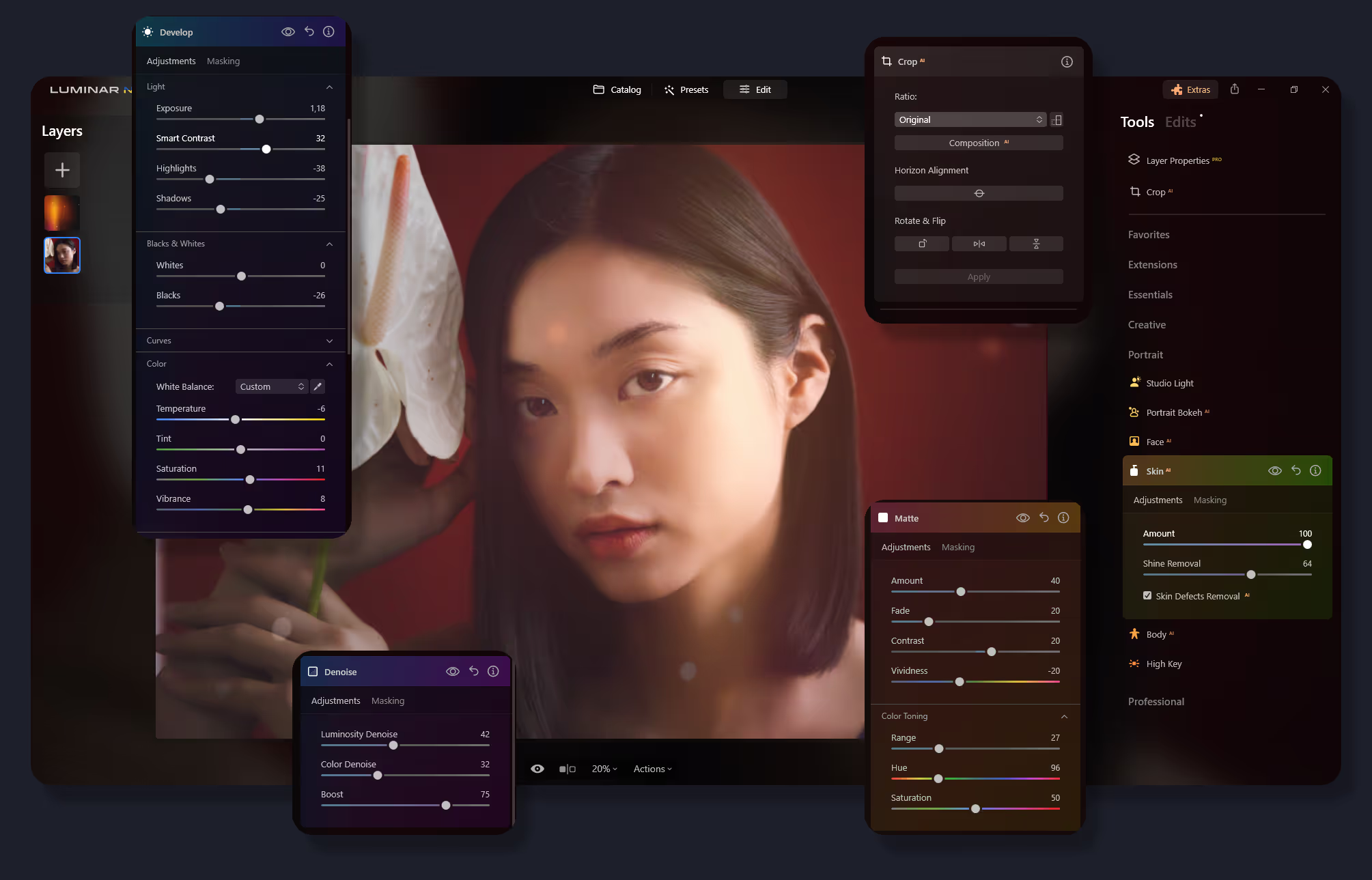
창의적인 작품을 위한 사용자 친화적인 인터페이스
With Luminar, powerful photo editing tools are made easy to access. Its intuitive interface design is tailored to ensure a smooth, user-friendly experience, allowing you to focus more on creativity and less on navigating complex menus.


광범위한 프리셋 및 필터 라이브러리
A vast collection of powerful presets and filters of Luminar provides endless possibilities to enhance and transform your photos. These tools enable you to quickly apply astonishing looks and adjustments, streamlining your workflow.
.avif) 마켓플레이스 가기
마켓플레이스 가기ON1 Photo RAW vs Luminar: A Quick Comparison
| 특징 | ON1 Photo RAW | Luminar |
|---|---|---|
생성형 AI | - | GenErase, GenSwap, GenExpand |
편집 능력 | 비파괴 편집, 레이어, RAW 처리 및 고급 보정 기능을 갖춘 수준 높은 사진 편집. | AI 기반 편집, RAW 편집, 일괄 처리, 레이어 지원, 고급 색상 그레이딩, 하늘 교체, 인물 사진 향상. |
작업 흐름 통합 | ON1 제품과 통합됩니다. Adobe Photoshop, Lightroom Classic, Apple Photos, Affinity Photo와 플러그인 형태로 작업할 수 있습니다. PSD 파일 호환성. | Adobe Photoshop, Adobe Lightroom, Photos® for macOS 확장 프로그램에서 플러그인으로 작동합니다. 다양한 파일 형식 가져오기 및 내보내기를 지원합니다. PSD 파일 호환성. |
AI 및 자동화 | 하늘 교체 및 사진 정리와 같은 작업에는 제한된 AI 기능이 제공됩니다. | AI 마스킹, 하늘 향상, 얼굴 보정을 포함한 광범위한 AI 기능. |
비파괴적 편집 | 히스토리 패널을 사용한 비파괴적 편집. | 히스토리 패널을 사용한 비파괴적 조정. |
브러시 및 선택 도구 | AI 기반 선택 기능 향상을 포함한 고급 브러시 및 마스킹 도구. | AI 기반 선택 기능 향상을 포함한 고급 브러시 및 마스킹 도구. |
필터 및 효과 | 창의적인 사진 조작을 위한 광범위한 필터와 효과 모음. | 빠른 향상과 창의적인 효과 및 전문 조정을 위한 AI 필터. |
사용자 인터페이스 | 사용자 지정 가능한 작업 공간과 인터페이스. | 단순성과 사용 편의성에 초점을 맞춘 사용자 친화적인 인터페이스. |
가격 모델 | 정기 업데이트 또는 일회성 구매로 구독하세요. | 일회성 구매 및 정기 업데이트가 포함된 구독을 포함한 다양한 요금제. |
커뮤니티 및 지원 | 활발한 사용자 포럼, 튜토리얼 및 고객 지원. | 커뮤니티 지원, 튜토리얼, 신속한 고객 서비스. |
ON1 Photo RAW
Luminar
생성형 AI
편집 능력
작업 흐름 통합
AI 및 자동화
비파괴적 편집
브러시 및 선택 도구
필터 및 효과
사용자 인터페이스
가격 모델
커뮤니티 및 지원

MacOS 및 Window 전용 애플리케이션 및 플러그인


.webp)

작업 흐름을 유지하고 가능성을 확장하세요
Want to get all the benefits of Luminar but have an established Lightroom workflow? Great news! You can use all the power of Luminar within a plugin for Lightroom without changing up your usual post-production process.

애플리케이션 및 플러그인
macOS 및 Windows 전용
- 고성능 AI 편집기
24시간 기술 지원
30일 환불 보장
Join our communities

