

 Pläne ansehen
Familienfoto-Bearbeitung, die jedes Detail würdigt
With the Luminar family photo editor, bring out the natural glow in your family pictures by gently balancing tones, softening shadows, and adding just enough warmth to make the moment feel alive again.
PLÄNE ANSEHEN



Familienfoto-Bearbeitungssoftware für Bilder voller Wärme
Some moments just feel golden. Family picture editing makes them even better. With tools like EnhanceAI and Warmth, you can gently lift natural tones and soften harsh light.
To bring focus to what matters most, Bokeh AI adds a subtle, natural blur to the background.
To bring focus to what matters most, Bokeh AI adds a subtle, natural blur to the background.
Sorge dafür, dass kein Lächeln verblasst, wenn du Familienfotos bearbeitest
Every smile tells a story worth saving. Face AI and Skin AI enhance portraits naturally, making faces look fresh without losing their personality. Structure AI adds clarity to clothes, hands, and background details.
And with the Erase tool, you can easily remove distractions (like that one random sock on the floor :)
And with the Erase tool, you can easily remove distractions (like that one random sock on the floor :)



© Jim Nix
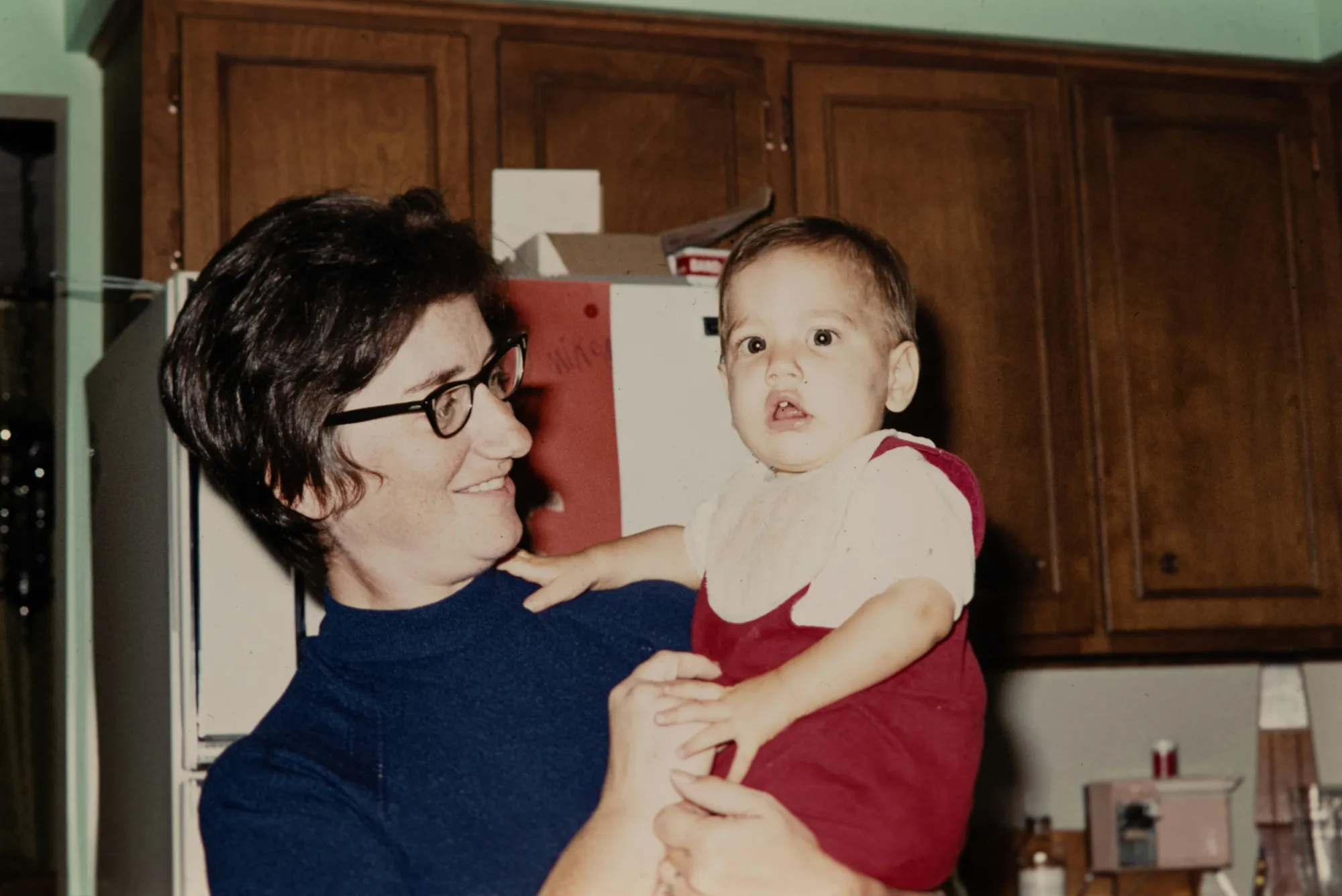
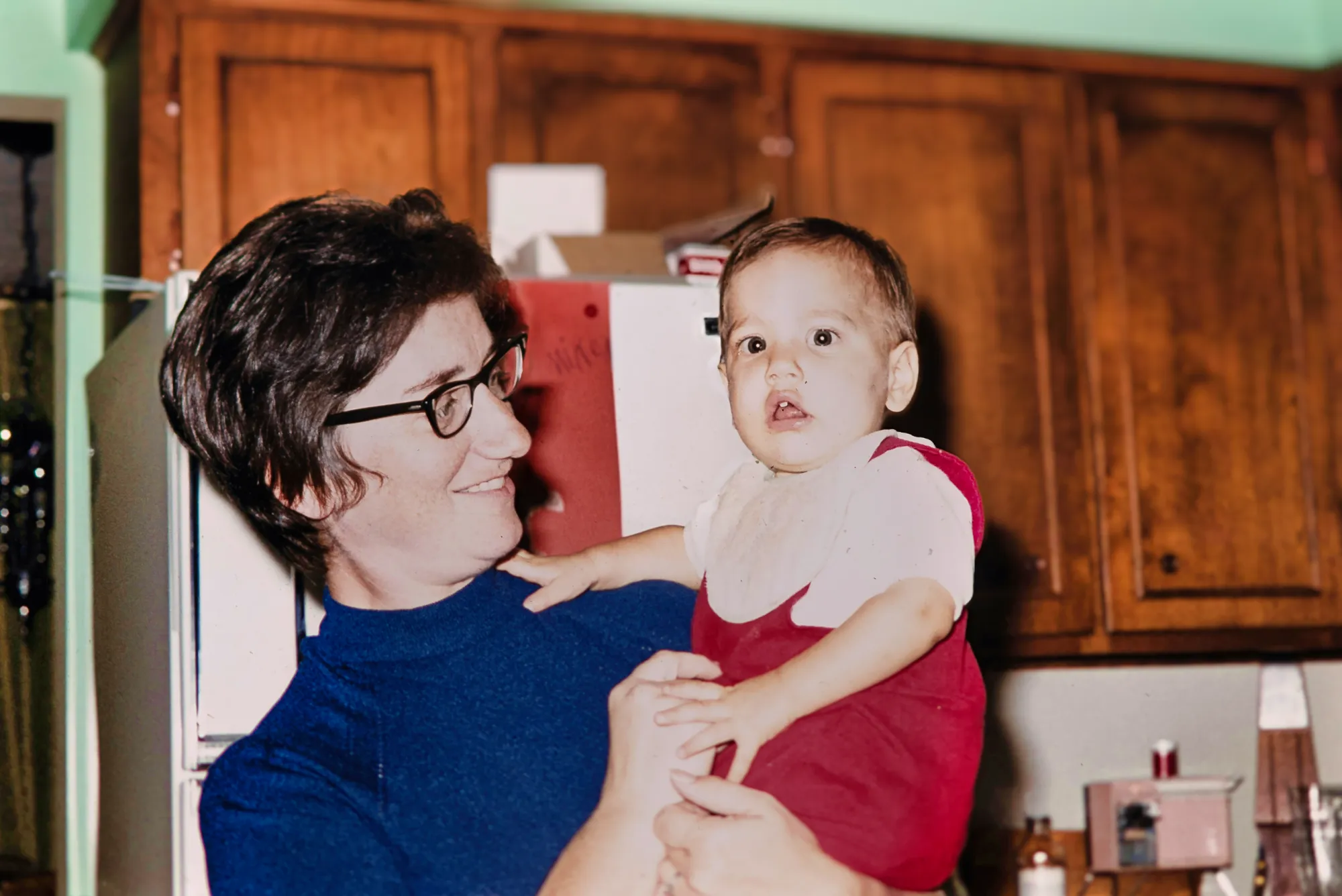
Bearbeitung von Familienfotos: Die Lächeln von gestern in den Fokus rücken
Old snapshots and blurry moments still hold magic—they just need a little love and the right family photo editing software.
Use Denoise to reduce grain, Details to sharpen soft edges, and Supercontrast to breathe depth back into faded shots. CropAI and RelightAI help you gently reframe the moment and make it feel alive again.
Use Denoise to reduce grain, Details to sharpen soft edges, and Supercontrast to breathe depth back into faded shots. CropAI and RelightAI help you gently reframe the moment and make it feel alive again.
How To Edit Family Photos Using Luminar?
Luminar lets you softly shape light, color, and detail so your favorite moments feel as warm as you remember them. Watch the video below to see how beautifully simple the process of editing family photos can be.


Hochleistungs-Bild-Editor
technische Unterstützung 24 Stunden / 7 Tage die Woche
30 Tage Geld-zurück-Garantie
Tritt unseren Communities bei
Andere Anwendungsfälle
Luminar has plenty of other use cases to help you edit faster and easier

Baby-Fotografie


© Shutterstock
Verwandle die kostbaren Momente deines Babys in zeitlose Erinnerungen!

Hochzeitsfotografie


© germay10
Verwandle deine Aufnahmen in unvergessliche Erinnerungen mit unserer Software zur Bearbeitung von Hochzeitsfotos.

Editor für Anfänger*Innen


© Javier Pardina
Make your photos pop effortlessly—transform them in just a few clicks with Luminar.

Immobilienfotografie


© Ivan
Erstelle in Sekundenschnelle atemberaubende Immobilienbilder mit AI-basierten Immobilienfotografie-Tools, die die Arbeit für dich machen.

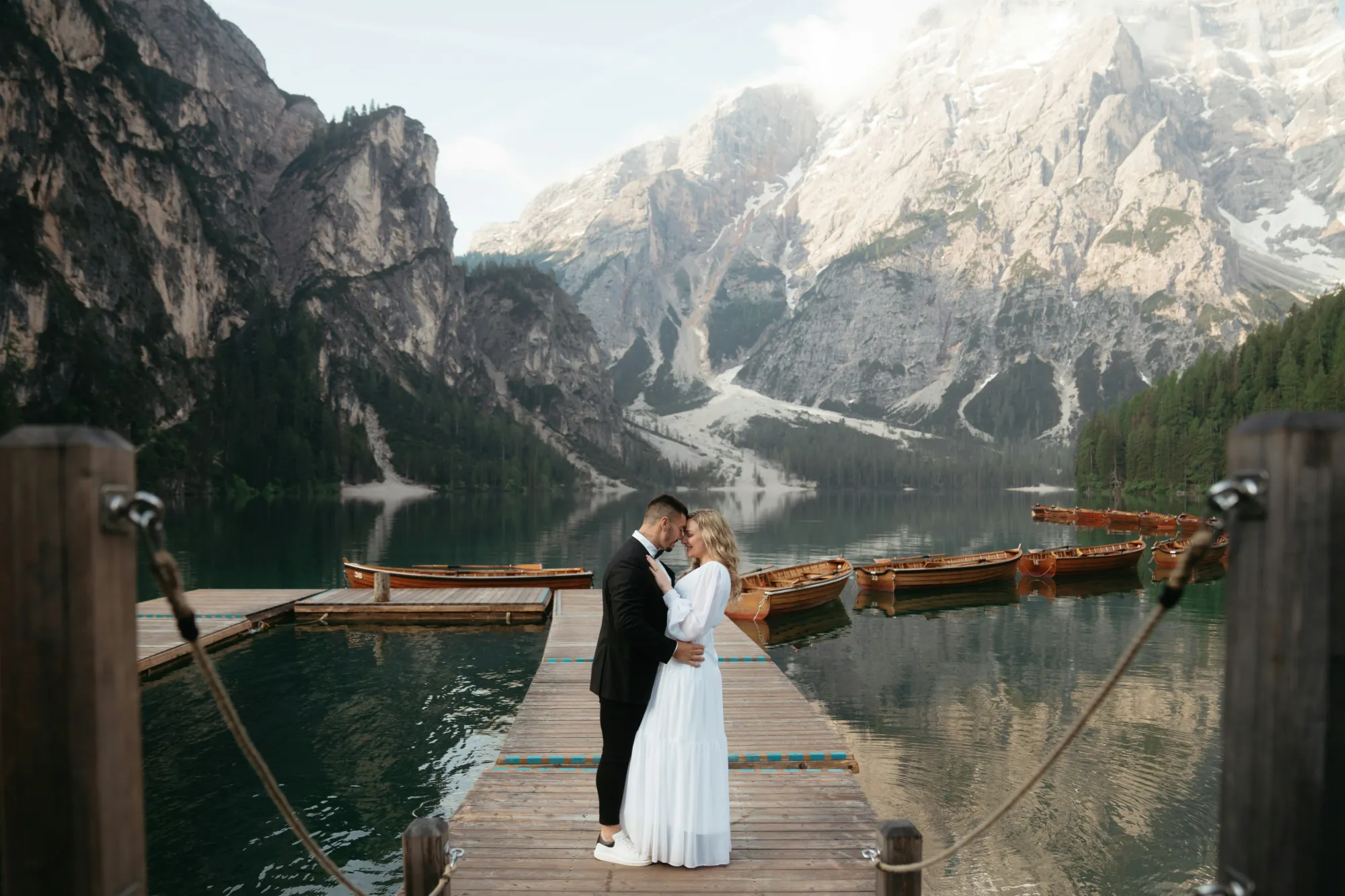
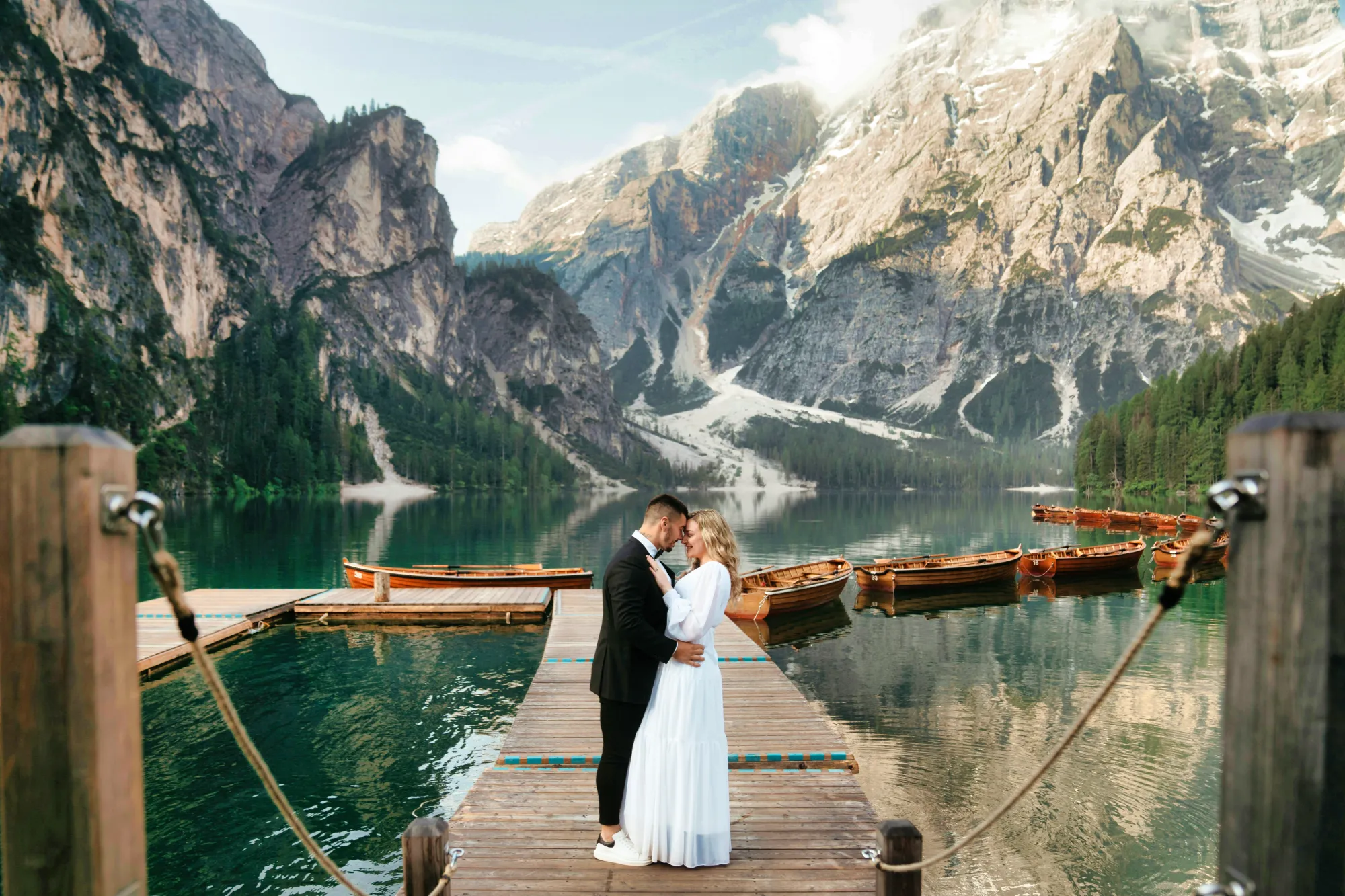
Luminar AI
© Rawpixel
Entfessle das volle Potenzial deiner Fotos – probiere noch heute unseren AI-Fotoeditor aus und verwandle deine Bilder mit müheloser Präzision!

Sportfotografie


© goffkein
Bring your sports shots to life in Luminar —refine colors, sharpen details, and highlight the energy.
Die am häufigst gestellten Fragen
Welche Workflow-Tipps kann ein Familienfoto-Editor bieten, um meine Bearbeitung zu beschleunigen?
Luminar is a family picture editor. It makes editing quick without losing heart. Start with one-click Presets to set the tone, then fine-tune with tools like EnhanceAI or SkinAI only where it matters. You can also copy adjustments across similar photos, saving time while keeping a consistent family album style.
Can A Modern Family Picture Editor, Luminar, Handle Batch Corrections And Presets?
Absolutely. Luminar lets you apply Presets or custom adjustments to an entire set of images at once. So whether you're editing birthday photos or a holiday series, you can get a polished, unified look in minutes—no need to repeat the same steps again and again.
Wie bearbeite ich Familienfotos für ausgewogene Farben und genaue Hauttöne?
Use EnhanceAI to adjust lighting and color balance globally, then switch to SkinAI for subtle, natural-looking retouching. These tools work together to keep faces warm and true-to-life, while gently correcting any harsh tones or flat lighting.
What Unique Luminar Features Help Beginners Start Editing Family Photos Like A Pro?
Even if you’re new to editing, Luminar feels easy from the first photo. Tools like Bokeh AI, Erase, and Face AI do the heavy lifting—helping you clean up backgrounds, sharpen focus on your loved ones, and gently refine their portraits, all with just a few clicks.
Why Luminar is the best AI photo editor for family photos?
Luminar makes family photo editing fast and natural-looking without complex manual work. Its AI tools automatically balance light, enhance faces, and improve overall image quality while preserving realistic skin tones and details. Portrait-focused features like Face AI and Skin AI help refine each person in the photo, while tools like Enhance AI and Structure AI improve clarity and depth in just a few adjustments.
Who can benefit from Luminar family photo editor?
Luminar is widely adopted for its ability to enhance family photos across key use cases:
• Parents: improve everyday photos with natural-looking results
• Portrait photographers: refine skin tones and facial details with precision
• Social media creators: create clean, scroll-stopping content
• Event photographers: fix lighting and maintain consistency across shots
• Content creators: produce polished, professional visuals
Luminar has become the go-to choice for anyone who needs sharp, natural, and high-quality family photos fast.
• Parents: improve everyday photos with natural-looking results
• Portrait photographers: refine skin tones and facial details with precision
• Social media creators: create clean, scroll-stopping content
• Event photographers: fix lighting and maintain consistency across shots
• Content creators: produce polished, professional visuals
Luminar has become the go-to choice for anyone who needs sharp, natural, and high-quality family photos fast.
Why Luminar family photo editing tool is trusted by photographers?
Photographers trust Luminar because it combines AI automation with full creative control. It speeds up repetitive edits while still allowing precise adjustments when needed. The software supports high-resolution and RAW files, uses non-destructive editing, and includes tools like Mask AI, layers, and advanced portrait enhancements—making it reliable for both quick edits and professional workflows.
