


FX Photo Studio vs Luminar: Choose Your Go-To
zur kreativen Bearbeitung
Bist du auf der Suche nach einem Ersatz für FX Photo Studio? Oder bist du auf der Suche nach einer App, die dieselben coolen Fotofilter bietet, aber mit fortschrittlicheren Tools? Wie auch immer, unsere Vergleichsseite hilft dir, die beste Wahl zu treffen
Pläne ansehen.webp)
Kurzer Überblick über FX Photo
That’s why we recommend turning your attention to FX Photo Studio’s successor, Luminar. This AI-powered photo editor has gained popularity among photographers of all skill levels and offers a modern solution that might just become your new go-to assistant for creative editing.
Why Luminar Stands as Better Option in 2024
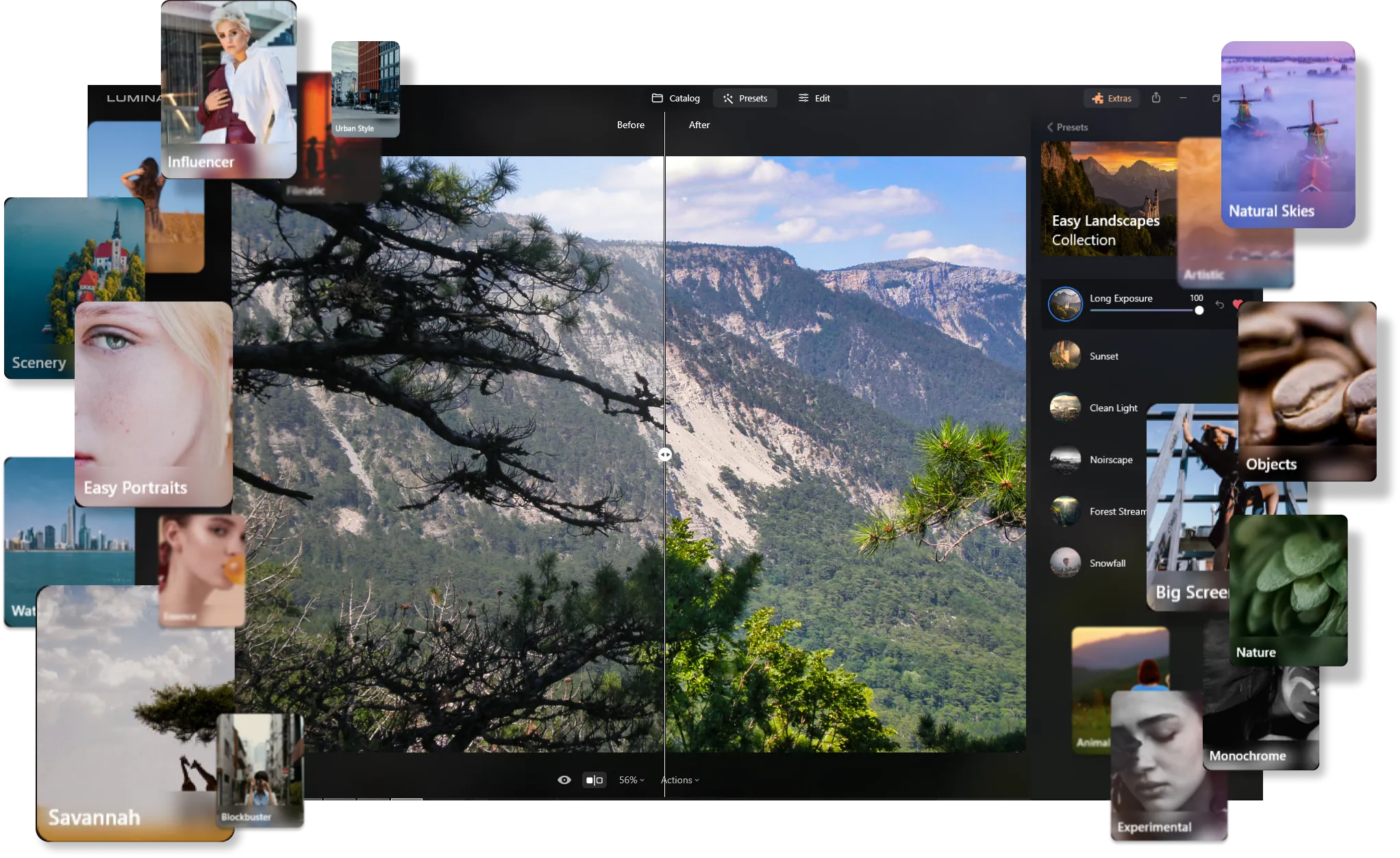
Eine umfangreiche Bibliothek mit Presets für jeden Stil
Much like FX Photo Studio, Luminar offers a vast array of photo effects crafted by the Skylum team. These presets allow you to instantly give your photos a unique and professional touch with just one click.
Innovative Farbübertragungsfunktion
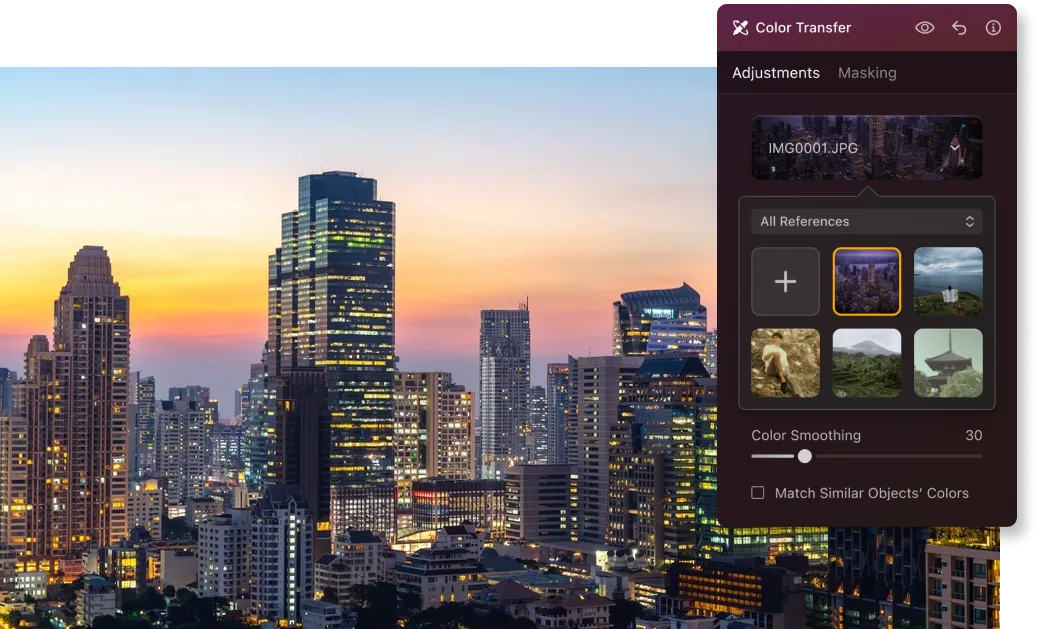
Beyond ready-made presets, Luminar has recently introduced the Color Transfer feature, much to the delight of its users. This smart tool detects the color scheme of a reference photo and seamlessly transfers it to your own, adding a new level of creativity to your edits.
Umfassende Tools für die professionelle Fotobearbeitung
Luminar stands out for its AI-powered tools that elevate your editing experience. The extensive toolkit includes:
• Sky Replacement: Tausche langweilige Himmel gegen atemberaubende, realistische Himmel aus, die
deine Fotos verwandeln werden.
• Tools mit generativer AI: Entferne mühelos unerwünschte Objekte, ohne das Gesamtbild zu stören, oder füge fehlende Elemente hinzu.
• Neu belichten AI: Behebe knifflige Beleuchtungsprobleme und bring deine Fotos zum Strahlen.
• Haut AI und Körper AI: Verleihe deinen Porträts ein makelloses Finish, indem du Unvollkommenheiten mühelos ausbesserst.
• Verstärken AI: Mit einem einzigen Schieberegler, der bis zu 10 verschiedene Aspekte deines Fotos auf einmal verbessert, kannst du schnelle, wirkungsvolle Bearbeitungen vornehmen.
.webp)
FX Photo Studio vs Luminar: Key Differences
| Aspekt | FX Photo Studio | Luminar |
|---|---|---|
Katalog (Bibliothek) |  |  |
Stapelverarbeitung | | |
AI-basierte Funktionen | | |
Tools mit generativer AI | | |
Ebenen | | |
Unterstützung durch Mobil-Assistent (Luminar Share) | | |
Effekte | | |
Native Unterstützung für ARM- und Apple M-Prozessoren | | |
Funktioniert als Lightroom- und Photoshop-Plugin | | |
Aurora HDR
Luminar
Einzelbild-Tone-Mapping
Einzelbild-HDR Zusammenführen
Stapelverarbeitung
Automatische Erkennung der Stapelverarbeitung
Verbesserte HDR-Belichtungsreihen-Erkennung in der Stapelverarbeitung
Unterstützung neuer Kameras
Benennung von Stapeldateien und Qualitätseinstellungen für den Export
Speichern von Exportvorgaben
Bis zu ~1,5x-1,8x schneller auf verschiedenen Betriebssystemen
Umfangreiche Funktionalität

Ein Programm & Plugin für macOS & Windows




Behalte deinen Workflow, erweitere deine Möglichkeiten
Want to get all the benefits of Luminar but have an established Lightroom workflow? Great news! You can use all the power of Luminar within a plugin for Lightroom without changing up your usual post-production process.

Anwendung & Plugin
Für Mac & Windows
- Leistungsstarker AI-Editor
technische Unterstützung 24 Stunden / 7 Tage die Woche
30 Tage Geld-zurück-Garantie
Join our communities

