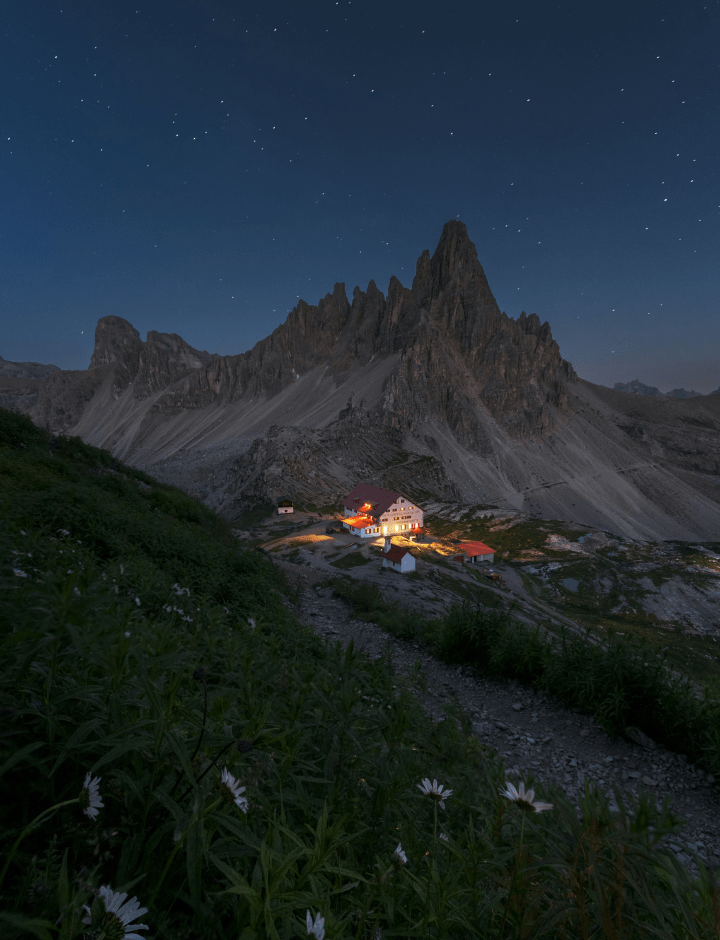
Transform Your Photos With Light Improvement Online

Start Now
이전 이후
이전 이후
이전 이후
이전 이후
이전 이후

Enhance AI

Enhance AI is a perfect tool for getting photo editing started. It analyzes your photos and instantly improves the color quality, details, and tone by selecting the right color balance. Accent AI is a magical slider for controls such as Shadows, Highlights, Contrast, Tone, Saturation, Exposure, and Details.

Light

The online Light tool contains the most essential controls for adjusting the color, brightness and tone of an image. Easily edit White Balance, Profile, Temperature, Tint, Exposure, and Smart Contrast. Improvements made with this tool set the stage for your further adjustments.

Color

The Composition AI tool automatically adjusts the composition, crop, resize and perspective of the photo, with the possibility to manually fine-tune any aspect of the resulting framing and keeping its quality. Align the horizon in one click and automatically straighten the verticals for an even better shot. Edit your photo in less than 5 seconds  – and it won’t be all about adding a filter!

Black & White

The Black & White free tool converts a color photo to black and white so you can accentuate highlights and shadows. It also contains a number of controls to manipulate the monochrome look. Select Luminance to edit the brightness of the Red, Yellow, Green, Cyan, Blue, and Magenta channels and adjust their saturation. It is one of the most popular photo effects.

Crop

The Composition AI tool automatically adjusts the composition, crop, resize and perspective of the photo, with the possibility to manually fine-tune any aspect of the resulting framing and keeping its quality. Align the horizon in one click and automatically straighten the verticals for an even better shot. Edit your photo in less than 5 seconds – and it won’t be all about adding a filter!

Try on my photo
4.8 Best of 2025

전 세계적으로 500만 이상의 크리에이터들에게 사랑받는 앱

4.8점

앱 스토어 평점

500만 이상의

다운로드 수

1억 5천만 이상의

향상된 사진

Relight Photo: Lighting Editor Online Free - Skylum

1y ago • Kris_970

The Mibdblowing app

This app is a fantastic addition to my photoeditibg tools, design is clean and nice, tools are easy to use and results are of high quality. best app to do on the go edits and ajustments

Relight Photo: Lighting Editor Online Free - Skylum

1y ago • Anna8122

Amazing application 😍

I like this app, this interface, these buttons) LUTs are incredible, l've already added some to favourites. Luminar is so user-friendly, especially for beginners.

Relight Photo: Lighting Editor Online Free - Skylum

1y ago • tpyatak

Great app!!

Just started using it and it is amazing. Everything works smoothly and helps me to capture all my creativity in the editing process 😍😍

Relight Photo: Lighting Editor Online Free - Skylum

1y ago • Tatiboks

Easy and intuitive app!

Thanks for the is app, real easy to navigate and play with all the functions. It's fun and so fast to make my editing process to the next level!

Relight Photo: Lighting Editor Online Free - Skylum

25 May • lisa.zolot

Fresh cool editor ✨

I'm here just to appreciate the fancy design. It's modern and fun to use. I liked it.

Relight Photo: Lighting Editor Online Free - Skylum

1y ago • Kigai

Amazing design!

What a treat, what an interesting app in terms of design and ease of editing.

Relight Photo: Lighting Editor Online Free - Skylum

28 Aug • Jennifer Monterio

Ease of use

Still learning some specs but overall love the ease of use. Highly recommend for editing great photos.

마법 같은 결과물을 직접 확인하세요

탭하거나 마우스를 올려 결과를 확인하시거나, 넘겨서 더 놀라운 효과들을 만나보세요

하늘 AI의 마법
이전
하늘 AI의 마법
이후
하늘 AI의 마법
구조의 마법
이전
구조의 마법
이후
구조의 마법
커브의 마법
이전
커브의 마법
이후
커브의 마법
커브의 마법
이전
커브의 마법
이후
커브의 마법
커브의 마법
이전
커브의 마법
이후
커브의 마법
인핸스 AI의 마법
이전
인핸스 AI의 마법
이후
인핸스 AI의 마법
현상의 마법
이전
현상의 마법
이후
현상의 마법
필름의 마법
이전
필름의 마법
이후
필름의 마법

자주 묻는 질문

Can I edit light in a photo?

Absolutely! Adding light to photos is a crucial aspect of photo editing. You can adjust various light elements such as brightness, contrast, shadows, highlights, and exposure to enhance your image. Skylum's photo light enhancer makes it easy to edit light in photos.

How can I add lighting to photos online?

Adjusting your photo editing tool's brightness and exposure levels can add more light to a photo. Use the brightness slider to increase the overall light in your image. Exposure control can help you manage the intensity of light in specific areas of your photo.

How to relight an image?

To relight photos means to adjust the lighting after the photo has been taken. This can be done by using photo editing software. In Skylum's photo editor, you can use the auto-enhance feature for quick light adjustments or manually adjust the brightness, contrast, highlights, and shadows to achieve the desired lighting effect. To better see the impact of these adjustments, you can make pictures black and white online.

Can I use Luminar Mobile as a light photo editor online?

Luminar Mobile is an app for your phone or tablet that lets you make professional-grade adjustments directly from your phone. Now its features are available online. You can enhance brightness, shadows, highlights, and more without needing a desktop computer.

What is the best way to edit on mobile?

For effective light photo editing, start by adjusting exposure and contrast to balance your photo’s overall lighting. Then refine specific areas using shadows, highlights, and tone controls. Luminar Mobile makes this process fast and intuitive.

How can I add a light effect online to my photos?

You can easily apply a light effect with Luminar Mobile by selecting one of the prebuilt light filters or manually adjusting brightness, contrast, and highlights. This gives your photos a polished and professional look in seconds.

Can I use Luminar to make a photo brighter?

Absolutely! Adding light effects to an image is simple with Luminar Mobile. Use tools like Accent AI or the light enhancer to brighten specific areas, emphasize subject details, or create mood with soft or dramatic lighting.

Does Luminar Mobile let me relight portraits or landscapes?

Yes, light enhancement is easy. You can selectively adjust lighting in portraits, landscapes, or still life images to emphasize depth, mood, or focus.

Relight Photo: Lighting Editor Online Free - Skylum(8)
Relight Photo: Lighting Editor Online Free - Skylum(9)