
 プランを見る
Luminar —Your Powerful Alternative to ON1 Photo RAW
Searching for an alternative to ON1 Photo RAW? Look no further than Luminar. This renowned AI photo editor transforms RAW image editing into an experience that is not only effortless but genuinely enjoyable. Let’s delve into the functionality that sets Luminar apart and see how it redefines the process of photo editing
プランを見るReasons to Use Luminar
AIと従来のツールの効率的な組み合わせ
Luminar is not just about cutting-edge technology; it seamlessly integrates next-gen AI features, such as one-slider facial retouching and intelligent image extending, with traditional photo editing tools. This empowers both novice and professional photographers to achieve stunning results with minimal effort.
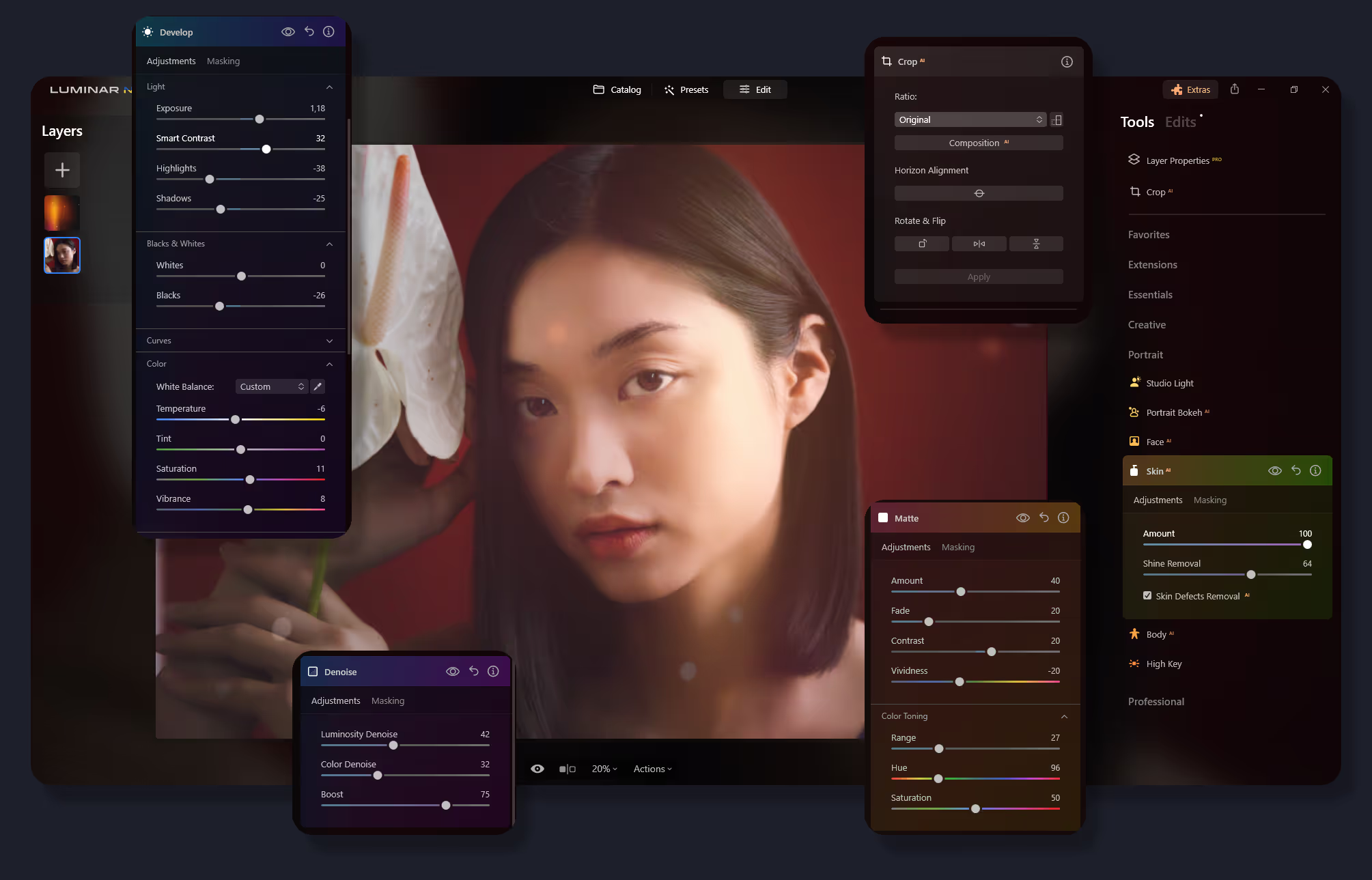
クリエイティブな創作のためのユーザーフレンドリーなインターフェイス
With Luminar, powerful photo editing tools are made easy to access. Its intuitive interface design is tailored to ensure a smooth, user-friendly experience, allowing you to focus more on creativity and less on navigating complex menus.


プリセットとフィルターの豊富なライブラリ
A vast collection of powerful presets and filters of Luminar provides endless possibilities to enhance and transform your photos. These tools enable you to quickly apply astonishing looks and adjustments, streamlining your workflow.
.avif) マーケットプレイスに行く
マーケットプレイスに行くON1 Photo RAW vs Luminar: A Quick Comparison
| 機能 | ON1 Photo RAW | Luminar |
|---|---|---|
生成 AI | - | ジェネ消去、ジェネ変換、ジェネ拡大 |
編集機能 | 非破壊編集、レイヤー、RAW 処理、上級レタッチによる高度な写真編集。 | AIを活用した編集、Raw編集、バッチ処理、レイヤー対応、高度なカラー グレーディング、空の置き換え、ポートレートの補正。 |
ワークフローの統合 | ON1 製品と統合。Adobe Photoshop、Lightroom Classic、Apple Photos、Affinity Photoのプラグインとして機能。 PSDファイル対応。 | Adobe Photoshop、Adobe Lightroom、Photos® for macOS Extensionのプラグインとして機能。さまざまなファイル形式のインポートとエクスポートに対応。PSDファイルに対応。 |
AIと自動化 | 空の置き換えや写真の整理などのタスクに対するAI 機能は限定されています。 | AI マスキング、空の補正、顔のレタッチなどを含む広範なAI機能。 |
非破壊的な編集 | 履歴パネルによる非破壊編集。 | 履歴パネルによる非破壊調整。 |
ブラシと選択ツール | AIによる選択機能を含む、高度なブラシおよびマスキング ツール。 | AIによる選択機能を含む、高度なブラシおよびマスキング ツール。 |
フィルターとエフェクト | クリエイティブな写真加工のためのフィルターとエフェクトの広大なコレクション。 | AIフィルターによる素早い補正、創造的なエフェクトや特殊な調整。 |
ユーザーインターフェース | カスタマイズ可能なワークスペースのインターフェイス。 | シンプルさと使いやすさに重点を置いたユーザーフレンドリーなインターフェイス。 |
価格モデル | 定期的な更新を含むサブスクリプションまたは1回の買い切り購入。 | 1回の買い切り購入や定期更新付きのサブスクリプションなど、さまざまな料金プラン。 |
コミュニティとサポート | アクティブなユーザー フォーラム、チュートリアル、カスタマー サポート。 | コミュニティ サポート、チュートリアル、迅速なカスタマー サービス。 |
ON1 Photo RAW
Luminar
生成 AI
編集機能
ワークフローの統合
AIと自動化
非破壊的な編集
ブラシと選択ツール
フィルターとエフェクト
ユーザーインターフェース
価格モデル
コミュニティとサポート

macOSとWindows 対応のアプリケーションとプラグイン


.webp)

ワークフローを変えずに、可能性を広げよう
Want to get all the benefits of Luminar but have an established Lightroom workflow? Great news! You can use all the power of Luminar within a plugin for Lightroom without changing up your usual post-production process.

アプリケーション&プラグイン
macOS と Windows 対応
- 高性能なAI編集ソフト
年中無休のテクニカルサポート
30日間の返金保証
Join our communities

