

Automatische upgrades
vernieuwing over 1 jaar voor $ 33 .00


Met maskeren bepaal je waar je bewerkingen worden toegepast, zodat je specifieke delen van je foto kunt aanpassen zonder het hele beeld te beïnvloeden.
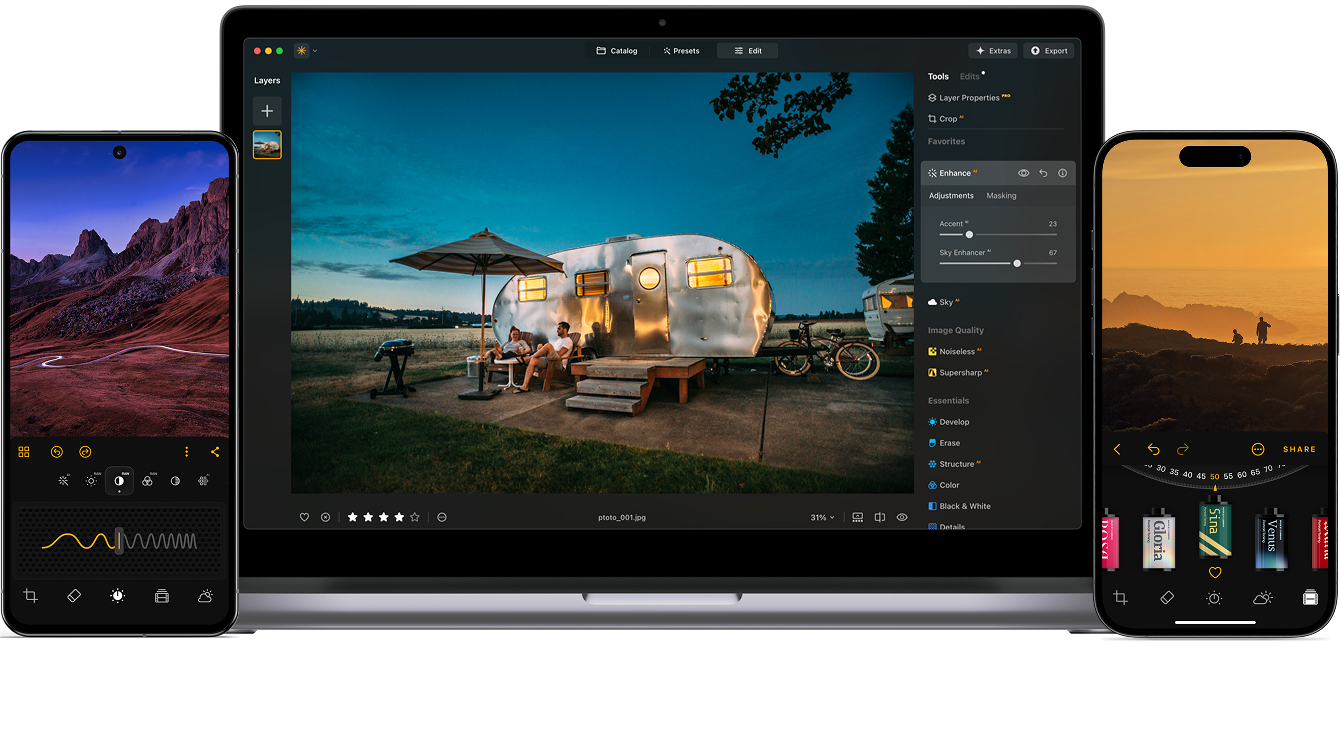
Mask AI geeft je nauwkeurige controle over specifieke delen van je afbeelding, zodat je sneller kunt bewerken en schonere, professionelere resultaten behaalt in verschillende workflows.
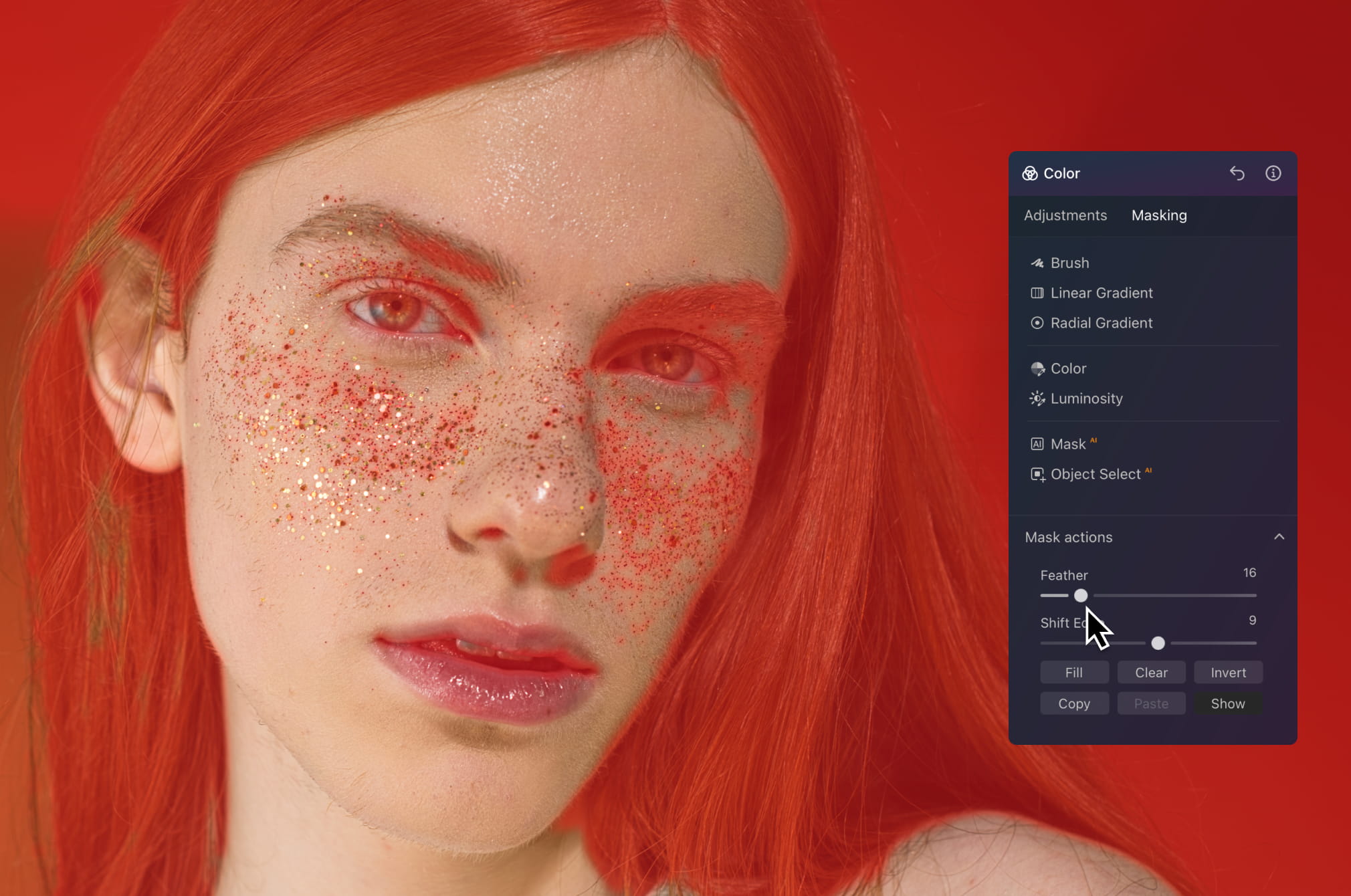
Werk direct op huid, haar of achtergrond zonder de rest van de afbeelding te beïnvloeden. Maak de huid gladder, pas tinten aan of verfijn de belichting terwijl alles natuurlijk en gedetailleerd blijft — zonder harde randen of een overbewerkte look.
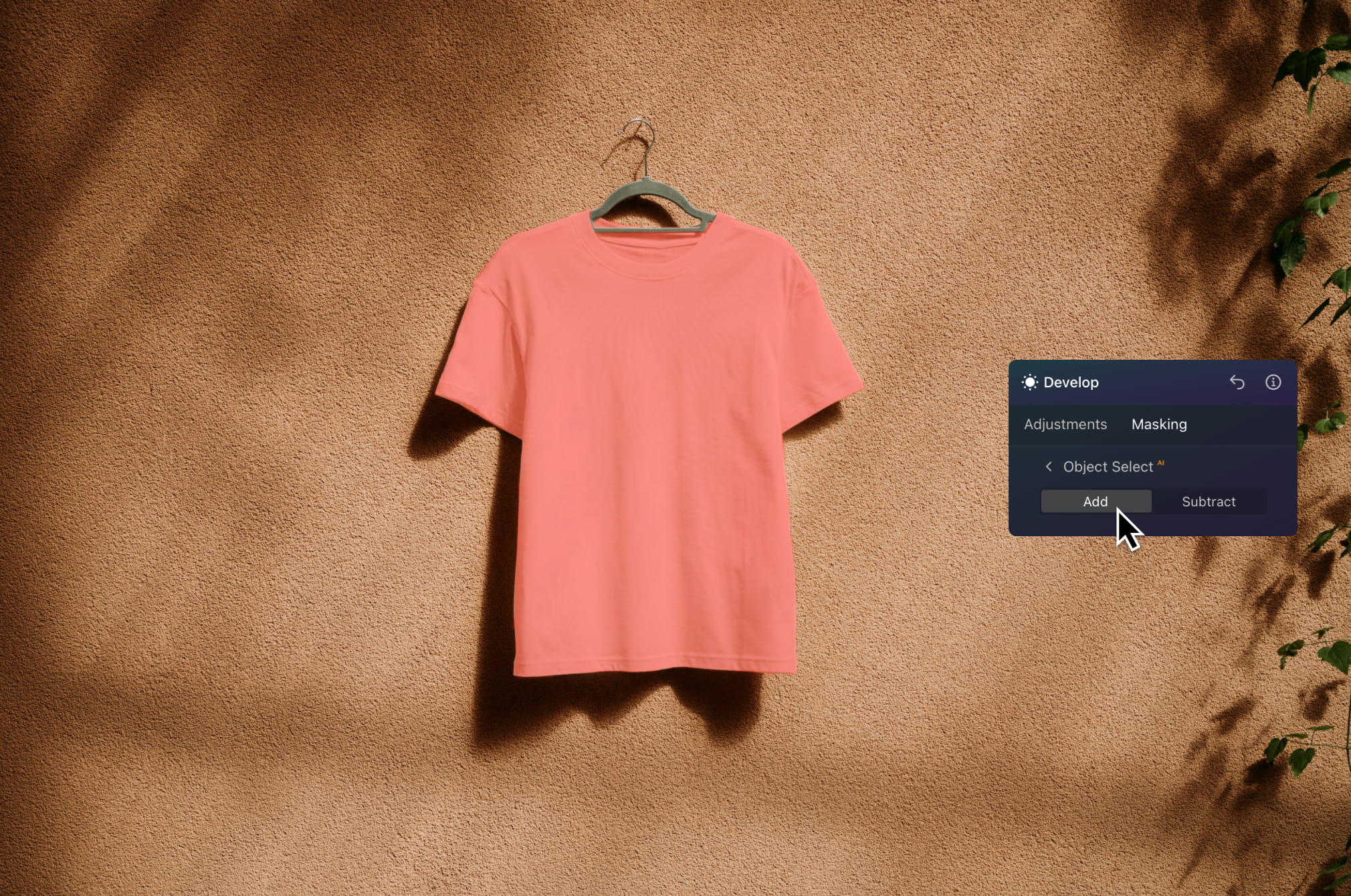
Isoleer snel je onderwerp om de belichting te verbeteren, kleuren te versterken of details scherper te maken. Houd de achtergrond schoon terwijl je product eruit springt — ideaal voor e-commerce, advertenties en catalogusbeelden.
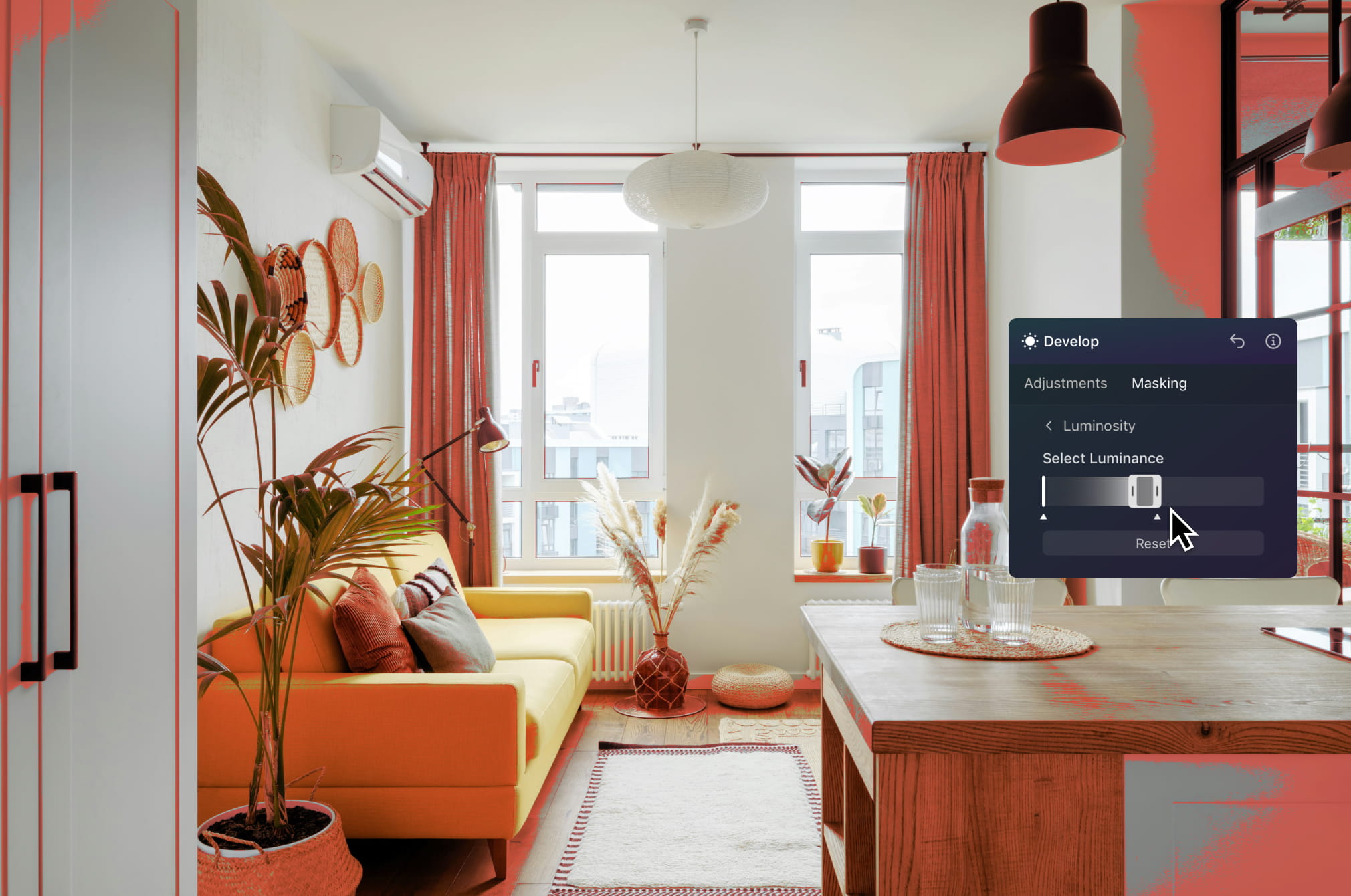
Bewerk luchten, interieurs of specifieke zones van een woning met precisie. Maak kamers lichter, verbeter buitenruimtes of corrigeer belichtingsproblemen zonder de hele afbeelding te beïnvloeden.
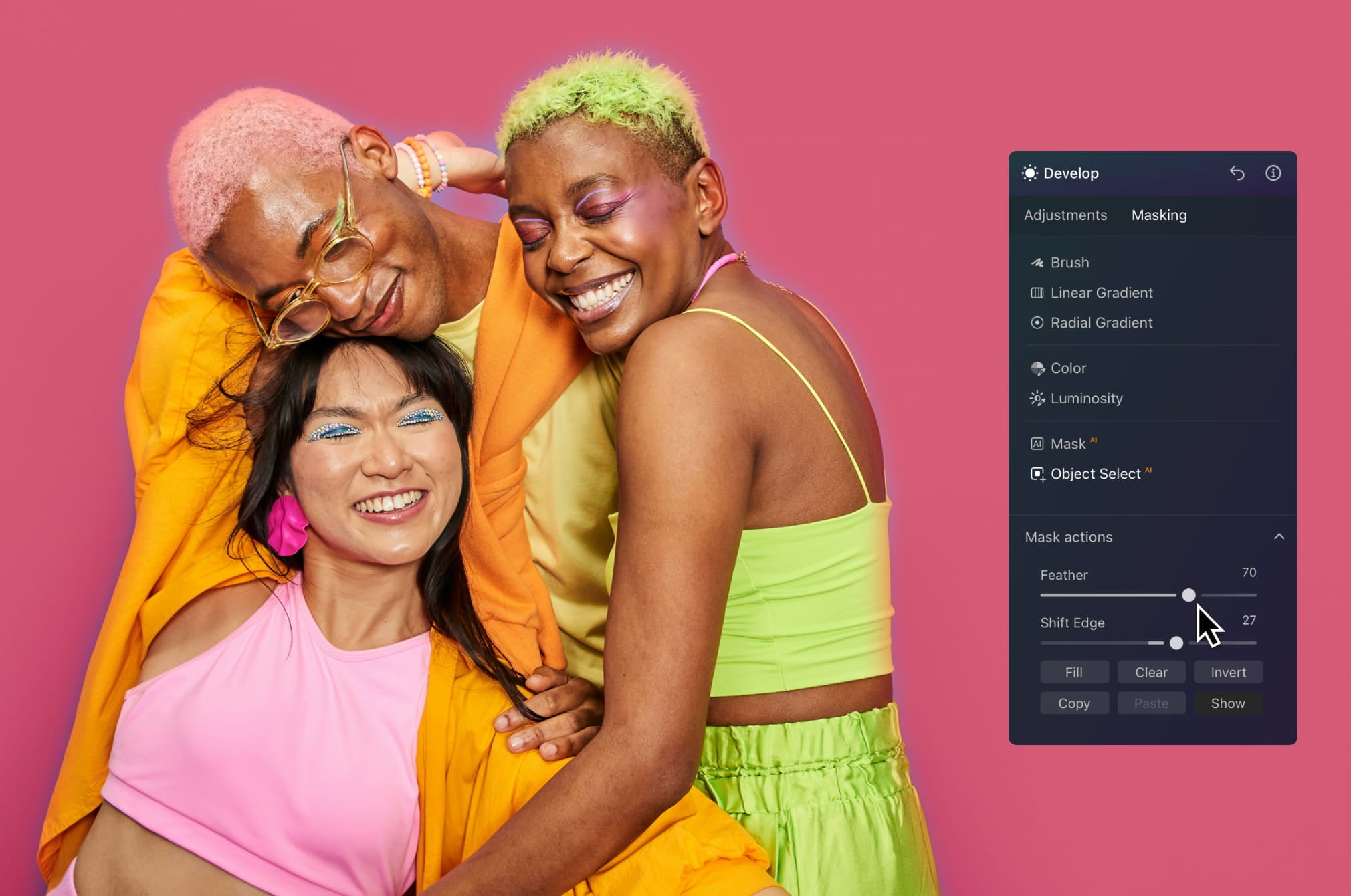
Maak sneller opvallende visuals door onderwerpen te isoleren en gerichte effecten toe te passen. Voeg diepte toe, verhoog het contrast of experimenteer met creatieve bewerkingen die je content laten opvallen in de feed.
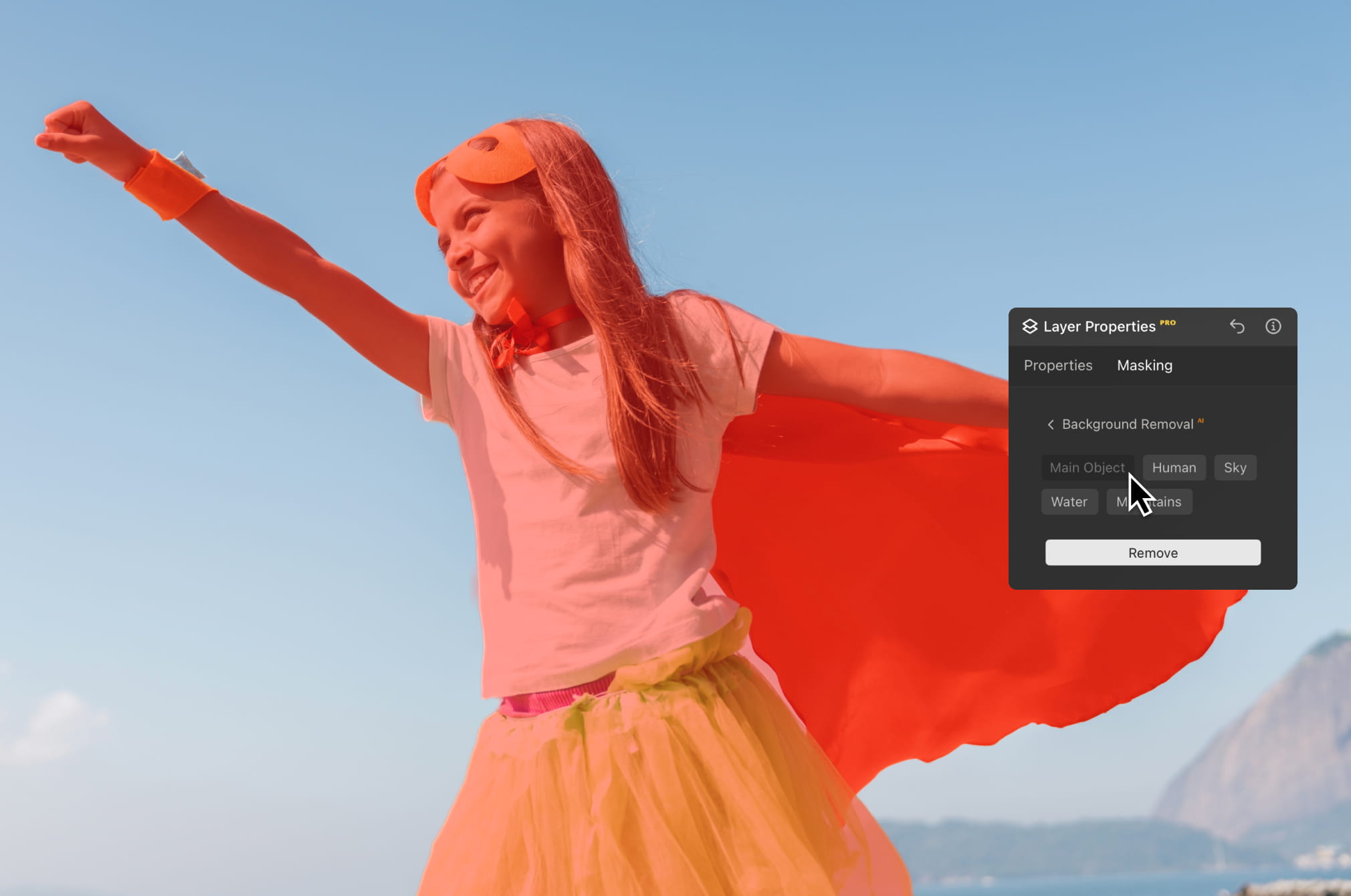
Scheid onderwerpen in enkele seconden van de achtergrond om scènes te wisselen, composities te verbeteren of meer gepolijste visuals te maken. Perfect voor creatieve projecten, marketingmateriaal en visuele storytelling.
Til je bewerking naar een hoger niveau met de AI-aangedreven fotobewerkingstools van Luminar.

Verbeter in seconden

Verfijn elke pixel

Maak de huid natuurlijk glad

Breng oude foto’s tot leven

Corrigeer de compositie

Verscherp elk detail

Verminder ruis met precisie

Verwijder afleidingen

Voeg dimensionale belichting toe

Vervang luchten direct

Bewerk op verschillende apparaten

Deel bewerkingen in webgalerijen
Verbeter in seconden

Onthul verborgen details

Verhoog het contrast
Corrigeer de compositie
Verfijn elke pixel

Verbeter de kleuren

Vorm licht en schaduw
Vervang luchten direct

Creëer het gouden uur opnieuw

Voeg realistische mist toe
Verwijder nevel

Verhelder met lichtstralen

Verdiep de avondtinten

Perfecte watertexturen
Verwijder afleidingen

Breid je scène uit

Vervang objecten naadloos
Breng oude foto’s tot leven
Verscherp elk detail
Verminder ruis met precisie

Vergroot zonder kwaliteitsverlies
Voeg dimensionale belichting toe

Voeg lichtgevende diepte toe

Kleurgradatie met gemak

Verlicht met neon

Voeg filmische textuur toe

Laag creatieve effecten

Creëer een dromerig
bokeh-effect NIEUW
Maak de huid natuurlijk glad VERBETERD

Verbeter gezichtskenmerken VERBETERD

Vorm lichaam proportioneel

Vervaag achtergronden prachtig

Voeg studiolicht toe

Vervang achtergronden eenvoudig

Verlicht met stijl

Combineer meerdere belichtingen

Naai brede panorama’s aan elkaar

Stapelfocusopnamen

Alle platforms
Bewerk waar je ook bent.
$ 139 .00
$ 477 .00
-71% KORTINGEenmalige betaling, apps voor altijd gebruiken
Koop nuproducten:
inbegrepen:
Luminar op desktop, mobiel en web: voor altijd van jou. AI-tools verlengbaar na 365 dagen met Luminar Prime.
*365 dagen toegang tot AI-tools. Onderworpen aan het fair use-beleid.
Beste – Compleet pakket
Max
Bewerk, leer en creëer zonder beperkingen.
$ 159 .00
$ 546 .00
-71% KORTINGEenmalige betaling, apps voor altijd gebruiken
Koop nuproducten:
Luminar Prime:
Luminar op desktop, mobiel en web: voor altijd van jou. Toegang tot nieuwe en generatieve AI-tools, plus de Library of Assets: 365 dagen.
*365 dagen toegang tot AI-tools. Onderworpen aan het fair use-beleid.
Alleen voor desktop
Bewerkingen zijn beperkt tot je desktopapparaat.
$ 99 .00
$ 417 .00
-77% KORTINGEenmalige betaling, apps voor altijd gebruiken
Koop nuproducten:
inbegrepen:
Luminar: voor altijd van jou. AI-tools verlengbaar na 365 dagen met Luminar Prime
*365 dagen toegang tot AI-tools. Onderworpen aan het fair use-beleid.
Je extra 10% korting wacht op je — kopieer de onderstaande code en gebruik deze bij het afrekenen, maar wees snel, hij verloopt over slechts 15 minuten!
15:00



Desktop voor Windows/MacOS en volledige toegang tot alle generatieve tools voor één jaar.
Luminar Videocursus
Desktop voor Windows/MacOS en volledige toegang tot alle generatieve tools voor één jaar.
Mobiele app voor iOS/Android/ChromeOS
Luminar Videocursus
Desktop voor Windows/MacOS en volledige toegang tot alle generatieve tools voor één jaar.
Mobiele app voor iOS/Android/ChromeOS
Luminar Videocursus
100 Creatieve Add-ons






















Create atmospheric images with these 10 Overlays in JPEG format that contain shimmering lights and flares in various colors. Make sure to use them with Luminar’s Layers and/or the Portrait Background Removal tool, and experiment with your photos in any genre. You can add an interesting light effect or make the subject stand out in new ways, all in just a few clicks. Time to try it out!












Feel like adding a touch of something extra to your photos? Discover these 10 Experimental Overlays in JPEG format that you can easily use with Luminar’s Layers feature to transform any photo into a shot that catches the eye. Choose from 10 mesmerizing effects of different colors and shapes, and create a unique mood in a few clicks. From pink hues to golden circles, you’ll certainly find an Overlay perfect for your next masterpiece.









_after.jpeg?q=80&w=625&h=448&resize=cover)


_after.jpeg?w=54&h=30&resize=cover)
Verbeter foto's die u tijdens een reis naar Japan hebt gemaakt, of foto's waarvan u een sfeervol gevoel wilt hebben dat doet denken aan de Japanse stijl. Van landschappen tot iconische bezienswaardigheden en foto's van eten: dit pakket is ongelooflijk veelzijdig!












Deze 10 Voorinstellingen zijn ontworpen om uw kampeer- en wandelfoto's er op hun best uit te laten zien en geven uw buitenfoto's een natuurlijke, levendige uitstraling. Of u nu foto's maakt van majestueuze bergen of gezellige kampvuren, met één klik haalt u het beste uit uw foto's naar boven.












Is het nog steeds de aarde, of bevinden we ons op een buitenaardse planeet? Deze verzameling van 10 buitengewone Voorinstellingen is ontworpen om uw landschapsfoto's een etherisch, buitenaards gevoel te geven. Transformeer gewone landschappen in surrealistische scènes met levendige kleuren die onmiddellijk de aandacht van de kijker trekken.












Ervaar het filmische gevoel dat elk van deze 10 Voorinstellingen aan uw foto's toevoegt terwijl u door de landen van Latijns-Amerika reist. Omarm de schoonheid en voeg wat flair toe aan uw foto's met deze reisvriendelijke collectie, ontworpen voor landschappen.












Dit pakket is gewijd aan het prachtige continent Afrika en combineert een verscheidenheid aan Voorinstellingen, zowel voor portret- als landschapsfoto's. Verbeter oriëntatiepunten, safarifoto's, architectuurfoto's en portretten van mensen die u ontmoet tijdens uw reizen door Afrika.












Maak fantastische foto's tijdens uw reizen door de VS. Verbeter afbeeldingen van oriëntatiepunten, nationale parken en algemene stadsgezichten van beroemde steden. Bereik verschillende verbluffende effecten met een paar klikken van deze 10 prachtige Voorinstellingen.












Deze verleidelijke verzameling van 10 Voorinstellingen is ontworpen om de mysterieuze schoonheid van landschappen, architectuur, straatstijl en natuur uit het Midden-Oosten naar voren te brengen. Warme tinten, diepgeel of blauw en goud: u zult zeker een Voorinstelling vinden die perfect is voor uw foto.












Ontdek deze prachtige verzameling van 10 veelzijdige Voorinstellingen die perfect zijn voor uw reisfoto's uit Scandinavische landen. Leg idyllische landschappen, natuurwonderen en gezellige architectuurfoto's vast die de Scandinavische sfeer ademen. Tijd om uw reistas in te pakken!
Luminar Video Course
Creative Photo Editing Techniques in Luminar

Inleiding en cursusoverzicht
Albert Dros stelt zichzelf voor en geeft een kort overzicht van wat u leert in deze fotografie en...

Inleiding tot Fotografie
Waar moet u op letten bij het maken van uw foto's om de beste resultaten te krijgen?

Basisbewerking
Albert introduces the layout of Luminar and the basic instruments you can use to achieve great results instantly.

Geavanceerd Bewerken
Going in depth, Albert shows you the more advanced tools in Luminar and how to use them to make your photos stand out.

Dramatische Bewerkingen
Wees creatief met uw foto's! Albert bewerkt een foto met creatievere hulpmiddelen om de dramatische aspecten ervan naar voren te brengen en er nieuw leven in te blazen.

Focus Stacking
Luminar has Extensions that let you get even more impressive results. In this video, you will learn how to do focus stacking with Luminar’s Focus Stacking Extension.

Stadsgezichten
Wat maakt of breekt een stadsfoto? Bekijk hoe u een foto uit Dubai transformeert van gewoon naar indrukwekkend.

Bossen
Find out what Luminar tools Albert uses to make his impressive signature forest photos. Look out for Atmosphere AI, Sunrays, and other tools!

Voorinstellingen
Leer Voorinstellingen gebruiken om snel interessante kleuroplossingen in uw foto's te krijgen. Albert begeleidt u bij het gebruik van Voorinstellingen om nog mooiere bosopnamen te maken.

Samenvatting van de cursus
Krijg een korte samenvatting van alles wat u in deze cursus hebt geleerd. Veel plezier met creëren!
Albert Dros
FOTOGRAAF, SCHRIJVER EN LERAAR
Albert Dros is een Nederlandse landschapsfotograaf met een buitengewone passie voor het plannen en maken van unieke foto's. Vulkanen, zonsverduisteringen en unieke aspecten van de natuur trekken zijn aandacht. Hij gaat niet alleen voor een simpele afbeelding.
"Go big or go home" is his motto, always trying to add some unique element to his shots.
Zijn werk wordt wereldwijd erkend en hij is wereldwijd gepubliceerd in de grootste media.
Albert reist veel als foto-docent maar ook voor persoonlijke projecten. Maar zelfs in Nederland kan hij niet stoppen met fotograferen. Zijn inspiratie stopt nooit.
Het maskeren van bewerkingen is een handige techniek om delen van een afbeelding onaangeroerd te houden terwijl u objecten selecteert voor verbetering.
Een traditionele app voor het bewerken van foto's met een maskeringstool kan meestal alleen menselijke figuren automatisch selecteren. Luminar Neo maskeert automatisch negen soorten objecten die in de kern door de AI worden herkend. Als u de lijst met maskers niet ziet, herkent Luminar Neo de objecten in uw foto waarschijnlijk niet. Probeer eens een andere!
Ja, als u een laag dupliceert, wordt het masker ook gedupliceerd.
Er is een grote variëteit! De Luminar Neo-foto-editor detecteert tot negen afzonderlijke elementen in een afbeelding voor het perfecte masker: mensen, luchten, gebouwen, voertuigen, water, planten, bergen en zowel natuurlijke als kunstmatige grond.
Natuurlijk! U kunt elke gewenste kunst maken met behulp van AI-maskering. Daarnaast kunt u verschillende penselen gebruiken met uw masker, zoals het verlooppenseel. Vul het masker of speel met transparantie en meng het met andere delen van de afbeelding. Luminar Neo is waardevol voor zowel fotografie als grafisch ontwerp.
Maskeren AI is een slimme tool die het vervelende en tijdrovende werk van handmatig maskeren elimineert. Maskeren AI herkent niet alleen het hoofdonderwerp, maar detecteert automatisch afzonderlijke elementen in een foto: mensen, luchten, architectuur, transport, flora, water, bergen, natuurlijke grond en kunstmatige grond. Wanneer u op Maskeren AI drukt, detecteert Luminar Neo automatisch alle elementen die aanwezig zijn in uw foto. Vervolgens kunt u het masker moeiteloos aanbrengen door simpelweg op de knop te drukken met de naam van het element dat u wilt maskeren. Bovendien kunt u het gedetecteerde masker weergeven, vullen, wissen, kopiëren, plakken of omkeren.
Maskeren bij fotobewerking verwijst naar het proces van het selectief verbergen of onthullen van bepaalde delen van een afbeelding. Het gaat om het creëren van een "masker" dat bepaalt welke delen van de afbeelding zichtbaar moeten zijn en welke delen verborgen moeten blijven. Het is handig om alleen aanpassingen op een deel van de afbeelding toe te passen.
Absoluut! Met behulp van de afbeeldings maskeringstool van Luminar Neo kunt u een afbeelding maskeren met verschillende objecten. De AI-gestuurde aanpak maakt het nog eenvoudiger en nauwkeuriger dan handmatige maskering, vooral voor complexe vormen of ingewikkelde details.
Luminar Neo geeft u volledige controle over RAW-bestanden en maakt geavanceerde bewerking sneller met AI. Het biedt hoogwaardige RAW-verwerking, niet-destructieve bewerking, lagen en nauwkeurige kleur- en lichttools, gecombineerd met AI-functies die complexe aanpassingen vereenvoudigen zonder in te boeten aan beeldkwaliteit.
Luminar Neo is ontwikkeld voor fotografen die in RAW fotograferen en zowel kwaliteit als efficiëntie willen. Het is ideaal voor landschaps-, portret-, reis- en commerciële fotografen, evenals voor liefhebbers die professionele resultaten willen zonder een steile leercurve.
Fotografen vertrouwen op Luminar Neo omdat het RAW-bestanden met professionele precisie verwerkt en tegelijkertijd krachtige creatieve en AI-tools biedt in één omgeving. Luminar Neo is ontwikkeld door Skylum en wordt wereldwijd gebruikt voor serieuze fotobewerkingsworkflows en betrouwbare, hoogwaardige resultaten.
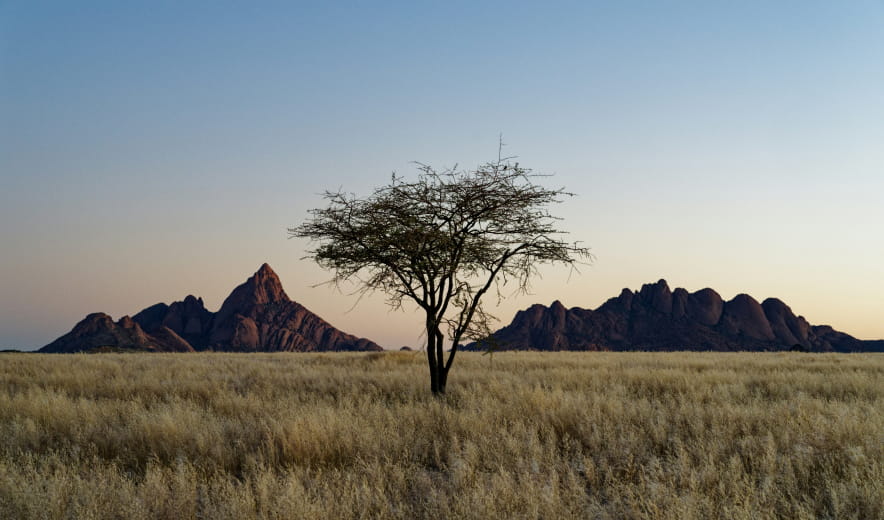
Vervang of verbeter de lucht in je foto’s in enkele seconden terwijl belichting en reflecties realistisch blijven.
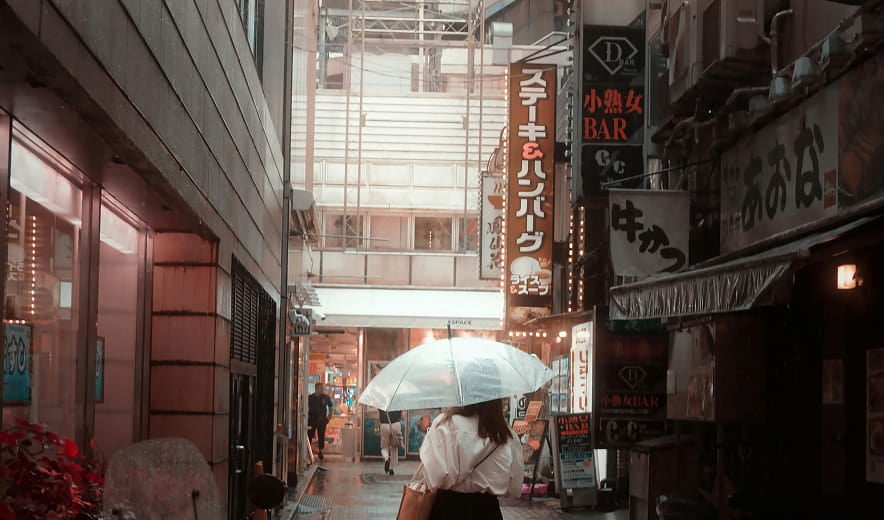
Voeg natuurlijke achtergrondonscherpte toe na het maken van de foto om diepte te creëren en je onderwerp te laten opvallen.
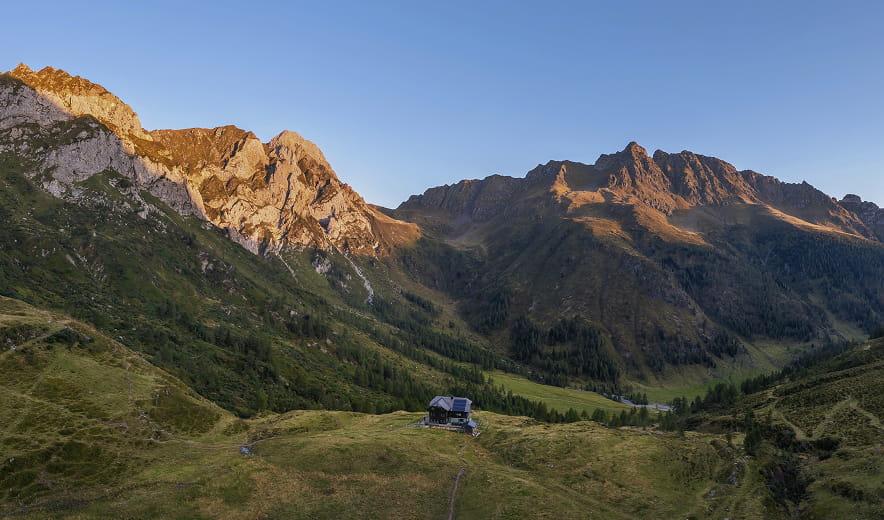
Pas de belichting in je afbeelding aan en regel de belichting van voorgrond en achtergrond onafhankelijk van elkaar.
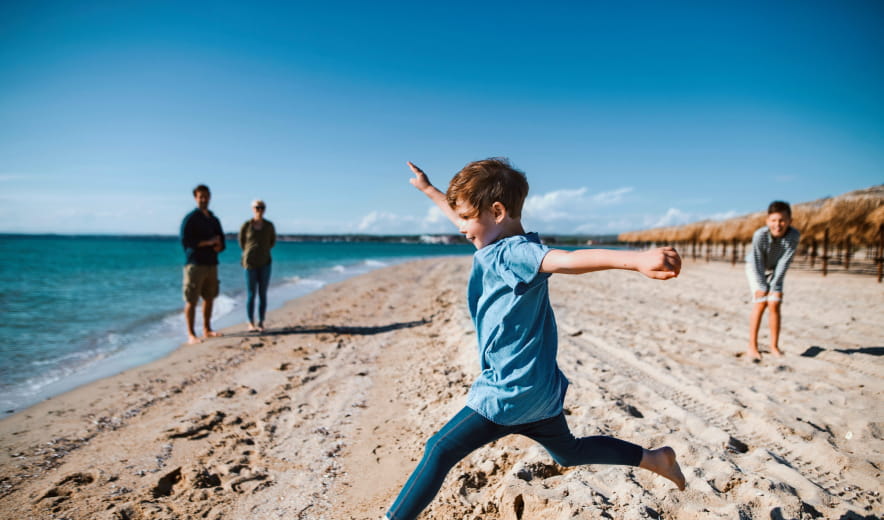
Verwijder ongewenste objecten, afleidingen of imperfecties naadloos met AI-gestuurde opschoning.
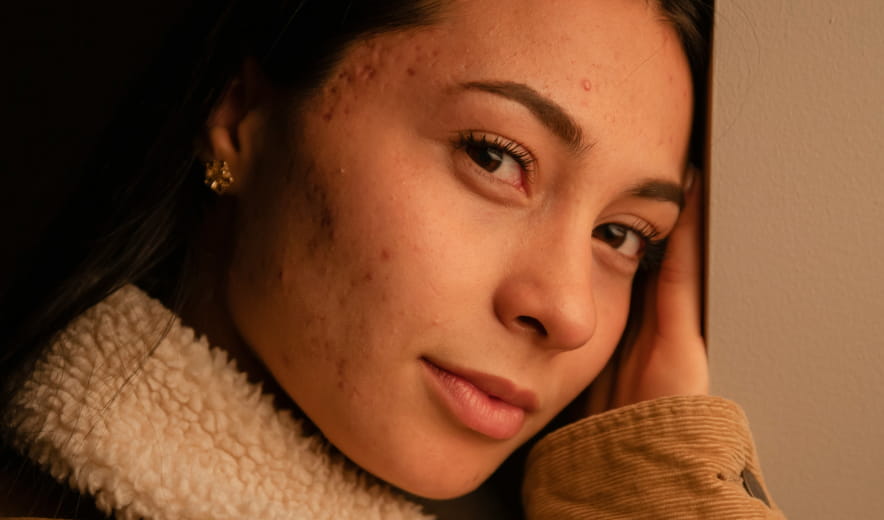
Maak de huid gladder, verwijder imperfecties en behoud een natuurlijke textuur voor schone, realistische portretten.
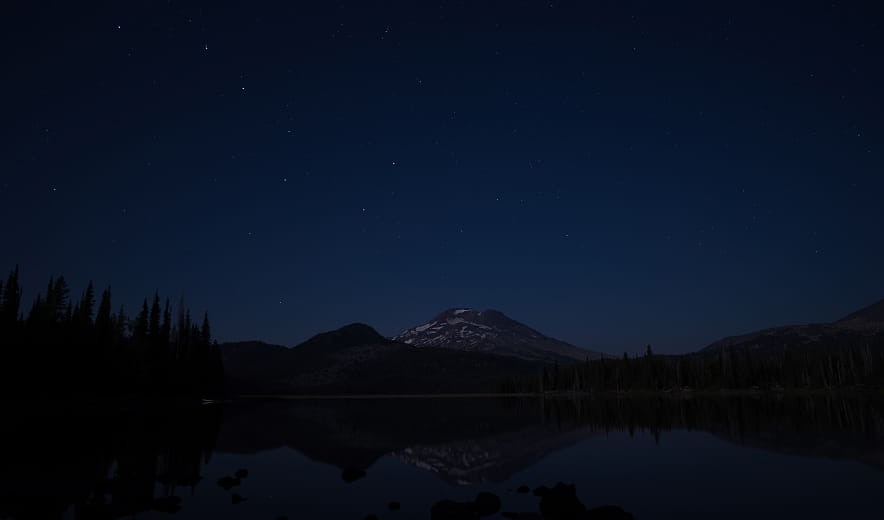
Verbeter automatisch kleur, contrast en detail met één schuifregelaar voor een gebalanceerde, verfijnde look.
Mac Model
MacBook, MacBook Air, MacBook Pro, iMac, iMac Pro, Mac Pro, Mac mini, begin 2010 of nieuwer
Processor
CPU Intel® Core™ i5 8 Gen of beter
OS versie
macOS - 12.0 of hoger.
RAM
Geheugen 8 GB RAM of meer (16+ GB RAM wordt aanbevolen)
Schijfruimte
Harde schijf 10 GB vrije ruimte; SSD voor beste prestaties
Monitor
1280 x 768 resolutie of beter
Hardware
Windows hardware-pc met muis of vergelijkbaar invoerapparaat
Processor
CPU Intel® Core™ i5 8 Gen of beter, AMD Ryzen™ 5 of beter
OS versie
10 versie 1909 of hoger (alleen 64-bits besturingssysteem).
RAM
Geheugen 8 GB RAM of meer (16+ GB RAM wordt aanbevolen)
Schijfruimte
Harde schijf 10 GB vrije ruimte; SSD voor beste prestaties
Monitor
1280 x 768 resolutie of beter
Grafisch
Open GL 3.3 of later compatibele grafische kaarten
