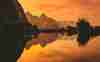
Applica facilmente il filtro monocromatico alle tue foto, direttamente nel browser.
Modifica online semplice
Carica semplicemente la tua foto e guardala trasformarsi automaticamente.
Assolutamente gratuito
Nessun pagamento o abbonamento richiesto. Nessuna filigrana.
Da qualsiasi dispositivo
Nessuna installazione o app necessaria: provalo subito sulla tua foto.
Scelto da fotografi di tutto il mondo
Scelto da oltre un milione
di fotografi e organizzazioni
Software pluripremiato
con controlli intuitivi basati sull’IA
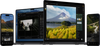
Ottieni ancora di più con Luminar
Vuoi migliorare ulteriormente le tue foto? Fai tutto con Luminar.
Rimuovi gli elementi di disturbo in pochi secondi
Erase rimuove in modo intelligente oggetti indesiderati, persone, fili e imperfezioni, riempiendo perfettamente lo spazio per adattarsi alla scena circostante, senza bisogno di ritocco manuale.
Prima
Dopo
Il controllo creativo reso semplice
Perfeziona ogni dettaglio con filtri di editing professionali. Regola colore, luce, contrasto, atmosfera e altro ancora per realizzare con precisione la tua visione creativa unica.
Prima
Dopo
Ridai vita alle vecchie foto
Ripristina immagini sbiadite, graffiate o danneggiate con strumenti basati sull'IA che migliorano i dettagli, riducono le imperfezioni e preservano i ricordi più cari in pochi clic.
Prima
Dopo
Sostituisci il cielo all'istante
Sostituisci cieli spenti o nuvolosi con alternative mozzafiato in un solo clic. Sky AI adatta automaticamente illuminazione, riflessi e atmosfera per un risultato dall'aspetto naturale.
Prima
Dopo
Ritratti dall'aspetto naturale, senza sforzo
Leviga la pelle, riduci le imperfezioni ed esalta i tratti del viso preservando una texture realistica. Crea ritratti curati senza l'effetto artificiale.
Prima
Dopo
Perfect the light after the shot
Light Depth reads the depth of your image to create a 3D map of the scene, letting you brighten or darken foreground and background areas independently for more dimensional, balanced lighting.
B&W sta per bianco e nero. Quando applichi un filtro B&W, proprio come un preset in Luminar, la foto viene trasformata automaticamente in bianco e nero.
Certamente! Provalo in Luminar e scopri quanto è facile.
Certo, il formato della foto non ha importanza; la maggior parte dei convertitori in bianco e nero supporta foto di qualsiasi formato.
Sì, è gratuito. Carica la tua foto e usala: non è richiesto alcun abbonamento o acquisto.
Certamente! Con Luminar on Web non solo puoi trasformare le immagini in bianco e nero, ma puoi anche regolare l'intensità del filtro. Agendo sulle impostazioni di luminanza e saturazione, puoi ottenere qualsiasi risultato, da un effetto in scala di grigi completa a un aspetto leggermente desaturato, mantenendo così il pieno controllo sull'aspetto finale dell'immagine.
Sì, un filtro in bianco e nero può mettere efficacemente in risalto dettagli specifici di una fotografia. Eliminando il colore, l'attenzione di chi osserva tende a concentrarsi maggiormente su texture, contrasti e forme all'interno dell'immagine.
Sì, è possibile trasformare facilmente un'immagine in bianco e nero online, e questa soluzione funziona bene per i formati più comuni come PNG e JPG. Tuttavia, se hai a che fare con immagini RAW, potresti preferire uno strumento più avanzato come Luminar on Web per ottenere risultati ottimali.
Perché unisce un'automazione intelligente a un preciso controllo manuale. Lo strumento è riconosciuto come una soluzione leader per l'editing in bianco e nero, grazie alla sua capacità di creare ricchi contrasti tonali, preservare i dettagli più fini e offrire conversioni espressive, senza appiattire le alte luci o le ombre.
Luminar è pensato per un'ampia gamma di creativi: fotografi che realizzano ritratti e paesaggi monocromatici senza tempo, content creator alla ricerca di elaborazioni in bianco e nero d'impatto e dall'estetica cinematografica, principianti che desiderano risultati di qualità professionale senza flussi di lavoro complessi, professionisti che necessitano di un controllo tonale completo e di un editing non distruttivo, e artisti che sperimentano stili monocromatici espressivi.
I fotografi scelgono Luminar perché offre una precisione superiore nella conversione di immagini a colori in bianco e nero. I professionisti si affidano a questo strumento per il suo flusso di lavoro non distruttivo, l'editing basato su livelli e i controlli tonali avanzati. Luminar si distingue per la capacità di creare foto in bianco e nero caratterizzate da profondità, texture e un contrasto realistico, offrendo al contempo ai fotografi un controllo creativo totale.
Nell'editor di Luminar on Web potrai annullare facilmente le modifiche apportate. L'immagine tornerà immediatamente al suo aspetto originale a colori.
Requisiti tecnici
macOS
Modello di Mac
MacBook, MacBook Air, MacBook Pro, iMac, iMac Pro, Mac Pro, Mac mini, inizio 2010 o più recente
Processore
CPU Intel® Core™ i5 8 Gen o superiore
Sistema operativo
macOS 12.0 o superiore.
RAM
Almeno 8 GB di RAM (si consiglia una RAM di oltre 16 GB)
Spazio su disco
10 GB di spazio sul disco rigido; SSD per prestazioni ottimali
Display
Schermo da 1280x768 o superiore
Windows
Hardware
PC con hardware Windows con mouse o strumento di input simile
Processore
CPU Intel® Core™ i5 8gen o superiore, AMD Ryzen™ 5 o superiore
Sistema operativo
10 versione 1909 o successiva (solo 64-bit OS)
RAM
Almeno 8 GB di RAM (si consiglia una RAM di oltre 16 GB)
Spazio su disco
10 GB di spazio sul disco rigido; SSD per prestazioni ottimali
Display
Schermo da 1280x768 o superiore
Grafica
Schede grafiche compatibili con Open GL 3.3 o successivo