

Intensify vs Luminar: Which Photo Editor is Right for You
Intensify Pro has been a go-to for quick color enhancement, but it’s starting to feel a bit limited, isn’t it? If you’re here, you’re probably looking to up your photo editing game. That’s why we’re thrilled to introduce you to Luminar—the powerful next step beyond Intensify Pro
プランを見る2024年の写真編集にLuminarを選ぶべき理由
写真修正のための高度なツール
Luminarは基本的な色補正だけでなく、数クリックでプロレベルの編集を可能にする幅広いプリセットを備えています。最近追加された独自のカラー移行機能により、あらゆる画像の色を自分の画像にシームレスに適用できるため、よりクリエイティブな表現が可能になります。
.webp)
拡張AI編集機能
Luminar isn't just about color correction; it’s packed with AI tools like the popular Sky Replacement and Relight AI features. On top of that, it offers generative tools such as photo expander and object replacement, opening up endless creative possibilities.
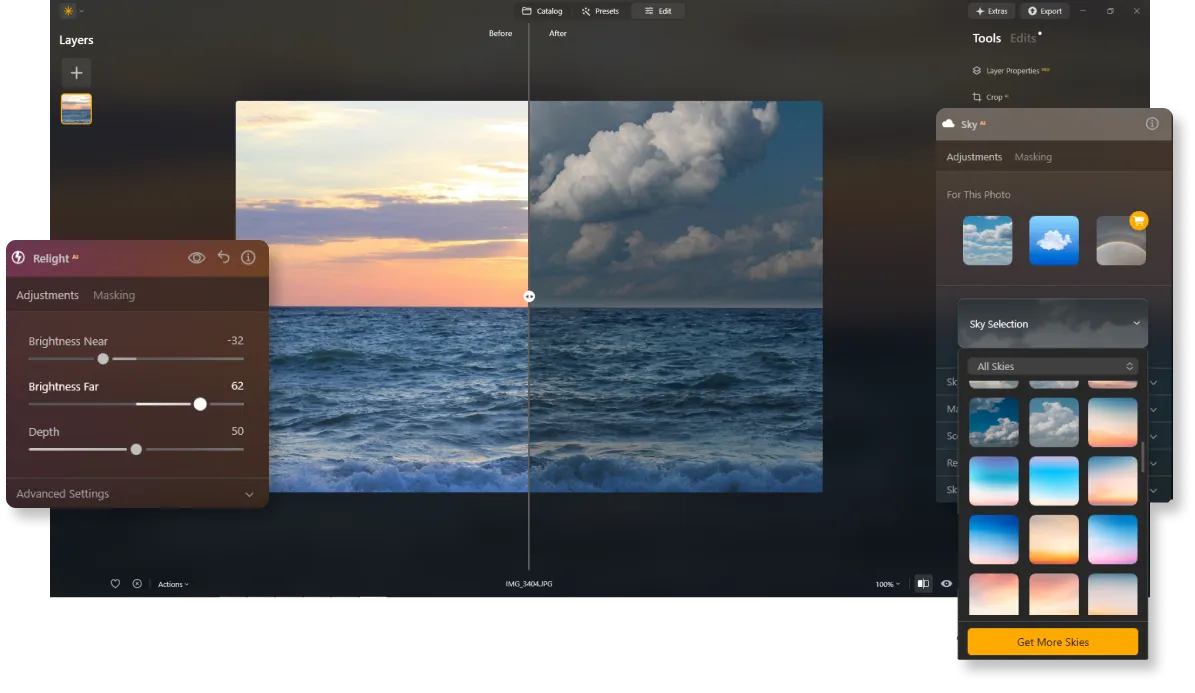
継続的なアップデートと改善
Intensify Proとは異なり、Luminarは最新のテクノロジーに対応して常にアップデートされているため、最先端のツールをいつでもすぐに利用できます。また、最新のカメラやパソコンと完全な互換性があるため、機材をアップグレードしたからといって写真が編集できないということも起こりません。


Intensify vs Luminar: A Brief Overview of Key Differences
| 機能 | Intensify | Luminar |
|---|---|---|
カタログ(ライブラリ) |  |  |
AIを活用した機能 | | |
生成ツール | | |
プロ ツール | | |
レイヤー | | |
モバイル アシスタントによるサポート(Luminar シェア) | | |
ARMおよびApple M プロセッサのネイティブ サポート | | |
Lightroomおよび Photoshopプラグインとして機能 | | |
Aurora HDR
Luminar
単一画像のトーンマッピング
シングル ブラケット HDR マージ
バッチ処理
自動バッチ処理検出
バッチ処理におけるHDRブラケット検出の改善
最新カメラ対応
バッチ ファイルの名前付けとエクスポート品質の設定
プリセットの保存をエクスポート
あらゆるOSで最大1.5 倍から1.8 倍高速化
幅広い機能



.webp)

ワークフローを変えずに、可能性を広げよう
Want to get all the benefits of Luminar but have an established Lightroom workflow? Great news! You can use all the power of Luminar within a plugin for Lightroom without changing up your usual post-production process.

アプリケーション&プラグイン
macOS と Windows 対応
- 高性能なAI編集ソフト
年中無休のテクニカルサポート
30日間の返金保証
Join our communities

