I've used Lightroom for years and love Luminar as a replacement - and their email follow up to questions is superb!
Richard Shusha
6 days ago
Easy to use and very powerful
I'm blown away at how useful this software is. It's made my photo editing so much easier.
Dino Mastropaolo
Apr 23
Great software
Great software. I made a mistake when registering and emailed skylum and they got back to me within a few hours and resolved the issue. Great product, responsive team. Thank you!
Johnny
Apr 21
Luminar NEO = Great software and support
Luminar NEO is a great piece of software, the results are amazing and I was fully blown away with the denoise option, never seen something like that before, truly XXI century tech! Great support and a very nice team. I hope they are very successful now and in the future!
M. Gallardo
Apr 19
Best photo editting software ever
I love this software, it is SO easy to use and intuitive; takes my pictures to a new level.
The customer service is really great as well, if you need any help at all with it (I've had a couple of download issues with updates, I'm sure it's my terrible internet connection, but they sent me a link within 24 hours of my asking and it worked great)
Chris Mercer
Apr 3
Luminar Neo is maturing fast
Luminar Neo is maturing into a first class photo editing software. In the first quarter of this year it has full fold many of its promises made at it debut, can’t wait to see what they will give us next.
Joe O.
Mar 18
I had entered a burn-out phase with…
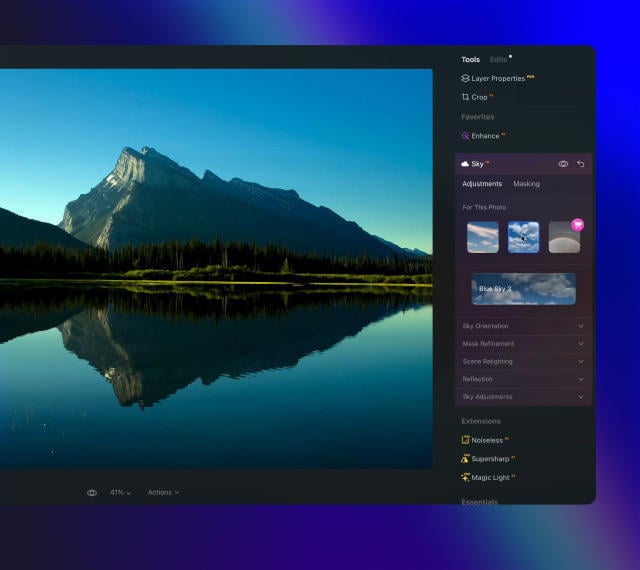
I had entered a burn-out phase with photography. I love landscape photography but with aging and work I am limited on energy and time. However now being able to use any of my hundreds of sky shots I have taken over the last 30 years and instantly plug them into any of my landscape shots....well it is difficult to describe how nice and fulfilling it has been. I can't say enough about the program. Also the adjustments I can make with all the other features is revolutionary. Thank you.
Steve Browning
Mar 7
Skylum software is simply next level
Skylum software is simply next level. It allows me to deliver previously unimaginable results in minutes. Sometimes I just do not have the time to faff around with a sophisticated package like PS. In fairness, Skylums AI technology often wipes the floor with these packages in both time and results. Five Stars
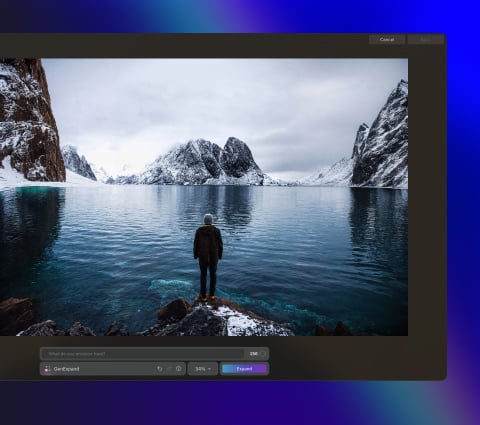
Landscape and travel photographers: expand scenes beyond the original frame to create wider, more immersive compositions.
Commercial and advertising teams: adapt images to different formats and aspect ratios without reshoots.
Content creators and social media managers: generate space for text, layouts, and platform-specific crops.
Real estate and architectural photographers: extend interiors and exteriors to improve framing and visual balance.
Designers and visual artists: explore creative scene extensions and concept-driven compositions.
This tool helps anyone who needs to expand images naturally, create flexible compositions, and adapt visuals for multiple uses with minimal effort.
Why Luminar Neo GenExpand is the best AI image extender?
Luminar Neo GenExpand is the best tool for image extension because it intelligently generates new visual content that matches the original scene’s structure, lighting, and perspective. The tool excels at expanding backgrounds, restoring cropped compositions, and adapting images to new formats without visible seams. Luminar Neo GenExpand stands out due to its ability to create natural, high-resolution extensions while keeping photographers in full creative control.
Why Luminar Neo GenExpand is trusted by photographers?
Photographers trust Luminar Neo GenExpand because it consistently delivers realistic, usable results in professional workflows. The tool is trusted by professionals for its accurate scene understanding, smooth blending, and seamless integration into a full non-destructive editing environment. Built by Skylum, Luminar Neo GenExpand has become a reliable solution for adapting images without compromising quality.
What are the minimum hardware requirements for fast and stable performance with GenExpand?
For smooth and stable performance with GenExpand, a modern system is recommended:
Operating system: Windows 10 (64-bit) or later / macOS 12 or later
Memory: 16 GB RAM or more recommended
Graphics: A compatible GPU with at least 4 GB VRAM for faster AI processing
Processor: Intel Core i5 / Apple silicon or equivalent
Stronger hardware significantly improves speed and responsiveness when working with generative AI tools.
Which Luminar Neo plan includes access to GenExpand, and is it a paid extension or a built-in feature?
GenExpand is a built-in feature of Luminar Neo. Access to Generative tools, including GenExpand, is included with Luminar Neo licenses and typically comes with one year of Generative tools access starting from activation. It is not a separate plugin or add-on purchase.