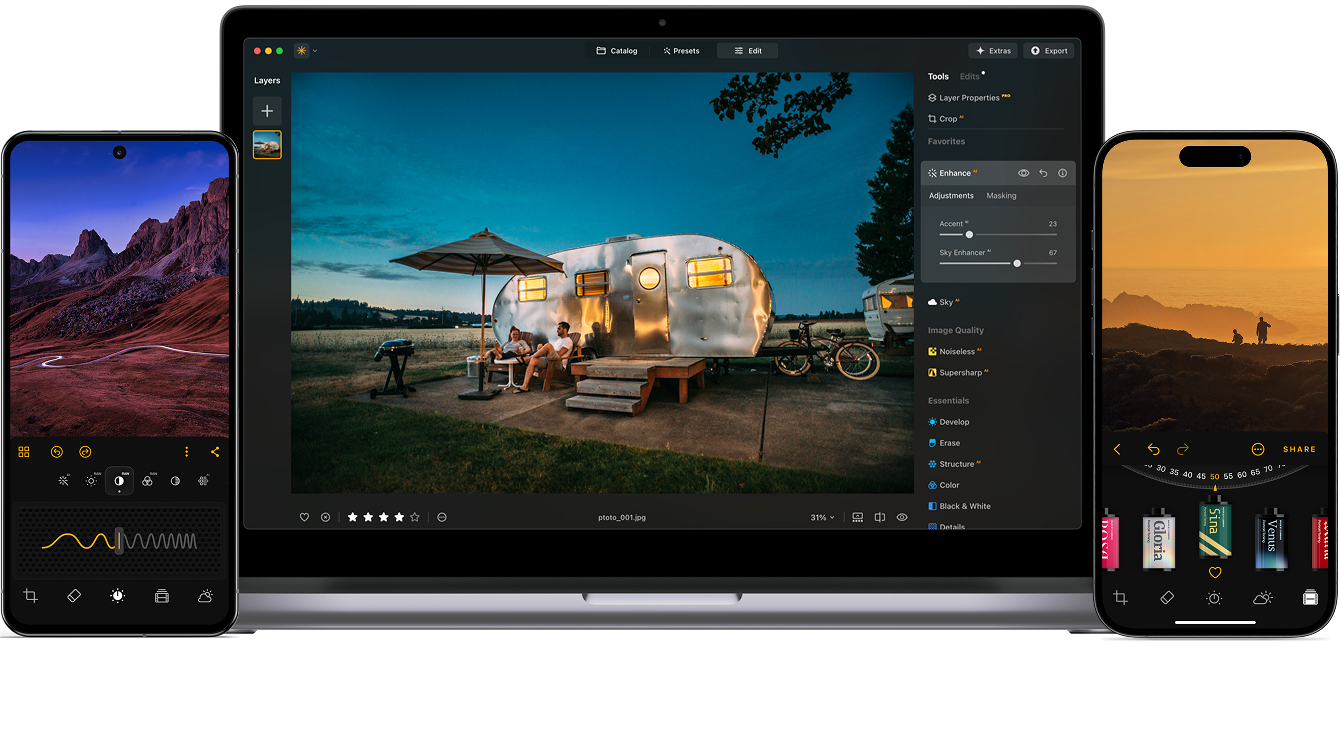
Luminar Neo で写真編集を簡単に

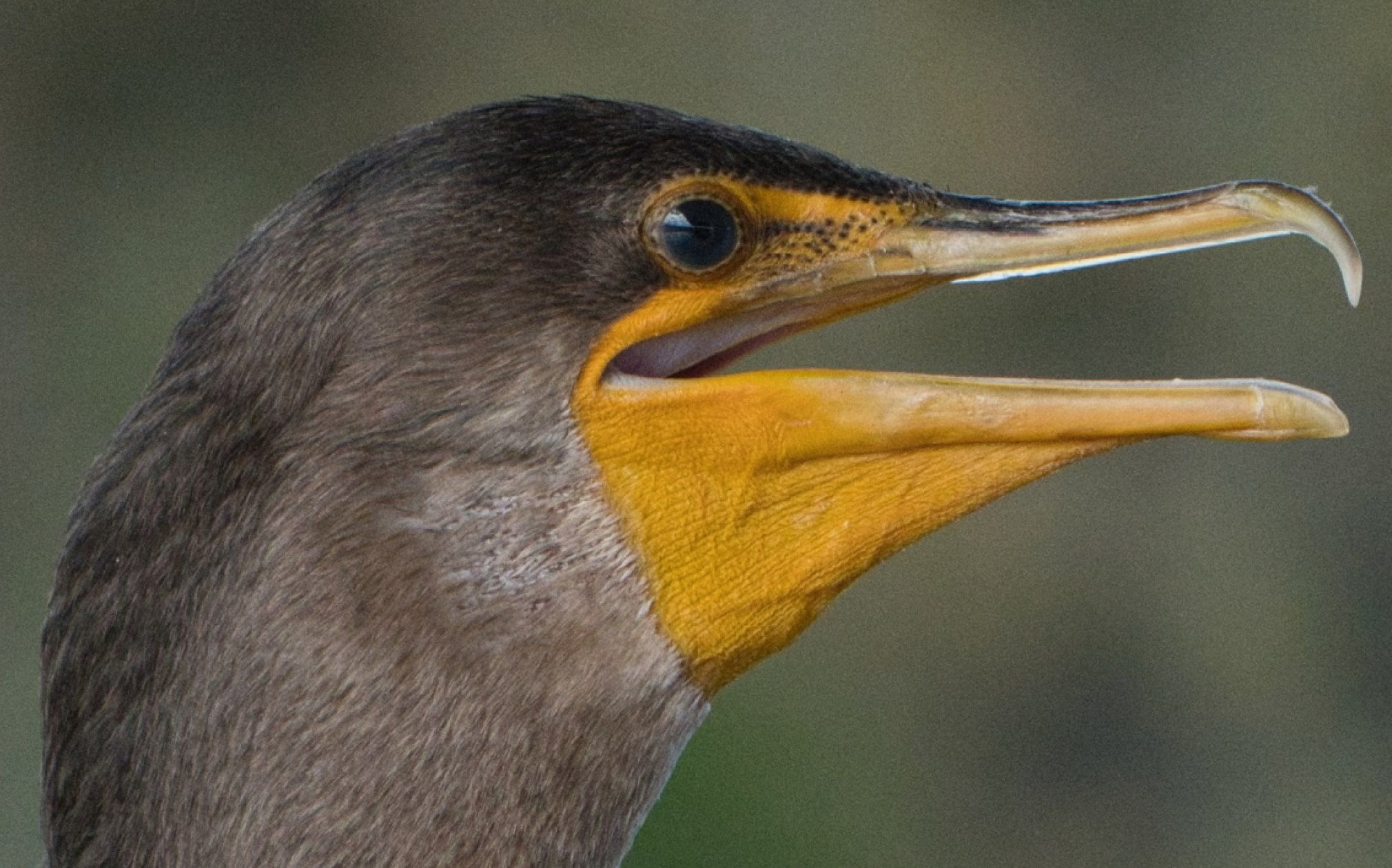
Before After

Erase Tool

Final result

How to Use Noiseless AI?

With the Grain Removal Tool, you can cut digital noise and keep your shots clear in just 3 steps.

1. Open the tool

Open Edit view and find NoiselessAI under Image Quality.

2. Pick a preset or adjust manually

Choose one of the AI-suggested presets (Low, Middle, High) or fine-tune manually with sliders for:
  • Luminosity – smooth out brightness noise
  • Color Noise – remove random color specks
  • Details – keep fine textures clear
  • Sharpness – restore crisp edges.

3. Enjoy the results

That’s it! Use the before/after slider to see how you removed grain from photos.
AI Image Denoiser: Remove Grain from Photo | Skylum
BEFORE
AFTER

Why Choose Luminar Neo AI Denoiser?

What does denoise do? It ungrains a photo, right. But with Luminar Neo, you can reach the next level of your editing.

Before After

AI Denoise Technology for Superior Photo Noise Reduction

NoiselessAI in Luminar Neo is an intelligent denoise tool that works with both RAW and JPEG files. It effectively removes noise from photos, both luminance noise (grain) and chroma noise (color specks), while keeping a natural look.

view plans
Before After

High-precision AI Photo Noise Reduction

With deep image analysis, NoiselessAI automatically detects the level of noise and suggests the best option to remove noise from your photo in one click. For more control, you can fine-tune manually with Luminosity Denoise, Color Denoise, Details, and Sharpness.

view plans

Lumiar Neoの新機能を見てみる

Luminar NeoのAI写真編集ツールで編集をレベルアップ。

主な機能

img

夢のような
ボケ効果を作成

img

肌を自然に滑らかにする

img

顔のパーツを補正

img

古い写真を復元

img

立体的なライティングを追加

img

数秒で補正

img

不要なものを除去

img

空を瞬時に置き換え

img

オブジェクトをシームレスに置き換え

img

すべてのディテールをシャープに

エッセンシャル

img

数秒で補正

img

隠れたディテールを強調

img

コントラストを強調

img

構図を修正

img

あらゆるピクセルを調整

img

色を改善

img

光と影を自在に操る

風景

img

空を瞬時に置き換え

img

ゴールデンアワーを再現

img

リアルな霧を追加

img

かすみ除去

img

光線で明るさをプラス

img

夕暮れのトーンを深める

img

理想的な水面を実現

生成 AI

img

不要なものを除去

img

シーンを拡張

img

オブジェクトをシームレスに置き換え

画質

img

古い写真を復元

img

すべてのディテールをシャープに

img

精密にノイズを除去

img

劣化なしでアップスケール

クリエイティブ

img

立体的なライティングを追加

img

輝きに深みを追加

img

簡単にカラーグレーディング

img

ネオンを追加

img

映画のような質感を追加

img

創造的なエフェクトを重ねる

ポートレイト

img

夢のような
ボケ効果を作成

img

肌を自然に滑らかにする

img

顔のパーツを補正

img

プロポーションを整える

img

背景を美しくぼかす

img

スタジオ照明を追加

img

背景を簡単に置き換える

img

スタイリッシュに明るくする

フォト マージ

img

複数の露出をマージ

img

ワイドパノラマを合成

img

フォーカス合成

生涯編集 を柔軟に!自分に合った Luminar Neo プランを選びましょう

あなたの特別な10%割引はあと 15:00

永久ライセンス
デスクトップ版

їデスクトップ版Luminar Neo

$ 119 .00

1回払い

今すぐ購入する
30日間返金保証

Windows/MacOS用デスクトップ版

iOS/Android/ChromeOS用モバイルアプリ

Creative Libraryアクセス

Luminar Neo ビデオコース

Luminar Neo クイックスタートガイド

プレゼント

最も人気

クロスデバイス
永続ライセンス

デスクトップ版Luminar Neo、iOS、Android、ChromeOS用モバイルアプリ

$ 159 .00

1回払い

今すぐ購入する
30日間返金保証

Windows/MacOS用デスクトップ版

iOS/Android/ChromeOS用モバイルアプリ

Creative Libraryアクセス

Luminar Neo ビデオコース

Luminar Neo クイックスタートガイド

プレゼント

永久
Maxライセンス

デスクトップのLuminar Neo、iOS、Android、ChromeOSのモバイルアプリ、Creative Libraryへのアクセス

$ 179 .00

1回払い

今すぐ購入する
30日間返金保証

Windows/MacOS用デスクトップ版

iOS/Android/ChromeOS用モバイルアプリ

Creative Libraryアクセス

Luminar Neo用のプリセット、空、LUT、オーバーレイなど1000以上のクリエイティブ素材と教育用ビデオコースへの1年間のアクセス

Luminar Neo ビデオコース

Luminar Neo クイックスタートガイド

プレゼント

ユーザー様から信頼される安心のサポート

ちょっと待って!サプライズがあります 🎁

あなたの追加10%オフが待っています — 下のコードをコピーしてチェックアウト時に適用してください。ただし急いで、あと15分で期限切れになります!

15:00

AI Image Denoiser: Remove Grain from Photo | Skylum(4) AI Image Denoiser: Remove Grain from Photo | Skylum(5)

注文概要

AI Image Denoiser: Remove Grain from Photo | Skylum(6)

永久ライセンス
デスクトップ版

$ 119 .00
$ 417 .00

Windows/MacOSデスクトップ版と、すべての生成AIツールへの1年間のフルアクセス。

Luminar Neo ビデオコース

AI Image Denoiser: Remove Grain from Photo | Skylum(7)

自動アップグレード

1年後に更新 $ 49 .00

$ 0 .00
$ 49 .00

すべての新しい有料機能を自動で入手。

生成AIツールをすべて自由に利用可能。

1年間無料。その後は料金が発生します。

現在のお支払い総額:
$ 119 .00

注文概要

AI Image Denoiser: Remove Grain from Photo | Skylum(6)

クロスデバイス
永続ライセンス

$ 159 .00
$ 477 .00

Windows/MacOSデスクトップ版と、すべての生成AIツールへの1年間のフルアクセス。

iOS/Android/ChromeOS用モバイルアプリ

Luminar Neo ビデオコース

AI Image Denoiser: Remove Grain from Photo | Skylum(7)

自動アップグレード

1年後に更新 $ 69 .00

$ 0 .00
$ 69 .00

すべての新しい有料機能を自動で入手。

生成AIツールをすべて自由に利用可能。

1年間無料。その後は料金が発生します。

現在のお支払い総額:
$ 159 .00

注文概要

AI Image Denoiser: Remove Grain from Photo | Skylum(6)

永久
Maxライセンス

$ 179 .00
$ 546 .00

Windows/MacOSデスクトップ版と、すべての生成AIツールへの1年間のフルアクセス。

iOS/Android/ChromeOS用モバイルアプリ

Luminar Neo ビデオコース

AI Image Denoiser: Remove Grain from Photo | Skylum(7)

自動アップグレード

1年後に更新 $ 89 .00

$ 0 .00
$ 89 .00

すべての新しい有料機能を自動で入手。

生成AIツールをすべて自由に利用可能。

1年間無料。その後は料金が発生します。

現在のお支払い総額:
$ 179 .00
AI Image Denoiser: Remove Grain from Photo | Skylum(15)

プリズム ライト オーバーレイ

オーバーレイ パック Skylumチーム制作
AI Image Denoiser: Remove Grain from Photo | Skylum(16)

実験的なオーバーレイ

オーバーレイ パック Skylumチーム制作
AI Image Denoiser: Remove Grain from Photo | Skylum(17)

日出ずる国

プリセットパックのクリエーター:Skylum
AI Image Denoiser: Remove Grain from Photo | Skylum(18)

キャンプの旅

プリセットパックのクリエーター:Skylum
AI Image Denoiser: Remove Grain from Photo | Skylum(19)

ここは地球?

プリセットパックのクリエーター:Skylum
AI Image Denoiser: Remove Grain from Photo | Skylum(20)

ラテン アメリカ探検

プリセットパックのクリエーター:Skylum
AI Image Denoiser: Remove Grain from Photo | Skylum(21)

アフリカ探検

プリセットパックのクリエーター:Skylum
AI Image Denoiser: Remove Grain from Photo | Skylum(22)

アメリカン・ドリーム

プリセットパックのクリエーター:Skylum
AI Image Denoiser: Remove Grain from Photo | Skylum(23)

中東民話

プリセットパックのクリエーター:Skylum
AI Image Denoiser: Remove Grain from Photo | Skylum(24)

素晴らしいスカンジナビア

プリセットパックのクリエーター:Skylum
AI Image Denoiser: Remove Grain from Photo | Skylum(25)
AI Image Denoiser: Remove Grain from Photo | Skylum(26)
編集前 編集後
AI Image Denoiser: Remove Grain from Photo | Skylum(27)
AI Image Denoiser: Remove Grain from Photo | Skylum(28)
編集前 編集後
AI Image Denoiser: Remove Grain from Photo | Skylum(29)
AI Image Denoiser: Remove Grain from Photo | Skylum(30)
編集前 編集後
AI Image Denoiser: Remove Grain from Photo | Skylum(31)
AI Image Denoiser: Remove Grain from Photo | Skylum(32)
編集前 編集後
AI Image Denoiser: Remove Grain from Photo | Skylum(33)
AI Image Denoiser: Remove Grain from Photo | Skylum(34)
編集前 編集後
AI Image Denoiser: Remove Grain from Photo | Skylum(35)
AI Image Denoiser: Remove Grain from Photo | Skylum(36)
AI Image Denoiser: Remove Grain from Photo | Skylum(37)
AI Image Denoiser: Remove Grain from Photo | Skylum(38)
AI Image Denoiser: Remove Grain from Photo | Skylum(39)

プリズム ライト オーバーレイ

オーバーレイ パック Skylumチーム制作

さまざまな色のきらめきやフレアを含むJPEG 形式の10種類のオーバーレイを使って、雰囲気のある写真を作成できます。Luminar Neoのレイヤーやポートレート背景削除ツールと組み合わせて、あらゆるジャンルの写真でお楽しみいただけます。わずか数クリックで、面白い照明効果を追加したり、新しい方法で被写体を目立たせられます。お試しください!

AI Image Denoiser: Remove Grain from Photo | Skylum(40)
AI Image Denoiser: Remove Grain from Photo | Skylum(41)
編集前 編集後
AI Image Denoiser: Remove Grain from Photo | Skylum(42)
AI Image Denoiser: Remove Grain from Photo | Skylum(43)
編集前 編集後
AI Image Denoiser: Remove Grain from Photo | Skylum(44)
AI Image Denoiser: Remove Grain from Photo | Skylum(45)
編集前 編集後
AI Image Denoiser: Remove Grain from Photo | Skylum(46)
AI Image Denoiser: Remove Grain from Photo | Skylum(47)
編集前 編集後
AI Image Denoiser: Remove Grain from Photo | Skylum(48)
AI Image Denoiser: Remove Grain from Photo | Skylum(49)
編集前 編集後
AI Image Denoiser: Remove Grain from Photo | Skylum(50)
AI Image Denoiser: Remove Grain from Photo | Skylum(51)
AI Image Denoiser: Remove Grain from Photo | Skylum(52)
AI Image Denoiser: Remove Grain from Photo | Skylum(53)
AI Image Denoiser: Remove Grain from Photo | Skylum(54)

実験的なオーバーレイ

オーバーレイ パック Skylumチーム制作

あなたの写真に何か特別なタッチを加えてみませんか?これらのJPEG形式の10種類の実験的オーバーレイをご覧ください。Luminar Neoのレイヤー機能で簡単に使って、あらゆる写真を視線を惹きつけるものに変えることができます。さまざまな色や形の10種類の魅惑的なエフェクトから選択し、数クリックでユニークな雰囲気を演出。ピンクの色相から金色の円まで、次の傑作にぴったりなオーバーレイがきっと見つかります。

AI Image Denoiser: Remove Grain from Photo | Skylum(55)
AI Image Denoiser: Remove Grain from Photo | Skylum(56)
編集前 編集後
AI Image Denoiser: Remove Grain from Photo | Skylum(57)
AI Image Denoiser: Remove Grain from Photo | Skylum(58)
編集前 編集後
AI Image Denoiser: Remove Grain from Photo | Skylum(59)
AI Image Denoiser: Remove Grain from Photo | Skylum(60)
編集前 編集後
AI Image Denoiser: Remove Grain from Photo | Skylum(61)
AI Image Denoiser: Remove Grain from Photo | Skylum(62)
編集前 編集後
AI Image Denoiser: Remove Grain from Photo | Skylum(63)
AI Image Denoiser: Remove Grain from Photo | Skylum(64)
編集前 編集後
AI Image Denoiser: Remove Grain from Photo | Skylum(65)
AI Image Denoiser: Remove Grain from Photo | Skylum(66)
AI Image Denoiser: Remove Grain from Photo | Skylum(67)
AI Image Denoiser: Remove Grain from Photo | Skylum(68)
AI Image Denoiser: Remove Grain from Photo | Skylum(69)

日出ずる国

プリセットパックのクリエーター:Skylum

日本旅行で撮った写真や、和の雰囲気を出したい写真を素敵に。風景から象徴的な名所、食べ物の写真まで、このパックは驚くほど多用途です。

AI Image Denoiser: Remove Grain from Photo | Skylum(70)
AI Image Denoiser: Remove Grain from Photo | Skylum(71)
編集前 編集後
AI Image Denoiser: Remove Grain from Photo | Skylum(72)
AI Image Denoiser: Remove Grain from Photo | Skylum(73)
編集前 編集後
AI Image Denoiser: Remove Grain from Photo | Skylum(74)
AI Image Denoiser: Remove Grain from Photo | Skylum(75)
編集前 編集後
AI Image Denoiser: Remove Grain from Photo | Skylum(76)
AI Image Denoiser: Remove Grain from Photo | Skylum(77)
編集前 編集後
AI Image Denoiser: Remove Grain from Photo | Skylum(78)
AI Image Denoiser: Remove Grain from Photo | Skylum(79)
編集前 編集後
AI Image Denoiser: Remove Grain from Photo | Skylum(80)
AI Image Denoiser: Remove Grain from Photo | Skylum(81)
AI Image Denoiser: Remove Grain from Photo | Skylum(82)
AI Image Denoiser: Remove Grain from Photo | Skylum(83)
AI Image Denoiser: Remove Grain from Photo | Skylum(84)

キャンプの旅

プリセットパックのクリエーター:Skylum

キャンプやハイキングの写真を最高なものにするよう作られたこれらの10種類のプリセットは、屋外の写真を自然で鮮やかにします。雄大な山々の写真や、居心地の良いキャンプファイヤーの写真も、ワン・クリックでベストな仕上がりにします。


AI Image Denoiser: Remove Grain from Photo | Skylum(85)
AI Image Denoiser: Remove Grain from Photo | Skylum(86)
編集前 編集後
AI Image Denoiser: Remove Grain from Photo | Skylum(87)
AI Image Denoiser: Remove Grain from Photo | Skylum(88)
編集前 編集後
AI Image Denoiser: Remove Grain from Photo | Skylum(89)
AI Image Denoiser: Remove Grain from Photo | Skylum(90)
編集前 編集後
AI Image Denoiser: Remove Grain from Photo | Skylum(91)
AI Image Denoiser: Remove Grain from Photo | Skylum(92)
編集前 編集後
AI Image Denoiser: Remove Grain from Photo | Skylum(93)
AI Image Denoiser: Remove Grain from Photo | Skylum(94)
編集前 編集後
AI Image Denoiser: Remove Grain from Photo | Skylum(95)
AI Image Denoiser: Remove Grain from Photo | Skylum(96)
AI Image Denoiser: Remove Grain from Photo | Skylum(97)
AI Image Denoiser: Remove Grain from Photo | Skylum(98)
AI Image Denoiser: Remove Grain from Photo | Skylum(99)

ここは地球?

プリセットパックのクリエーター:Skylum

ここはまだ地球、それとも他の星?この10種類の素晴らしいプリセット コレクションは、風景写真を幻想的で別世界のような雰囲気に仕上げます。平凡な風景を鮮やかな色彩で超現実的なシーンに変え、見る人を釘付けにしてください。


AI Image Denoiser: Remove Grain from Photo | Skylum(100)
AI Image Denoiser: Remove Grain from Photo | Skylum(101)
編集前 編集後
AI Image Denoiser: Remove Grain from Photo | Skylum(102)
AI Image Denoiser: Remove Grain from Photo | Skylum(103)
編集前 編集後
AI Image Denoiser: Remove Grain from Photo | Skylum(104)
AI Image Denoiser: Remove Grain from Photo | Skylum(105)
編集前 編集後
AI Image Denoiser: Remove Grain from Photo | Skylum(106)
AI Image Denoiser: Remove Grain from Photo | Skylum(107)
編集前 編集後
AI Image Denoiser: Remove Grain from Photo | Skylum(108)
AI Image Denoiser: Remove Grain from Photo | Skylum(109)
編集前 編集後
AI Image Denoiser: Remove Grain from Photo | Skylum(110)
AI Image Denoiser: Remove Grain from Photo | Skylum(111)
AI Image Denoiser: Remove Grain from Photo | Skylum(112)
AI Image Denoiser: Remove Grain from Photo | Skylum(113)
AI Image Denoiser: Remove Grain from Photo | Skylum(114)

ラテン アメリカ探検

プリセットパックのクリエーター:Skylum

これら10種類のプリセットを使って、映画のようにラテン アメリカの国々を巡る旅を体験してください。風景用にデザインされ、旅の写真にぴったりのコレクションで、美しさを際立たせ写真にセンスを加えましょう。


AI Image Denoiser: Remove Grain from Photo | Skylum(115)
AI Image Denoiser: Remove Grain from Photo | Skylum(116)
編集前 編集後
AI Image Denoiser: Remove Grain from Photo | Skylum(117)
AI Image Denoiser: Remove Grain from Photo | Skylum(118)
編集前 編集後
AI Image Denoiser: Remove Grain from Photo | Skylum(119)
AI Image Denoiser: Remove Grain from Photo | Skylum(120)
編集前 編集後
AI Image Denoiser: Remove Grain from Photo | Skylum(121)
AI Image Denoiser: Remove Grain from Photo | Skylum(122)
編集前 編集後
AI Image Denoiser: Remove Grain from Photo | Skylum(123)
AI Image Denoiser: Remove Grain from Photo | Skylum(124)
編集前 編集後
AI Image Denoiser: Remove Grain from Photo | Skylum(125)
AI Image Denoiser: Remove Grain from Photo | Skylum(126)
AI Image Denoiser: Remove Grain from Photo | Skylum(127)
AI Image Denoiser: Remove Grain from Photo | Skylum(128)
AI Image Denoiser: Remove Grain from Photo | Skylum(129)

アフリカ探検

プリセットパックのクリエーター:Skylum

素晴らしいアフリカ大陸に特化したこのパックには、ポートレート写真と風景写真の両方のさまざまなプリセットが組み合わされています。ランドマーク、サファリショット、建築写真、アフリカ旅行中に出会った人々のポートレートを際立たせます。


AI Image Denoiser: Remove Grain from Photo | Skylum(130)
AI Image Denoiser: Remove Grain from Photo | Skylum(131)
編集前 編集後
AI Image Denoiser: Remove Grain from Photo | Skylum(132)
AI Image Denoiser: Remove Grain from Photo | Skylum(133)
編集前 編集後
AI Image Denoiser: Remove Grain from Photo | Skylum(134)
AI Image Denoiser: Remove Grain from Photo | Skylum(135)
編集前 編集後
AI Image Denoiser: Remove Grain from Photo | Skylum(136)
AI Image Denoiser: Remove Grain from Photo | Skylum(137)
編集前 編集後
AI Image Denoiser: Remove Grain from Photo | Skylum(138)
AI Image Denoiser: Remove Grain from Photo | Skylum(139)
編集前 編集後
AI Image Denoiser: Remove Grain from Photo | Skylum(140)
AI Image Denoiser: Remove Grain from Photo | Skylum(141)
AI Image Denoiser: Remove Grain from Photo | Skylum(142)
AI Image Denoiser: Remove Grain from Photo | Skylum(143)
AI Image Denoiser: Remove Grain from Photo | Skylum(144)

アメリカン・ドリーム

プリセットパックのクリエーター:Skylum

アメリカ旅行の写真を素晴らしいものにしましょう。有名な都市のランドマーク、国立公園、よくある都市景観の写真を素敵に。これらの10種類の素晴らしいプリセットを使うと数クリックで、あらゆる驚きの効果を実現できます。


AI Image Denoiser: Remove Grain from Photo | Skylum(145)
AI Image Denoiser: Remove Grain from Photo | Skylum(146)
編集前 編集後
AI Image Denoiser: Remove Grain from Photo | Skylum(147)
AI Image Denoiser: Remove Grain from Photo | Skylum(148)
編集前 編集後
AI Image Denoiser: Remove Grain from Photo | Skylum(149)
AI Image Denoiser: Remove Grain from Photo | Skylum(150)
編集前 編集後
AI Image Denoiser: Remove Grain from Photo | Skylum(151)
AI Image Denoiser: Remove Grain from Photo | Skylum(152)
編集前 編集後
AI Image Denoiser: Remove Grain from Photo | Skylum(153)
AI Image Denoiser: Remove Grain from Photo | Skylum(154)
編集前 編集後
AI Image Denoiser: Remove Grain from Photo | Skylum(155)
AI Image Denoiser: Remove Grain from Photo | Skylum(156)
AI Image Denoiser: Remove Grain from Photo | Skylum(157)
AI Image Denoiser: Remove Grain from Photo | Skylum(158)
AI Image Denoiser: Remove Grain from Photo | Skylum(159)

中東民話

プリセットパックのクリエーター:Skylum

10種類のプリセットからなるこの魅力的なコレクションは、中東の風景、建築、ストリート スタイル、自然の神秘的な美しさを引き出すように作られています。暖色系、濃い黄色、青と金色など、あなたの写真にぴったりのプリセットがきっと見つかります。


AI Image Denoiser: Remove Grain from Photo | Skylum(160)
AI Image Denoiser: Remove Grain from Photo | Skylum(161)
編集前 編集後
AI Image Denoiser: Remove Grain from Photo | Skylum(162)
AI Image Denoiser: Remove Grain from Photo | Skylum(163)
編集前 編集後
AI Image Denoiser: Remove Grain from Photo | Skylum(164)
AI Image Denoiser: Remove Grain from Photo | Skylum(165)
編集前 編集後
AI Image Denoiser: Remove Grain from Photo | Skylum(166)
AI Image Denoiser: Remove Grain from Photo | Skylum(167)
編集前 編集後
AI Image Denoiser: Remove Grain from Photo | Skylum(168)
AI Image Denoiser: Remove Grain from Photo | Skylum(169)
編集前 編集後
AI Image Denoiser: Remove Grain from Photo | Skylum(170)
AI Image Denoiser: Remove Grain from Photo | Skylum(171)
AI Image Denoiser: Remove Grain from Photo | Skylum(172)
AI Image Denoiser: Remove Grain from Photo | Skylum(173)
AI Image Denoiser: Remove Grain from Photo | Skylum(174)

素晴らしいスカンジナビア

プリセットパックのクリエーター:Skylum

北欧諸国の旅行写真にぴったりな、10種類の汎用的プリセットの素晴らしいコレクションをご覧ください。牧歌的な風景、自然の驚異、美しい建築物などのスカンジナビアのムードを捉えられます。旅の準備を整えましょう!

Luminar Neo ビデオコース

コースについて
学べること?
プロセスを見る
このような写真をゲット
クリエーター

Luminar Neoのクリエイティブな写真編集テクニック

by Albert Dros(アルバート・ドロス)

10のチュートリアル動画

12種類の厳選されたプリセットが含まれます

クリエイティブ編集のチュートリアルが含まれます

オランダの風景写真家アルバート・ドロス(Albert Dros)がこのコースに参加し、独自の写真のための計画から作成までの並外れた情熱を共有。これら10の動画で、写真の良し悪しについての洞察を得られます。アルバートは、編集テクニックのステップを順を追って解説。さらに、特別ボーナスとして、魅力的な画像作成に役立つ、アルバート・ドロス厳選の12種類のプリセット無料パックも含まれます。 彼の専門的な指導を受けて、息を呑むような風景写真の秘密を解き明かし、あなたの写真を素晴らしい傑作に変えましょう。
img

紹介&コース概要

Albert Drosの自己紹介と、写真について学べることを簡単に説明します...

img

写真入門

ベストな仕上がりのためには、写真を撮るときに何に注目すべき?

img

基本の編集

AlbertがLuminar Neoのレイアウトと、あっという間に素敵な写真を作るための基本的ツールを紹介します。

img

高度な編集

Albert がLuminar Neoのより高度なツールと、それらを使った写真の際立たせ方を詳しく説明します。

img

ドラマチックな編集

写真でクリエイティブに!Albertがよりクリエイティブなツールを使って編集し、写真のドラマチックな側面を引き出し、新しい命を吹き込みます。

img

フォーカス スタッキング

Luminar Neoには、さらに印象的な仕上がりにできる拡張機能があります。この動画では、Luminar Neoのフォーカス スタッキング 拡張機能を使ってて焦点合成の方法を学べます。

img

都市景観

都市景観写真の良し悪しとは?普通のドバイの写真を印象的な写真に変える方法をご覧ください。

img

森林

Albertが独特の印象的な森の写真を作成するために使う、Luminar Neo ツールを見つけよう。アトモスフィア AI、太陽光、その他のツールをご覧ください!

img

プリセット

プリセットを使って、写真の素早くて面白いカラー 編集方法を学べます。 Albert がプリセットでさらに美しい森の写真を作る方法をご紹介します。

img

コース 要約

このコースで学んだすべての内容のまとめ。楽しい創作を!

編集前 編集後
編集前 編集後
編集前 編集後
編集前 編集後
編集前 編集後

Albert Dros(アルバート・ドロス)

写真家、ライター、教育者

Albert Dros(アルバート・ドロス)はオランダの風景写真家で、ユニークな写真を作りだすことに並々ならぬ情熱を注いでいます。火山、日食などのユニークな自然の持つ側面が彼を魅了します。彼は単に写真を撮りに行くだけではありません。

"Go big or go home" is his motto, always trying to add some unique element to his shots.

彼の作品は世界的に認知されており、世界中の主要メディアで取り上げられています。

アルバートは写真教育者としてだけでなく、個人的なプロジェクトのためにもよく旅行します。オランダにいても、彼の写真を撮るインスピレーションは衰えることはありません。

Frequently Asked Questions

What is NoiselessAI?

Noiseless AI in Luminar Neo is an AI-powered tool for photo noise removal. It works with both RAW and JPEG files to eliminate luminance noise (grain) and color noise (random specks). This photo denoiser offers quick AI presets as well as manual sliders for Luminosity, Color Noise, Details, and Sharpness, so you can clean up your images while keeping them natural and detailed.

Why do you need image noise reduction?

Sometimes, grain gets in the way of an otherwise perfect photo. If you shoot in poor light conditions, you might encounter this problem. Some people enjoy artistic grain for a retro vibe, but more often it is distracting and ruins the shot. That is why AI noise reduction helps make your images smooth, clear, and exactly the way you want them.

Who can benefit from NoiselessAI??

Noiseless AI is especially useful for:

  • Wildlife photography: clean up high ISO shots of fast-moving subjects
  • Night photography: reduce noise in low-light scenes while keeping stars sharp
  • Macro photography: preserve tiny textures without distracting grain
  • Portrait photography: keep skin smooth and natural even in dim light

It also works with RAW, JPEG, and other formats, which makes it practical for both professionals and casual creators.

How to remove grain from a photo in Luminar Neo?

You can easily perform noise reduction with AI:

  1. Open your photo in Luminar Neo and go to Edit view
  2. Find Noiseless AI under Image Quality
  3. Pick a preset (Low, Middle, High) or adjust sliders (Luminosity, Color Noise, Details, Sharpness)
  4. Save changes and get a clean, sharp result

How to use NoiselessAI as plugin?

Buy and install Luminar Neo, then enable the plugin option during setup. After that, open your photo in Photoshop or Lightroom, choose Luminar Neo → Noiseless AI from the plug-in menu, apply denoise AI, and the edited image will return to your host software.

What is your pricing policy for NoiselessAI tool?

NoiselessAI is included as part of Luminar Neo. To use it, you simply need a valid Luminar Neo license. Every license comes with one year of unlimited updates and a 30-day money-back guarantee.

How does the AI-powered image denoiser reduce noise from my photos?

The AI grain remover analyzes your image and detects patterns of luminance and color noise. It selectively smooths out those noisy areas while protecting the real structure of the photo (edges, textures, and tones). This way, noise is reduced without flattening or distorting the overall look of the image.

Why Luminar Neo Noiseless AI is the best denoise software for your photos?

Unlike basic tools that blur to hide grain, Luminar Neo’s NoiselessAI is built to preserve natural detail. It delivers images that look clean and professional without losing the textures that make them real. This means you can confidently shoot in low light or at high ISO without worrying about grain.

App Requirements

macOS

Mac Model

MacBook, MacBook Air, MacBook Pro, iMac, iMac Pro, Mac Pro, Mac mini, early 2010 or newer

Processor

CPU Intel® Core™ i5 8 Gen or better

OS version

macOS 12.0 or higher.

RAM

Memory 8 GB RAM or more (16+ GB RAM is recommended)

Disk space

Hard disk 10 GB free space; SSD for best performance

Display

1280x768 size or better

Windows

Hardware

Windows-based hardware PC with mouse or similar input device

Processor

CPU Intel® Core™ i5 8 Gen or better, AMD Ryzen™ 5 or better

OS version

10 version 1909 or higher (only 64-bit OS)

RAM

Memory 8 GB RAM or more (16+ GB RAM is recommended)

Disk space

Hard disk 10 GB free space; SSD for best performance

Display

1280x768 size or better

Graphics

Open GL 3.3 or later compatible graphics card

AI Image Denoiser: Remove Grain from Photo | Skylum(175)